Challenge · Part-145
Certificates scattered across systems and folders
Every authorization is only as good as the certificate behind it. And the certificate is a PDF in someone's inbox, a scan in a folder — or missing.
The situation

Certificates arrive late, and often only after chasing. When they arrive, they have to be right in every detail — name, date of birth, exact training title. A typo makes the certificate invalid as evidence; a missing single participant certificate makes a whole course unprovable. So every incoming batch needs careful checking.
Then comes filing. At the volume a maintenance organisation produces, manual filing guarantees occasional slips — and a certificate filed in the wrong place is, for audit purposes, a certificate you don't have. You have 24 hours to produce the right document; a mis-filed PDF can eat all of them.
Why it keeps happening
Arrival is unmanaged
Certificates come by email, scan and paper, to different people, with no single point of intake.
Checking is manual and detail-critical
Name, date, course title: humans checking hundreds of documents will miss some.
Filing by hand doesn't scale
Folder trees and naming conventions collapse under volume and staff changes.
How cimoio.aero solves it
-
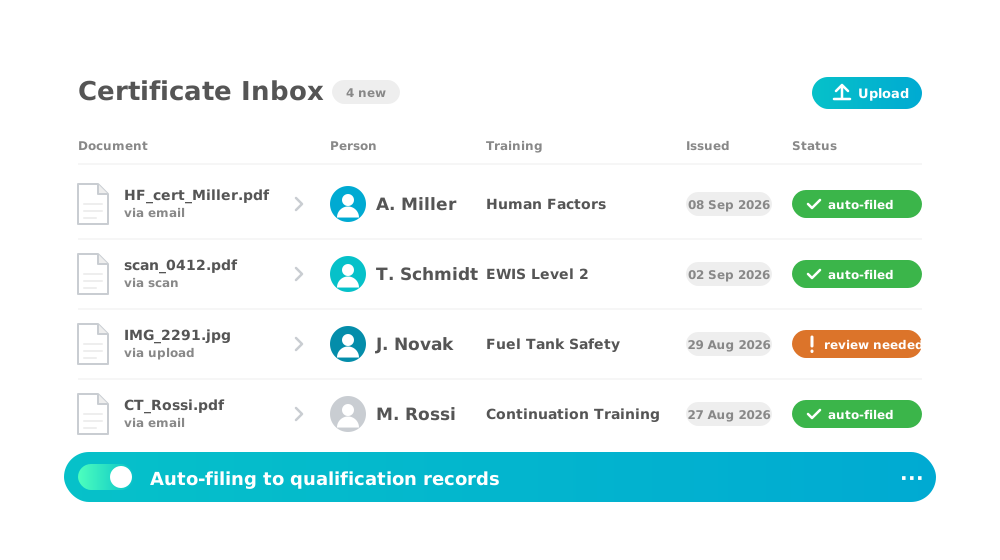
Certificate inbox
Incoming certificates are collected and filed automatically.
All incoming certificates are collected in one inbox and filed in the right place automatically. Just like in your email client, you see at a glance what has been filed and what still needs attention. Certificates that could not be assigned are marked and distributed by hand in a few clicks.
Learn more
-

Automatic assignment and filing
Certificates land exactly where they belong — no manual filing.
Every certificate is stored in the system and linked to the right places automatically: to the qualification and the authorization profile built on it, and to the training attendance with date and status. Open it as evidence from the training history or from the qualification profile — always the same document, filed once.
Learn more -
Quick retrieving
Every certificate is just one click away.
Open the certificate wherever you need the proof: from the training history to show that a training took place, or from the qualification and the authorization to show that the qualification is in place. Administrators, managers and employees each reach the right document with a single click.
Learn more
See the certificate flow live
In a guided demo we run a real certificate from inbox to audit-proof record — with your document types.
Or start faster with Compliance as a ServiceMore challenges
-
Too few mechanics, too slow to qualify
Sharp, small authorizations make staff productive step by step.
-
Qualification data spread across too many systems
The whole chain in one system — expiry to renewal, automatically.
-
Coordination overload with training providers
Participants out, status back, certificates home — structured.