All Features
Explore all features of our qualification management system.
Qualifcation & Competence
Vollzugang zum Qualification Manager – gestaffelt nach Teamgröße.
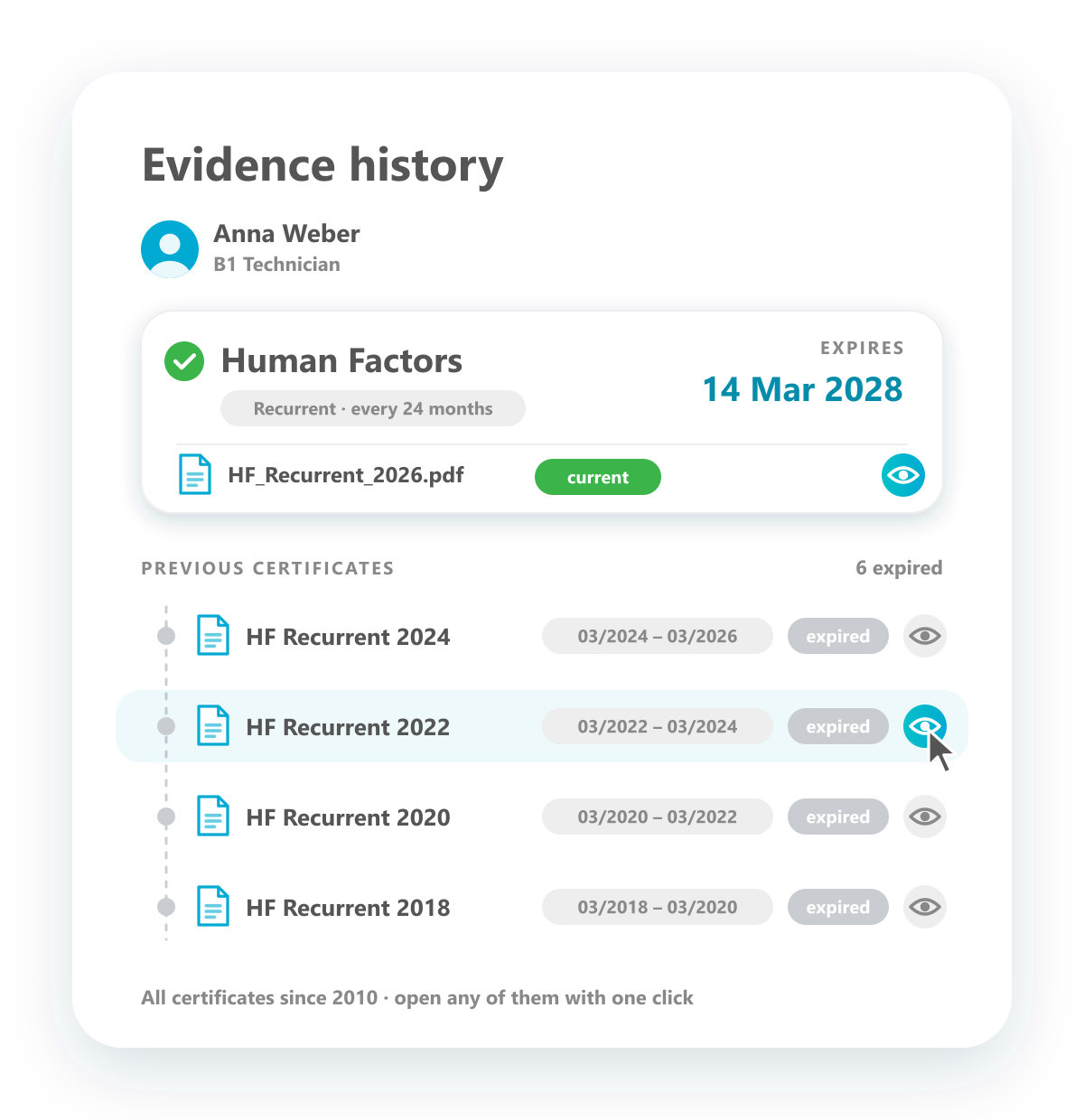
Complete evidence history
Every certificate behind a qualification — current and past.
Each qualification keeps the full history of its evidence. You see the certificate that is valid today with its expiry date, and below it every earlier certificate with the period in which it was valid — for recurrent qualifications such as Human Factors, one every two years. Every certificate can be opened, so you can prove at any time which evidence was valid at which moment.
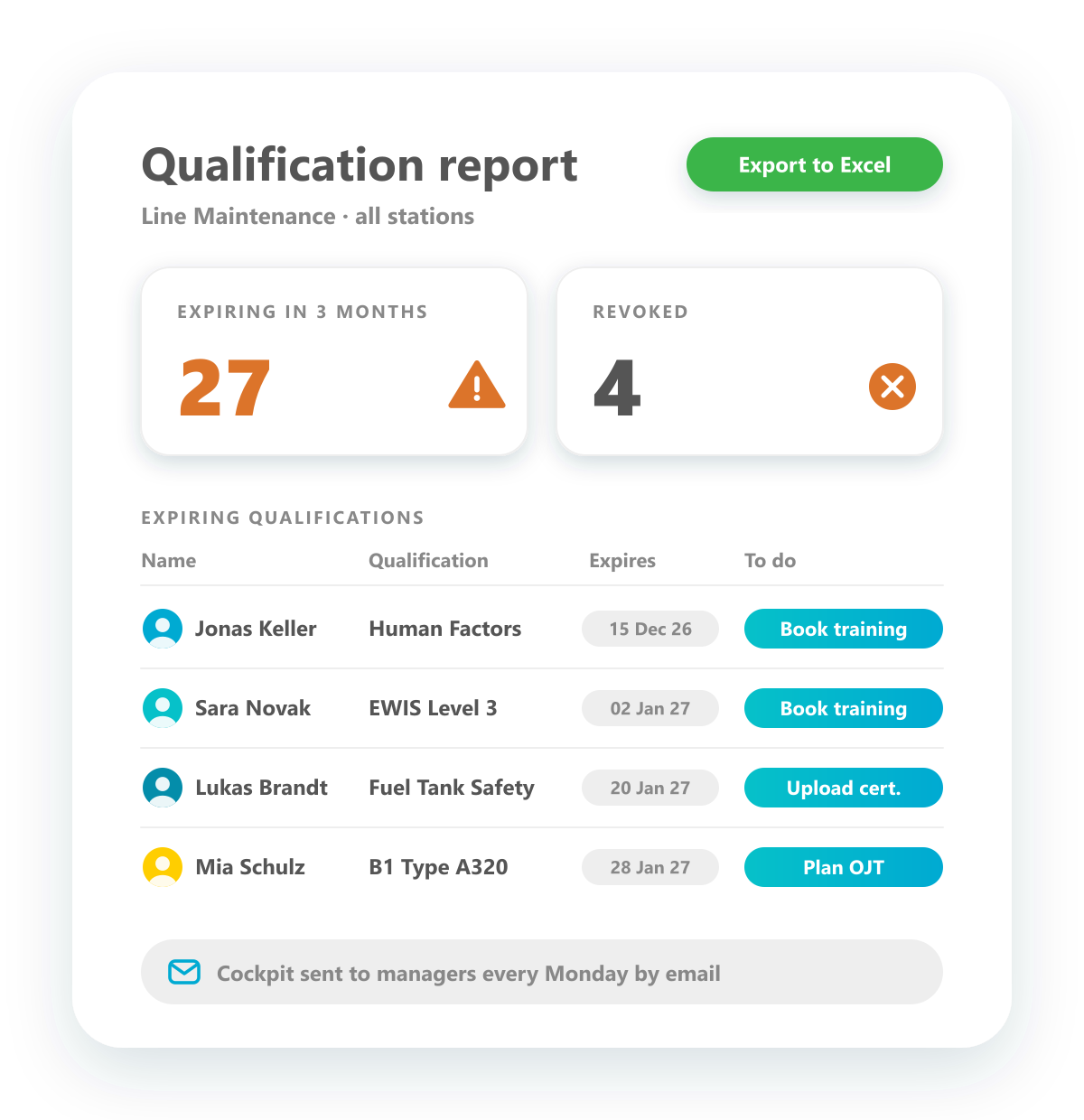
Comprehensive reporting
Expiring and revoked qualifications at a glance — every figure ready for Excel.
Reports show what needs attention: a detailed list of expiring qualifications with employee, qualification, expiry date and the next step, plus key figures such as the qualifications expiring in the next three months and those that have been revoked. All information can be exported to Excel, and dashboards and cockpits are shared with the right users in the tool or sent to them by email.
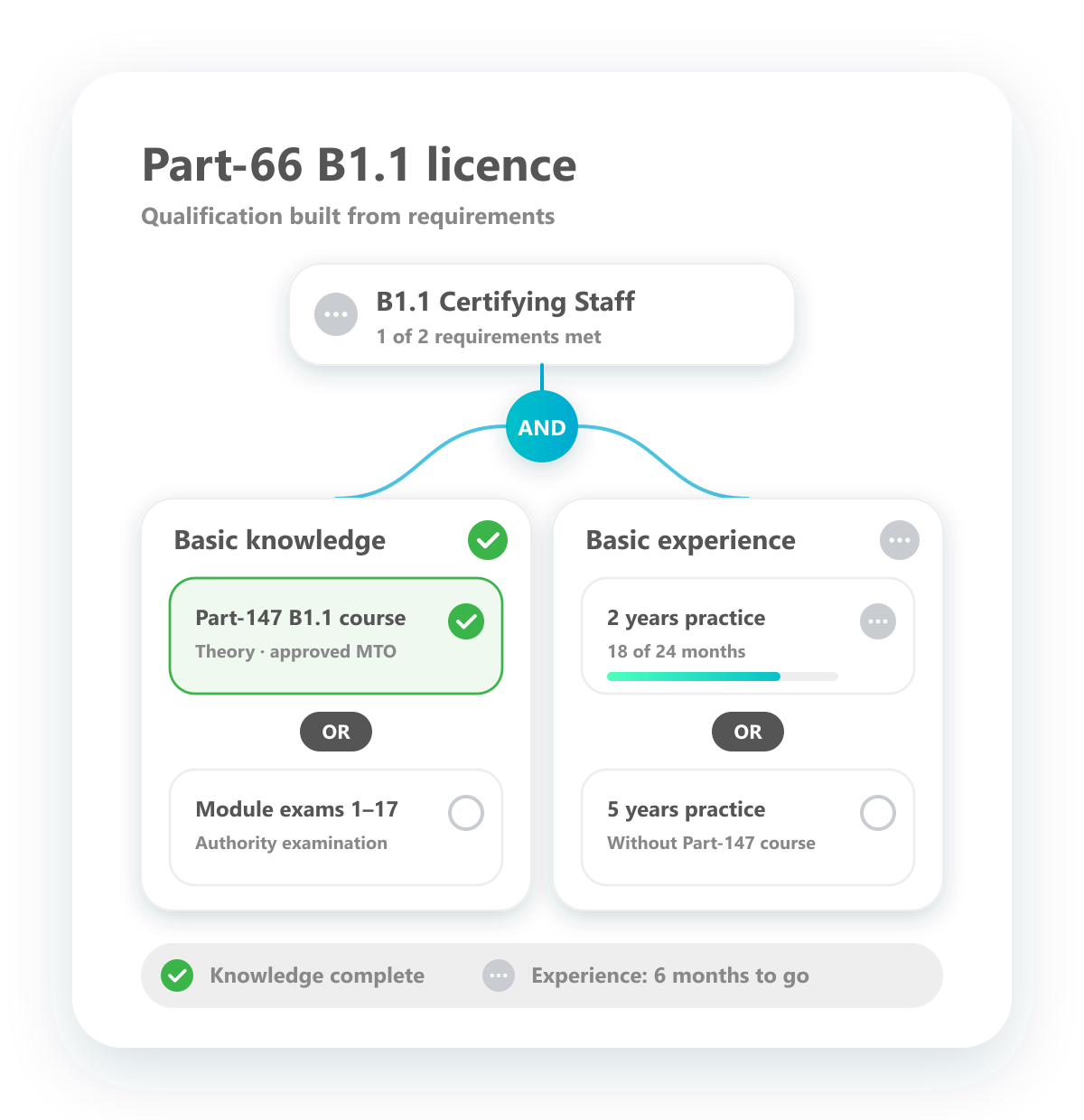
Conditional qualifications
Build qualifications from requirements combined with AND and OR.
Model qualifications the way the regulation defines them. Combine requirements such as theoretical training, exams and practical experience with AND and OR — for example a Part-66 B1.1 licence that needs basic knowledge from a Part-147 course or the module exams, and two or five years of practical experience. The qualification is fulfilled as soon as the combination is complete, and you see exactly which part is still missing.
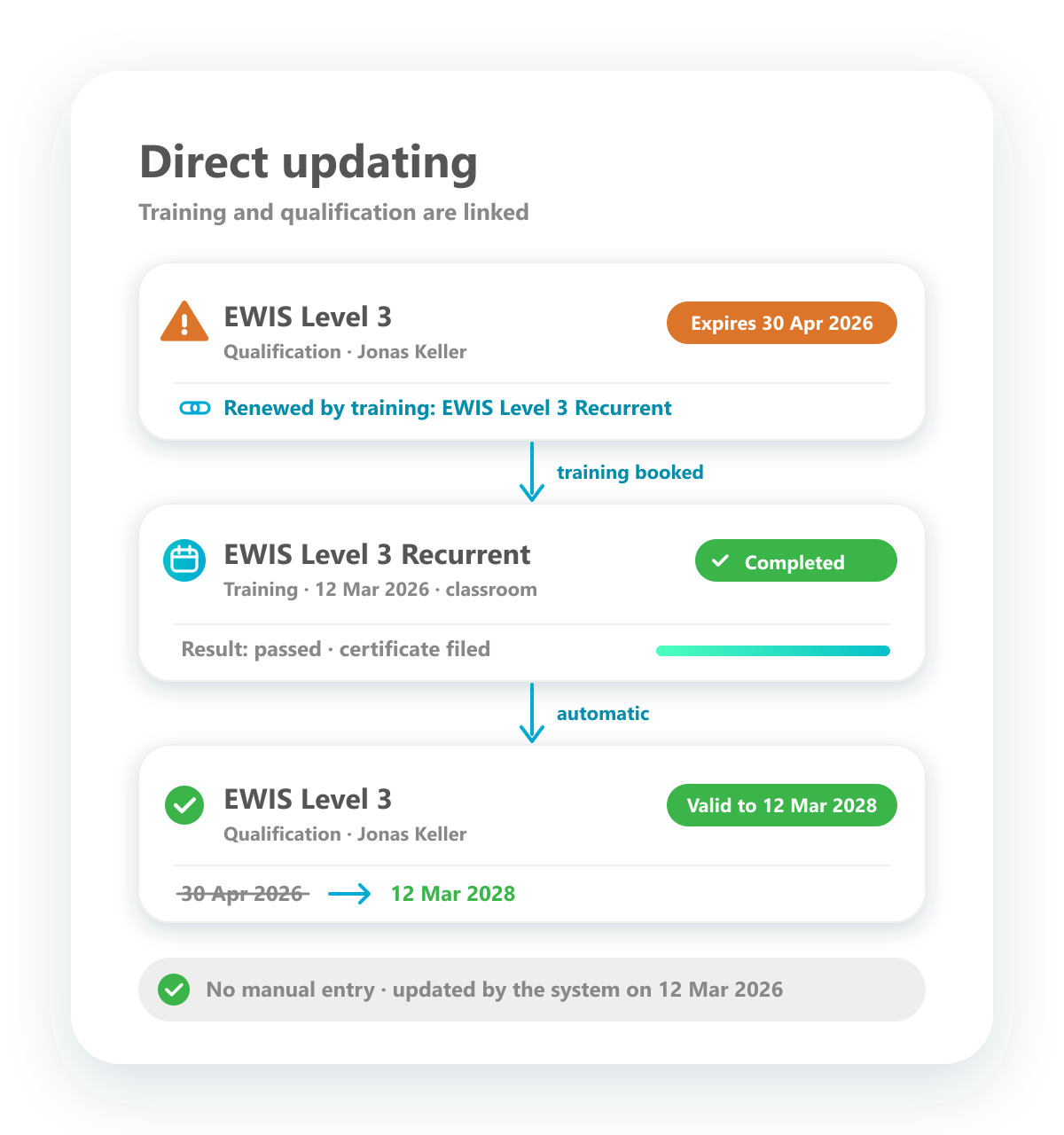
Direct updating
A completed training renews the qualification — automatically.
Training management and qualification management are directly connected. Every qualification knows which training renews it, so when it is about to expire, the required training is already clear. As soon as the training has been completed and recorded in the system, the qualification is extended — no manual updates, no double entry.
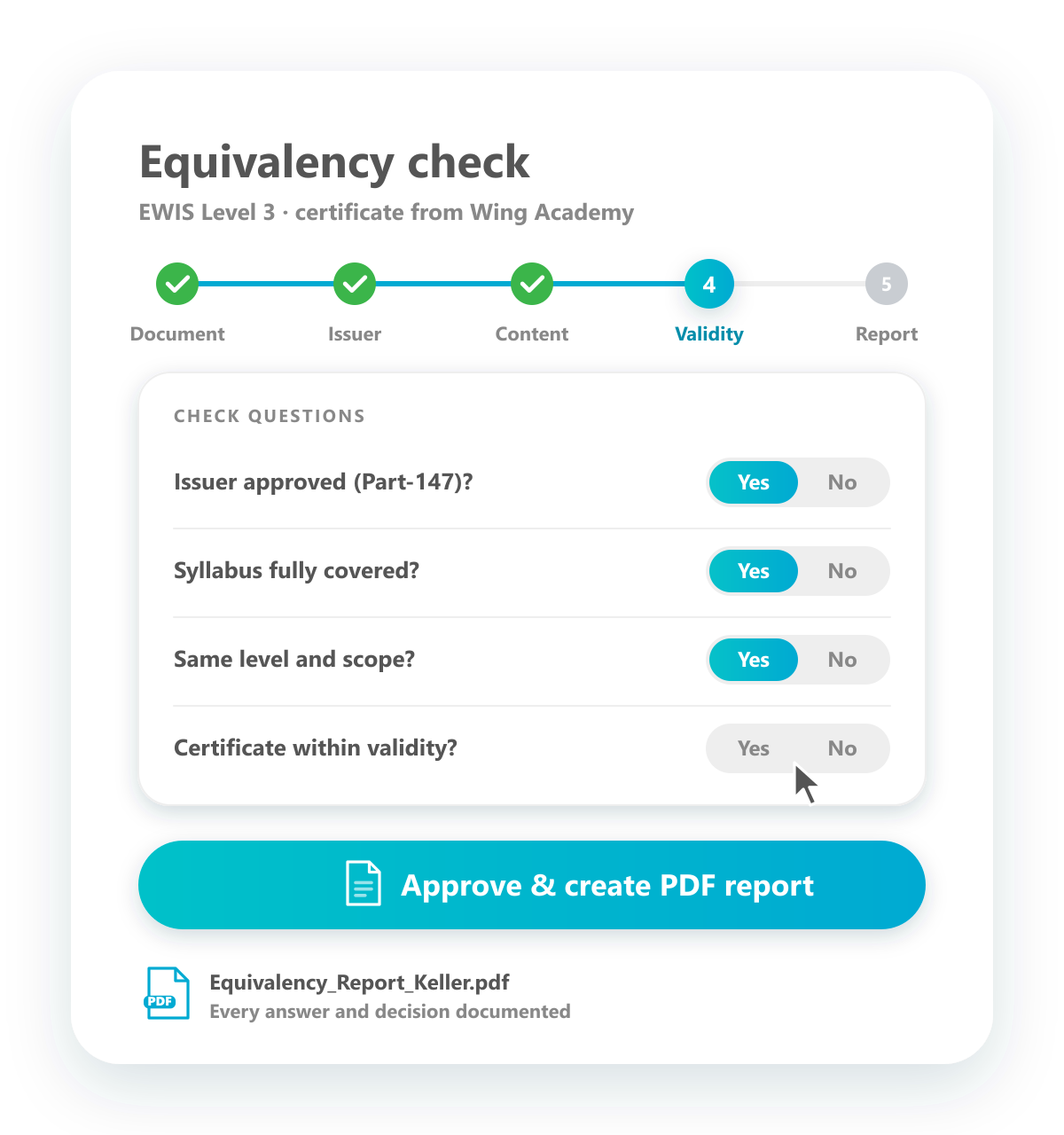
Equivalency check
Recognise external certificates through a guided digital workflow.
When employees bring certificates from previous employers or other training providers, a digital workflow guides you through the equivalency check. It asks the key questions — issuing organisation, content, scope and validity — so nothing important is missed, and at the end it creates a PDF report as evidence that the check was carried out properly.
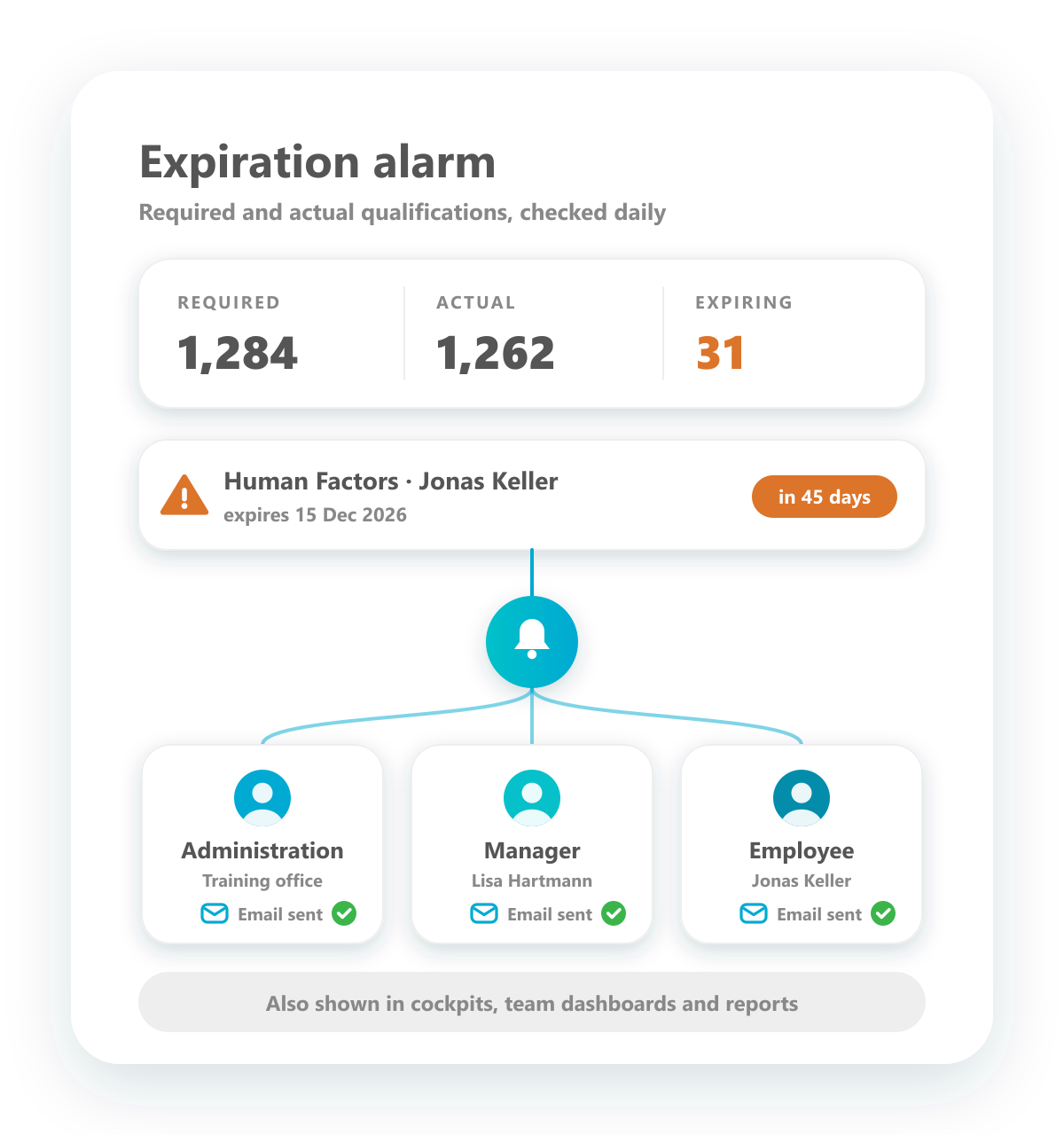
Expiration alarm
Expiring qualifications are reported before they become a problem.
The system monitors every qualification: it knows which qualifications are required, which ones each employee actually holds and when they expire. Ahead of the expiry date, warning emails go to the training administration, the manager and the employee, and expiring qualifications appear in the cockpits and reports.
Expiration Rules
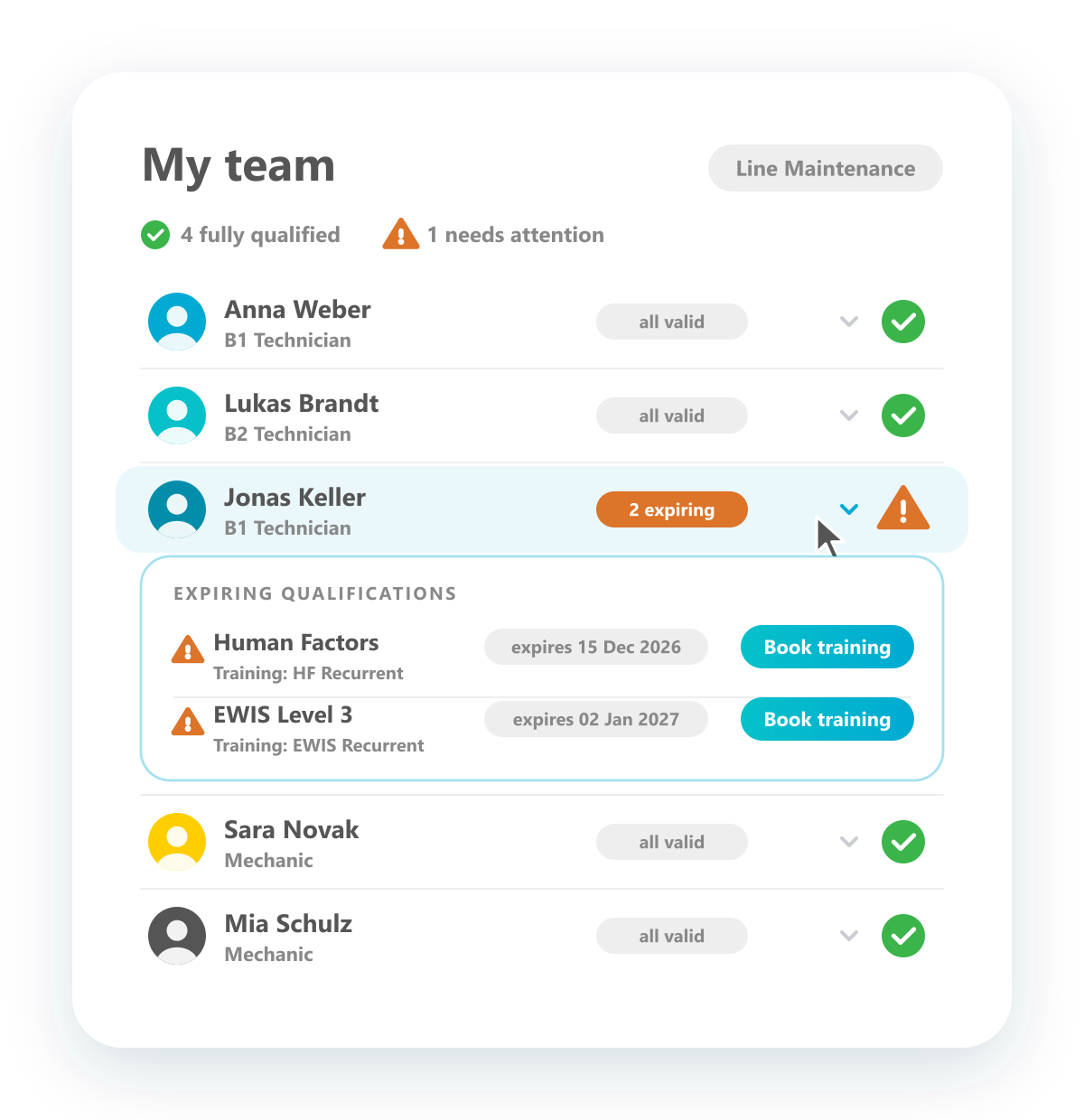
Manager team dashboard
Managers see the qualification status of their whole team.
Managers see who is in their team and whether everyone is fully qualified — green when all is in order, a warning sign when a qualification is about to expire. One click on an employee shows which qualification expires when and which training should be organised, so managers keep their team operational without asking the training department.
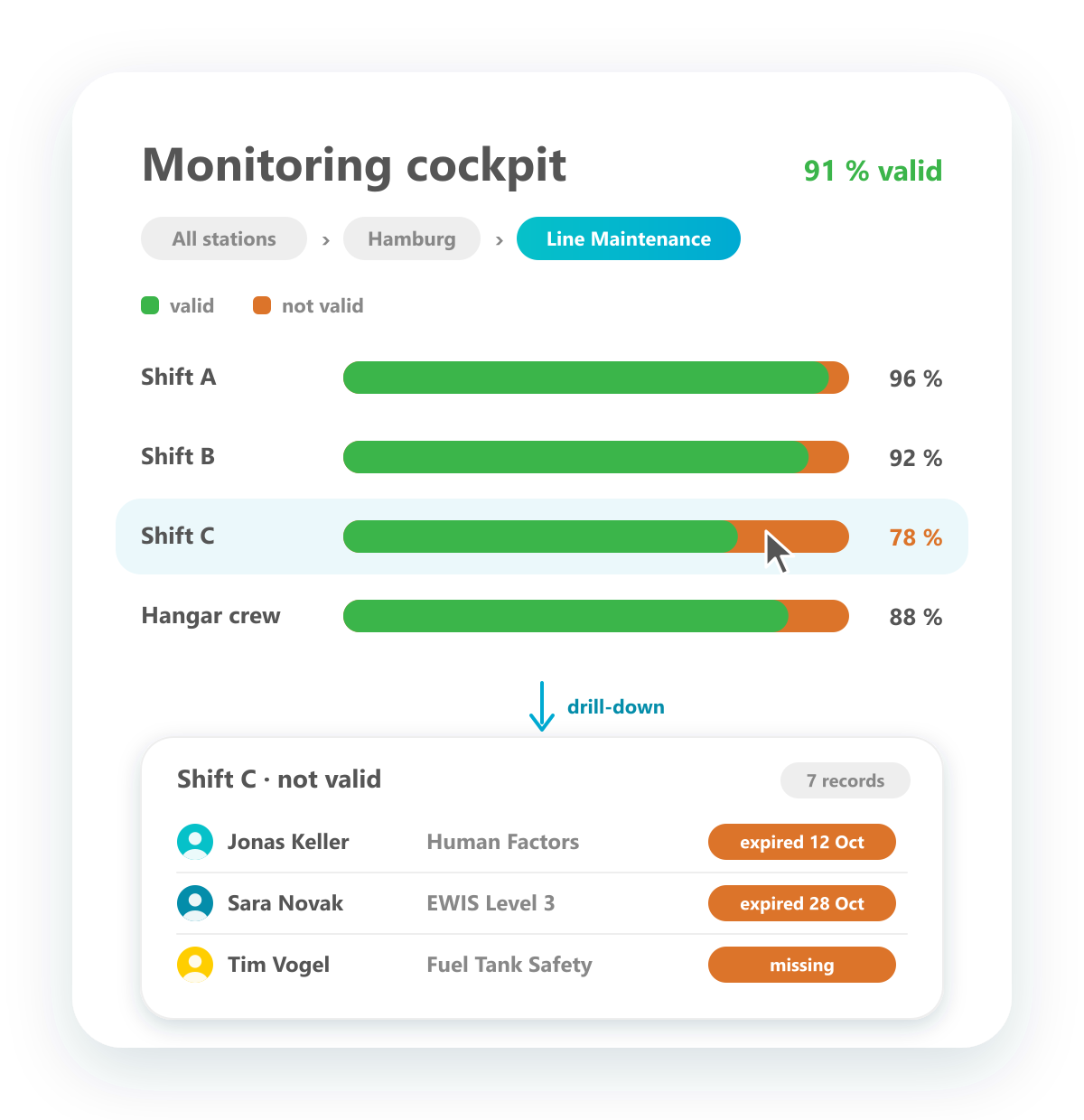
Monitoring cockpit
One interactive cockpit for all qualifications and authorizations — with drill-down.
The monitoring cockpit brings together all qualification and authorization data in one dynamic view. Bar charts show the share of valid and invalid qualifications per location, department or team. Drill down level by level until you reach the individual records and see exactly where action is needed.
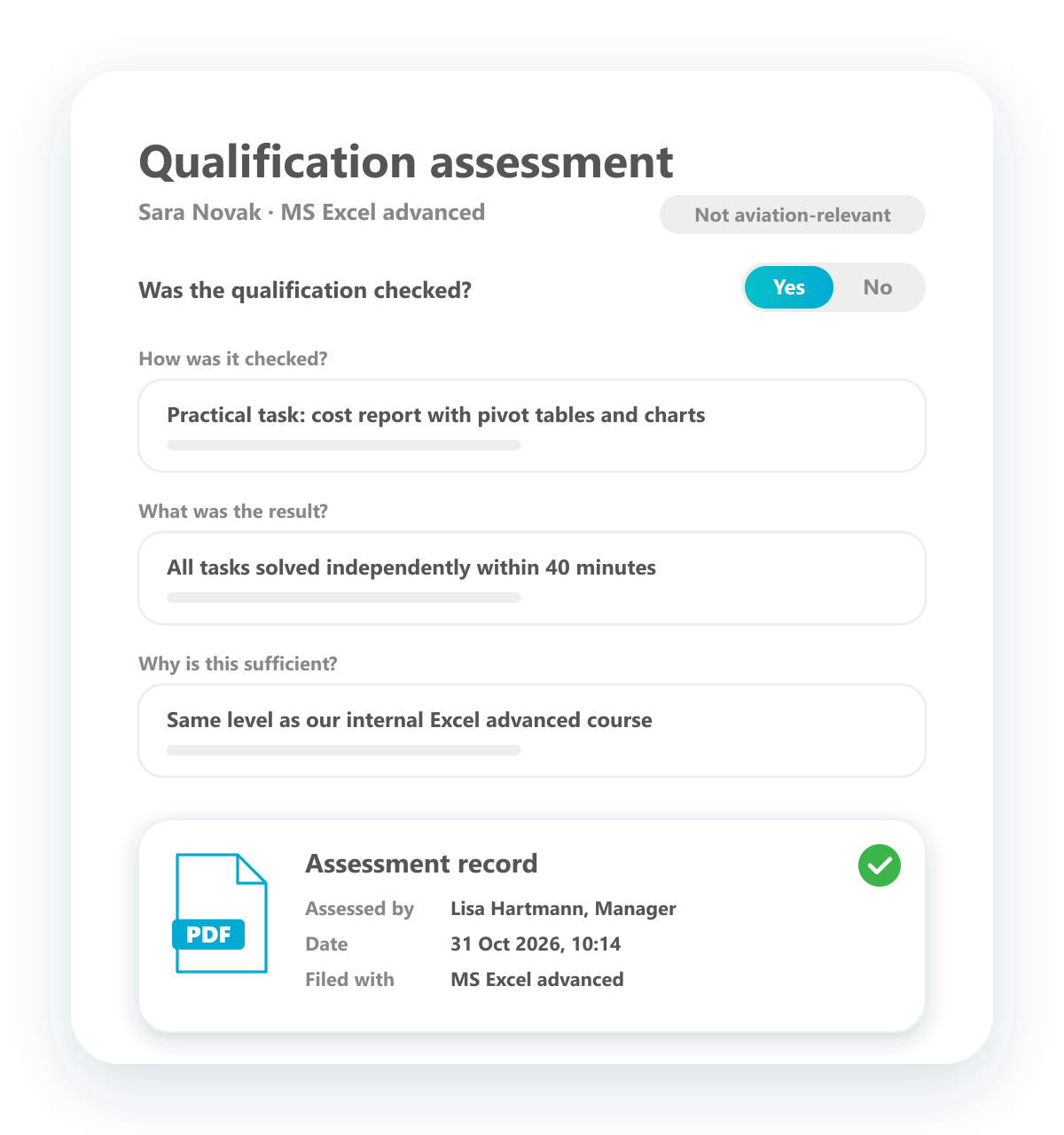
Qualification assessment
Recognise a qualification by personal assessment — documented and traceable.
For qualifications that are not relevant under aviation law, a manager can recognise a qualification even when no certificate exists. A short questionnaire asks whether and how the qualification was checked, what the result was and why it is considered sufficient. The answers become an assessment record stating who assessed what and when, and it is filed with the qualification.
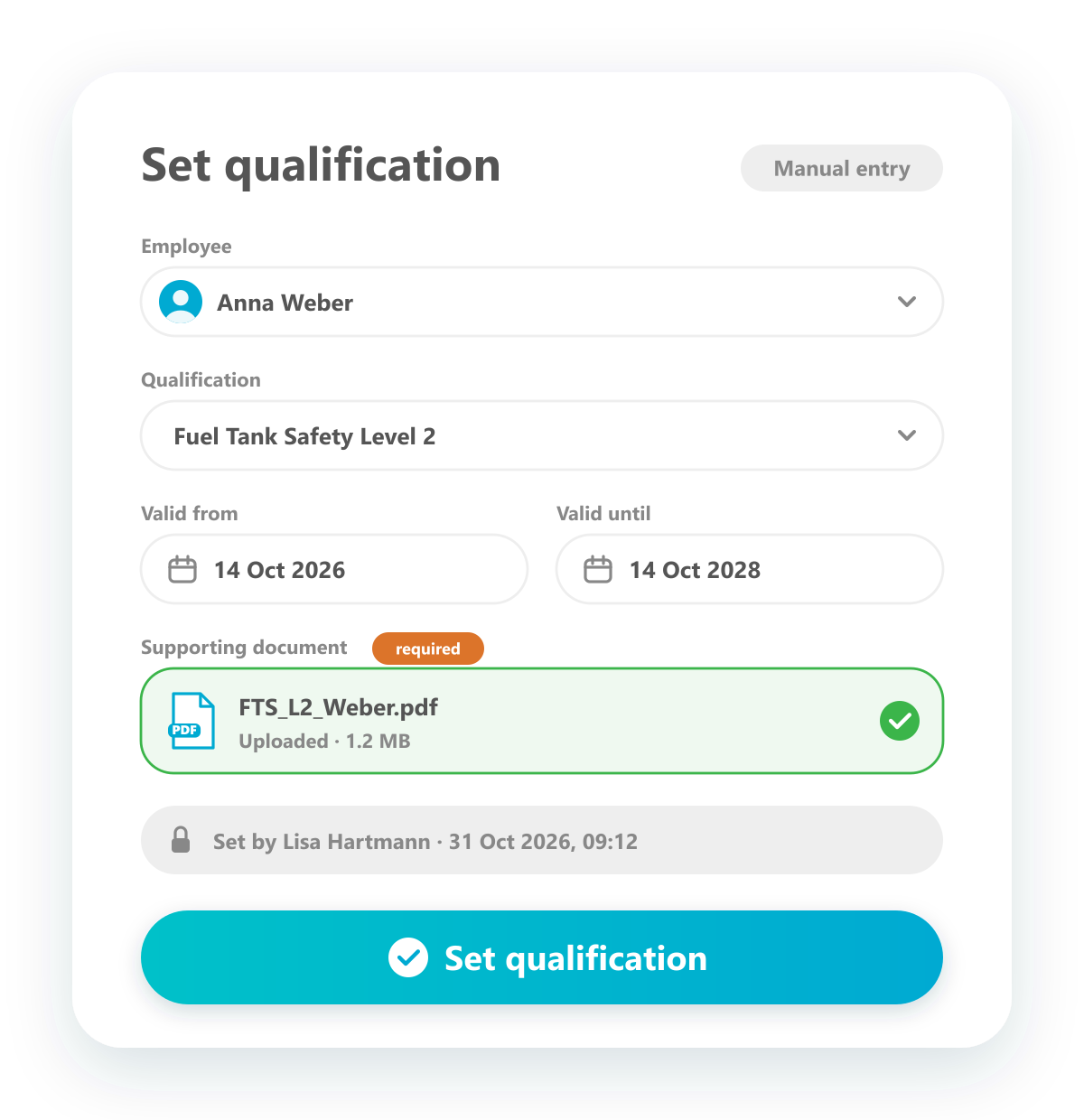
Set qualifications
Record existing qualifications quickly — fully documented.
Qualifications can also be set manually, without running through a digital workflow — the quickest way to record qualifications employees already hold. Enter the validity dates and upload the supporting document; the system records who set the qualification and when, so every entry stays fully documented.
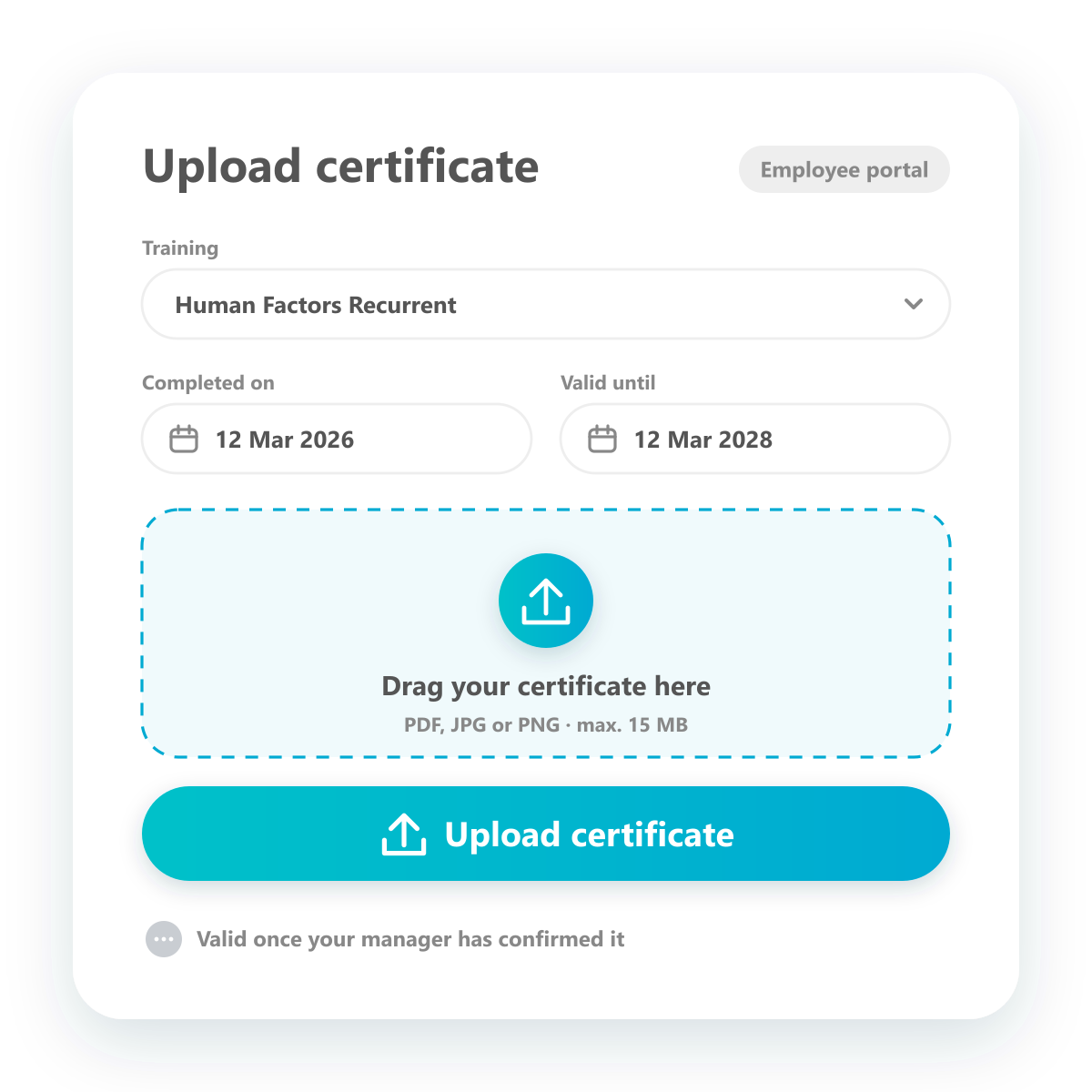
Upload certificates
Employees submit their certificates themselves in the employee portal.
Employees upload their certificates digitally in the employee portal: select the training, enter the dates and add the file. The certificate is linked to the right qualification and becomes valid once it has been confirmed — less administration, a reliable record.
Authorization & Compliance
Vollzugang zum Qualification Manager – gestaffelt nach Teamgröße.
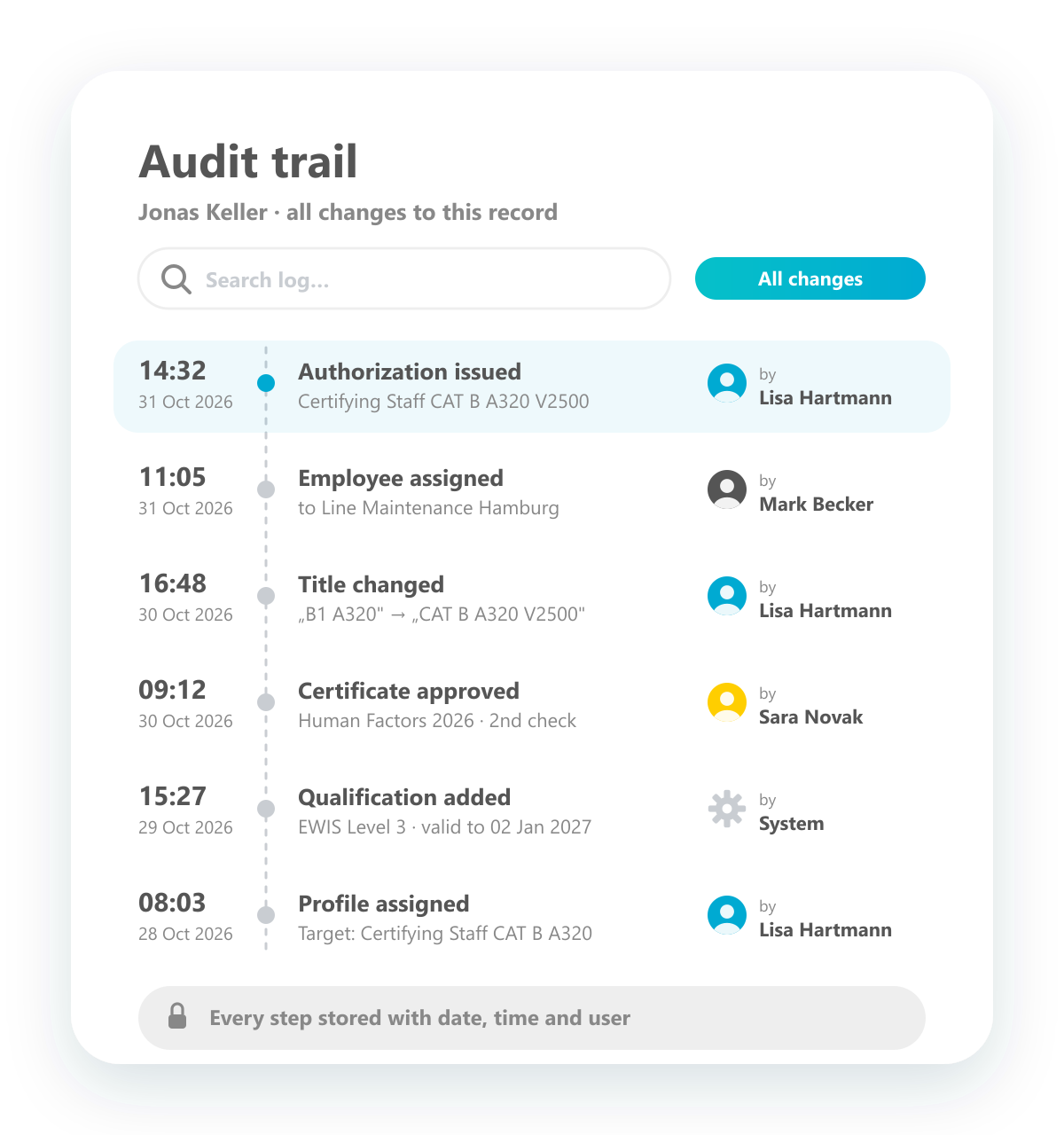
Audit trail
Every step and every change, traceable for auditors.
Every step in the system and every change to a record is logged automatically: titles changed, employees assigned, certificates approved, authorizations issued. Each entry shows date, time and who did it, so auditors can follow the complete history of any record.
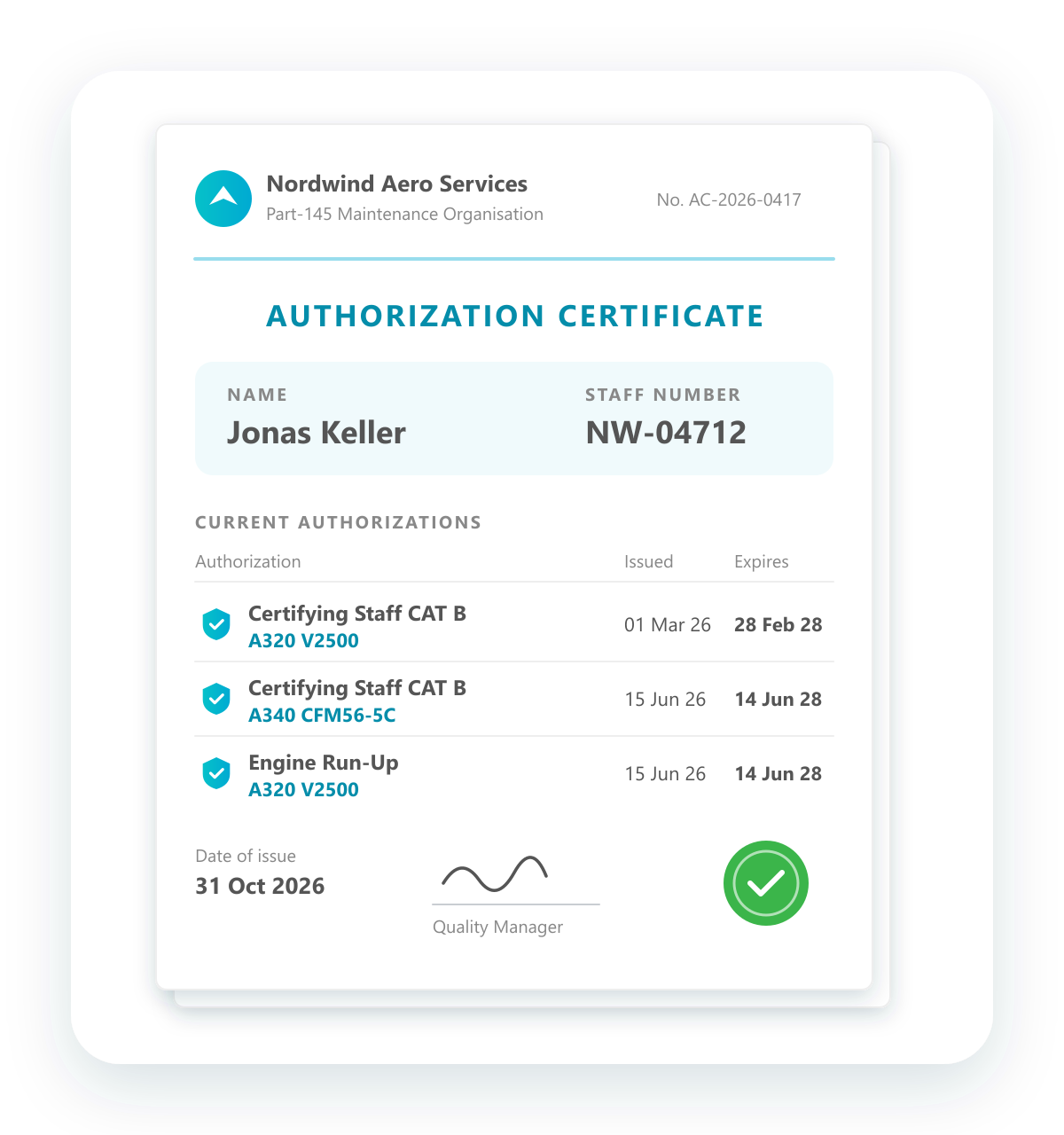
Authorization certificate
One document with all authorizations an employee currently holds.
Create an authorization certificate for each employee at the push of a button. It lists name, staff number and every authorization currently issued, such as Certifying Staff CAT B A320 V2500, each with its issue and expiry date, in your company layout and always up to date.
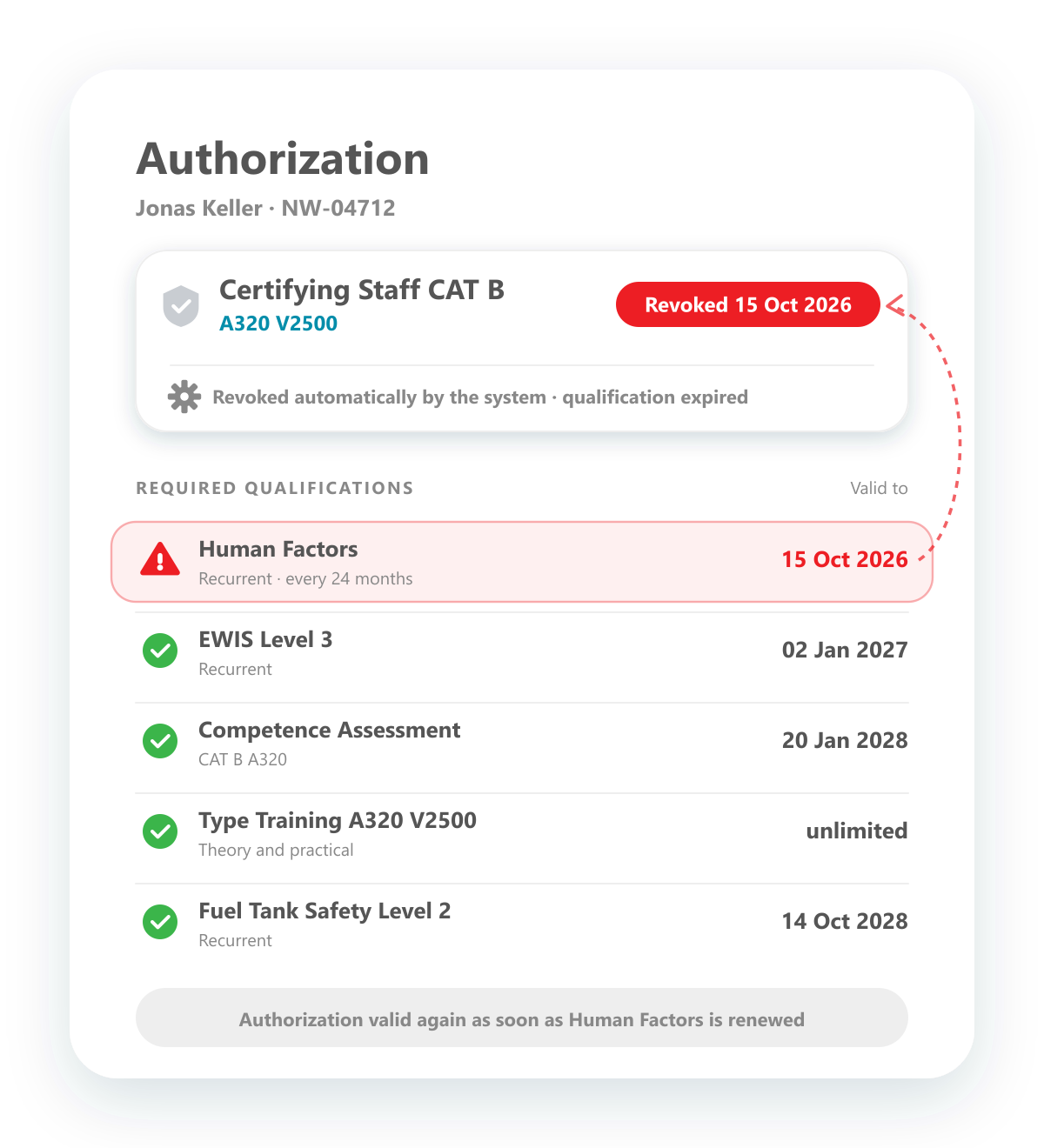
Automatic revokement
When a qualification expires, the authorization is revoked automatically.
Each authorization is linked to the qualifications it requires. If one of them expires, for example Human Factors, the system revokes the authorization automatically on that date, without anyone having to step in. You see at once which qualification caused it, and the authorization becomes valid again as soon as the qualification is renewed.
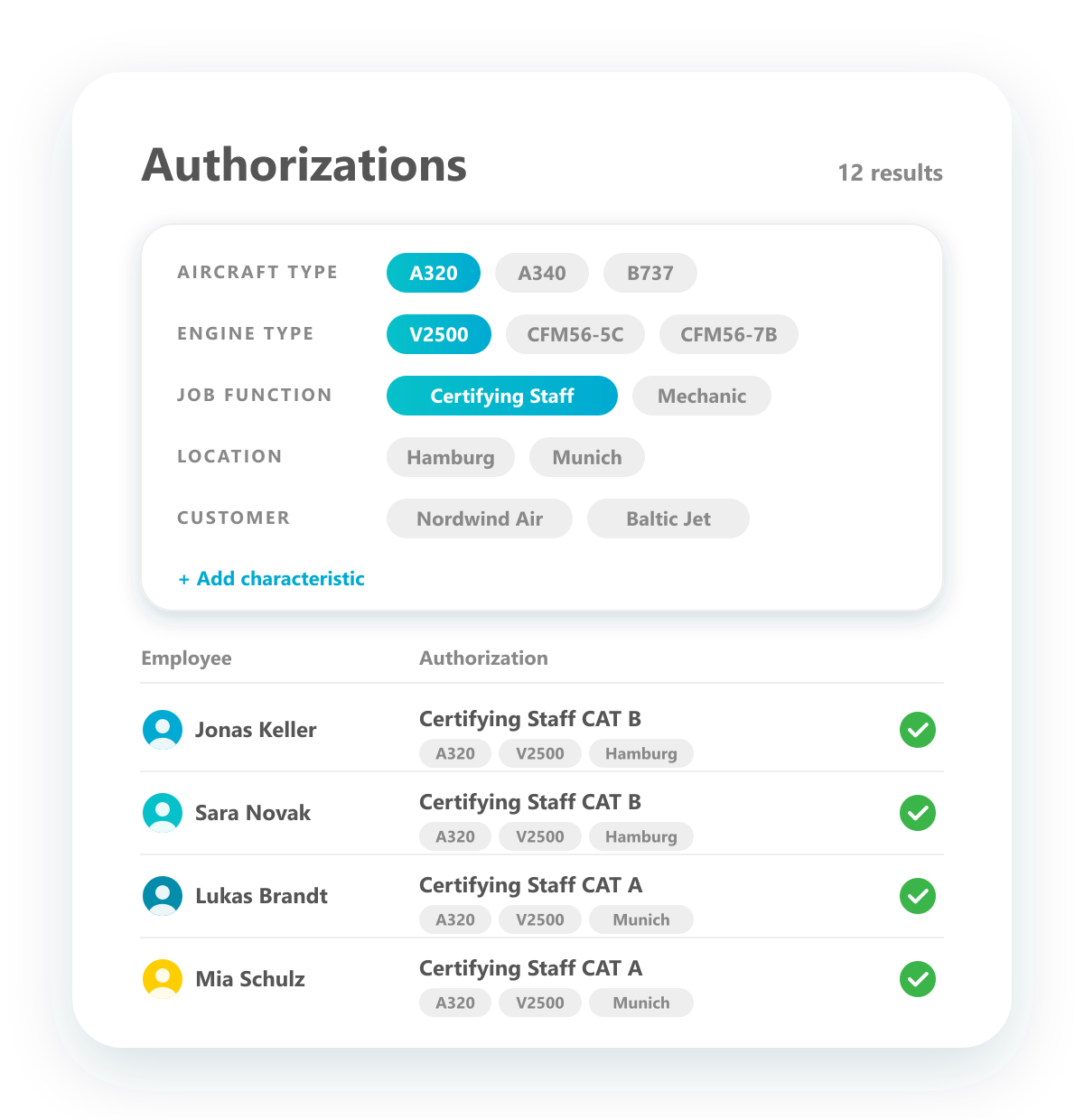
Classify authorizations by characteristics
Tag authorizations and find them by any characteristic.
Classify authorizations with characteristics such as aircraft type, engine type, job function, location or customer, and create further characteristics whenever you need them. Combine them as filters to find the right people in seconds, for example all Certifying Staff on the A320 with V2500 engines.
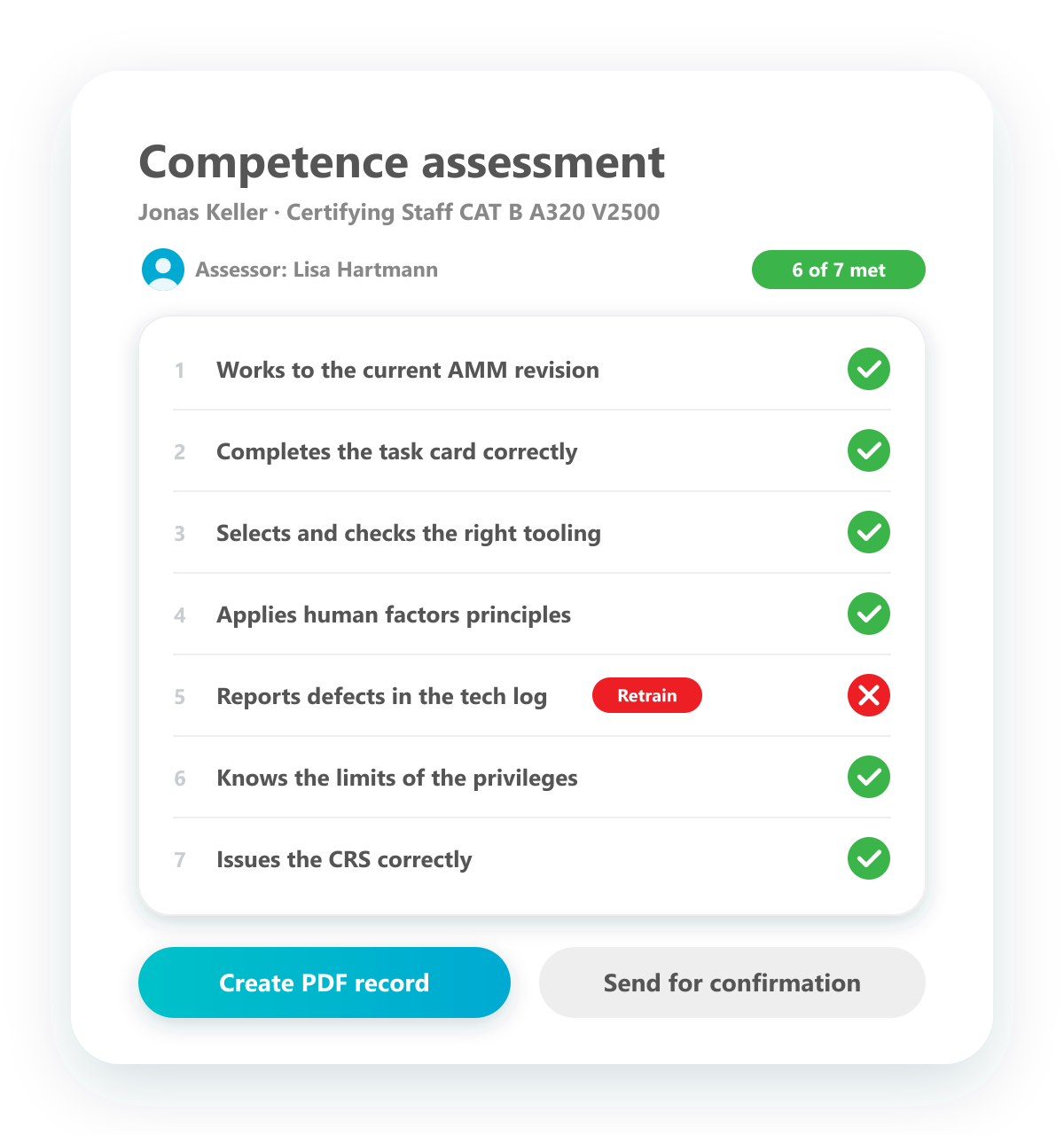
Competence assessment
Run competence assessments digitally, right in the system.
Carry out competence assessments digitally. The manager works through the questionnaire together with the employee, every criterion is recorded, and the result is stored as a PDF. If required, a workflow has it confirmed before it counts.
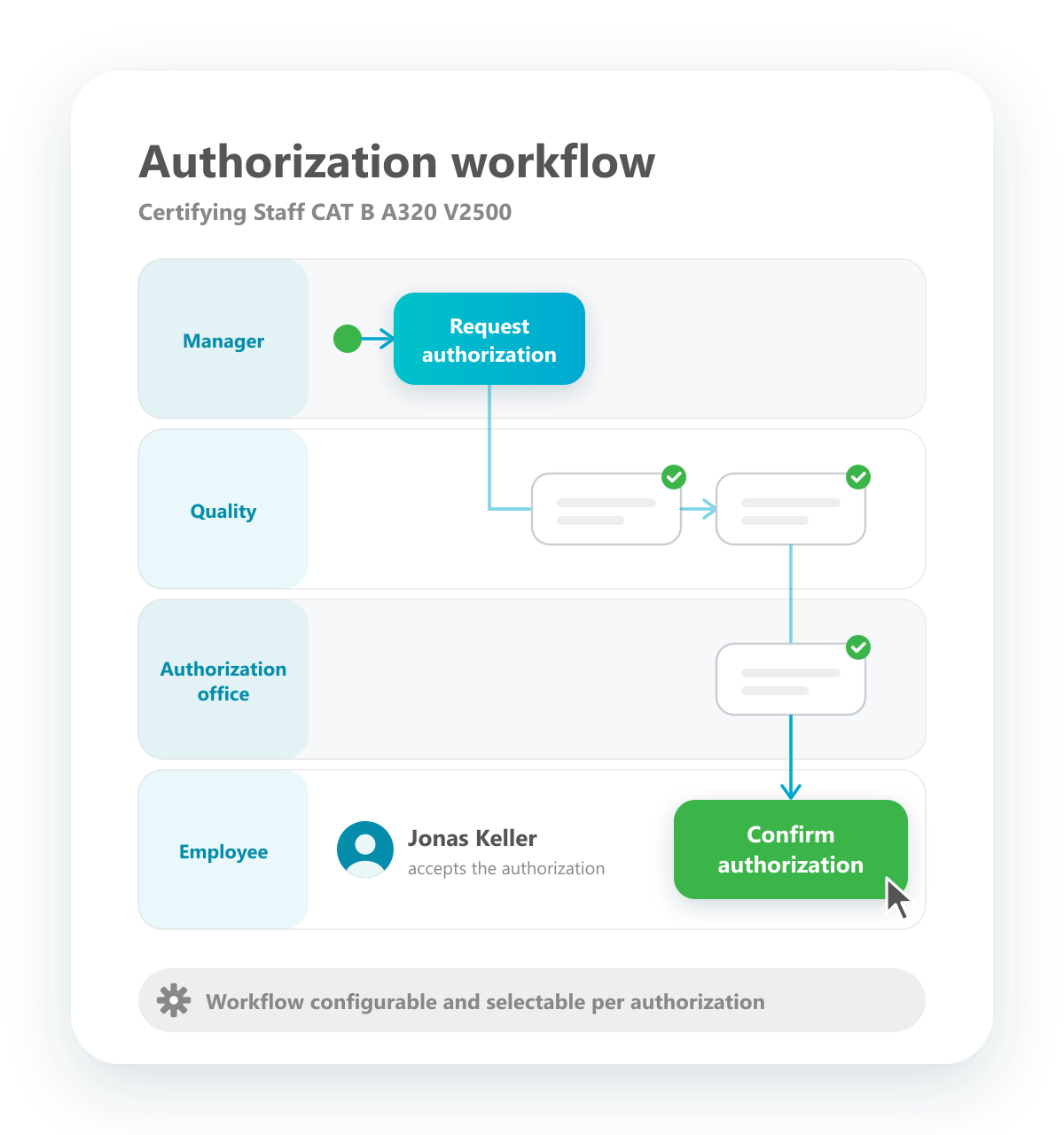
Confirm authorizations
Employees confirm and accept their authorizations at the end of the workflow.
Authorizations pass through a workflow from request to issue. The last step belongs to the employee: they confirm the authorization and accept it, so you have documented proof that they know about it and its scope.
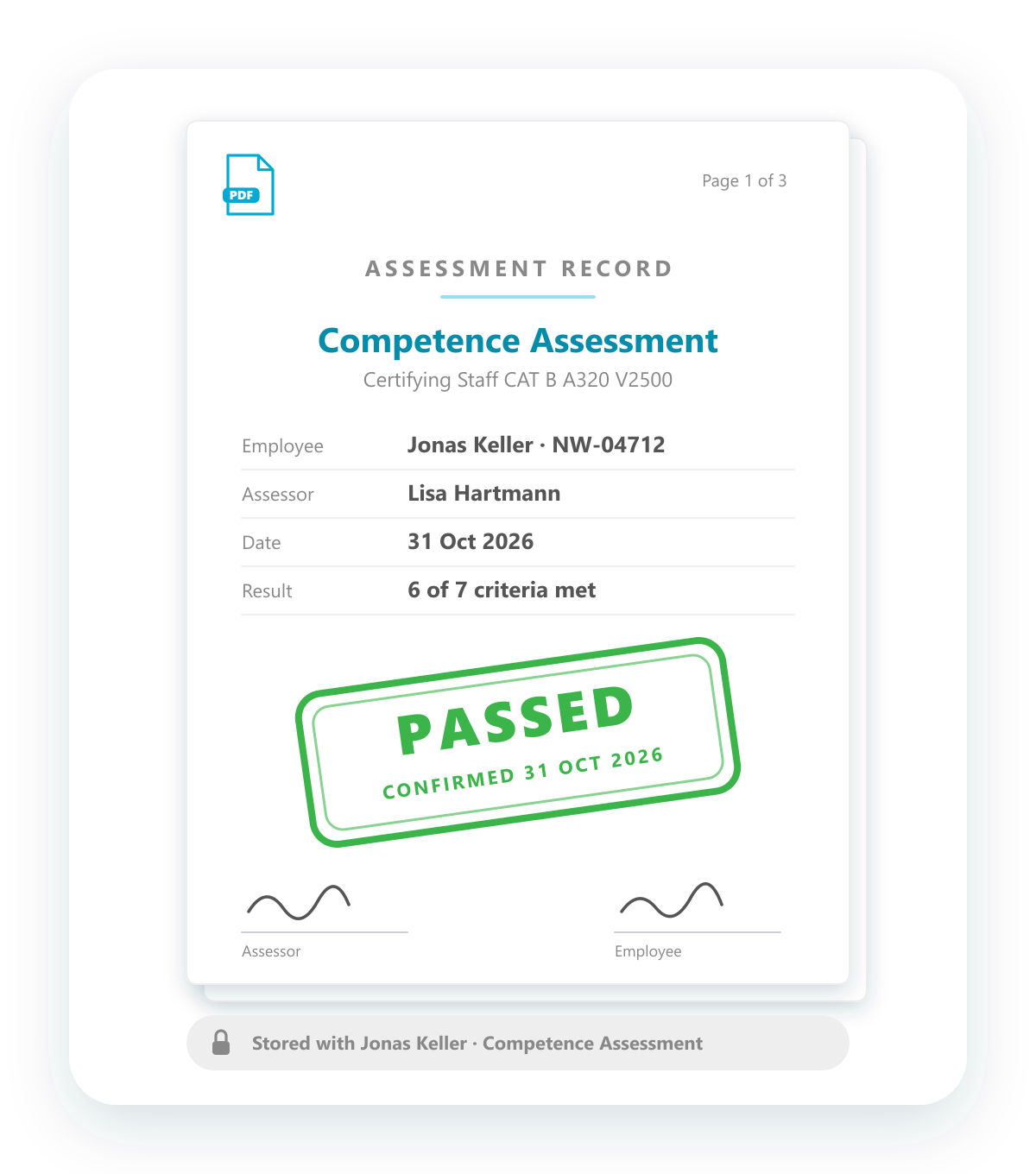
Create & store assessment records
Every assessment ends with a PDF record of the results.
At the end of a competence assessment, a PDF record is created that summarises and documents the results: assessment, employee, assessor, date and outcome. It is stored with the employee automatically and is ready whenever an auditor asks for it.
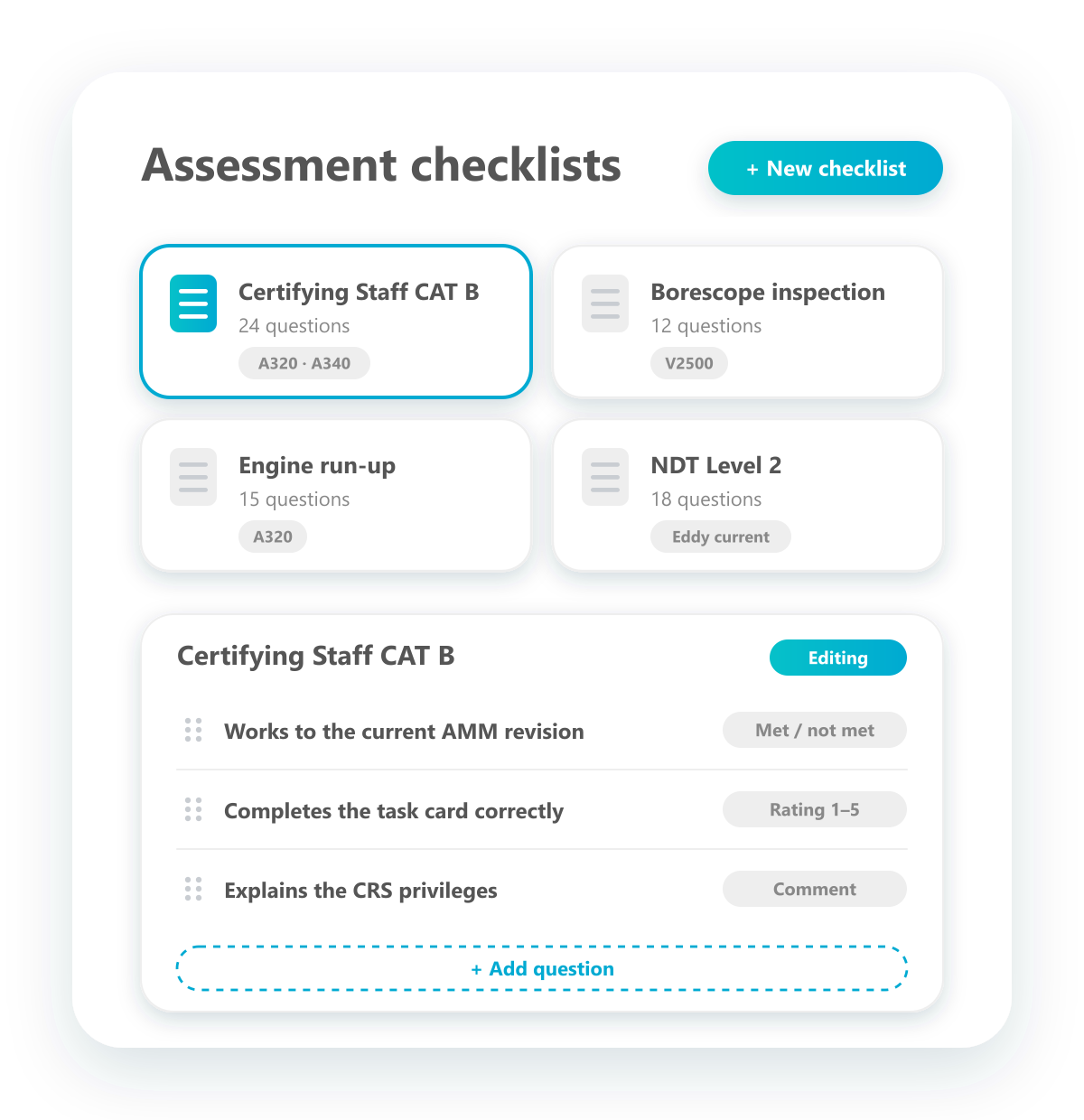
Flexible checklists for competence assessments
Build your own questionnaires for every kind of assessment.
Create as many checklists as you need, each tailored to a qualification or authorization, for example Certifying Staff CAT B, borescope inspection or engine run-up. Define the questions and how they are answered, and adapt the checklists at any time.
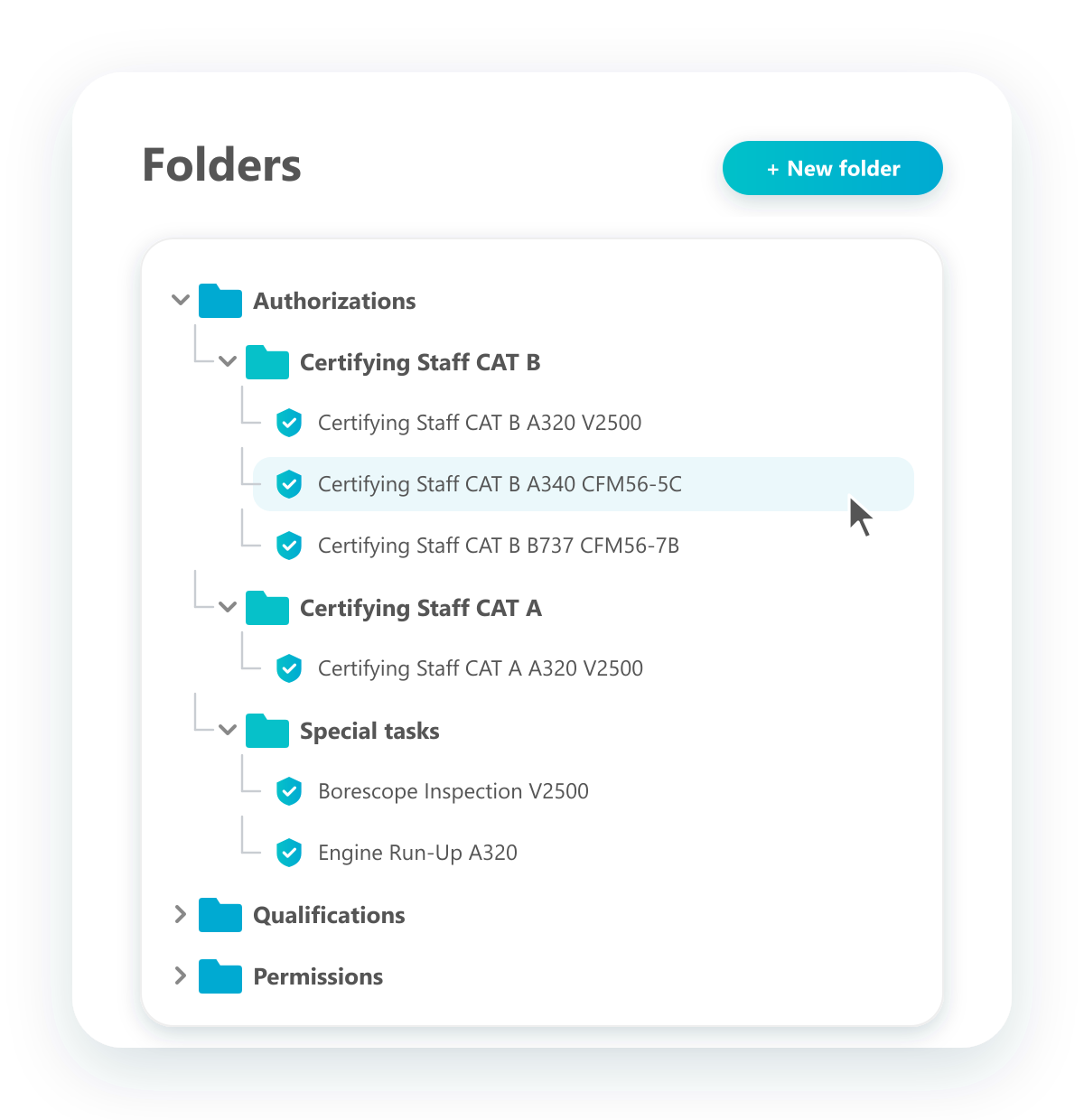
Individual folder structure
Organise authorizations and qualifications in your own folders.
Store all data in folders, especially qualifications and authorizations, and build the structure the way your organisation works, for example by job function, category or aircraft type. Create new folders at any time and find everything in the same place.
Define authorization profiles
Define once who should have what, and match it against reality.
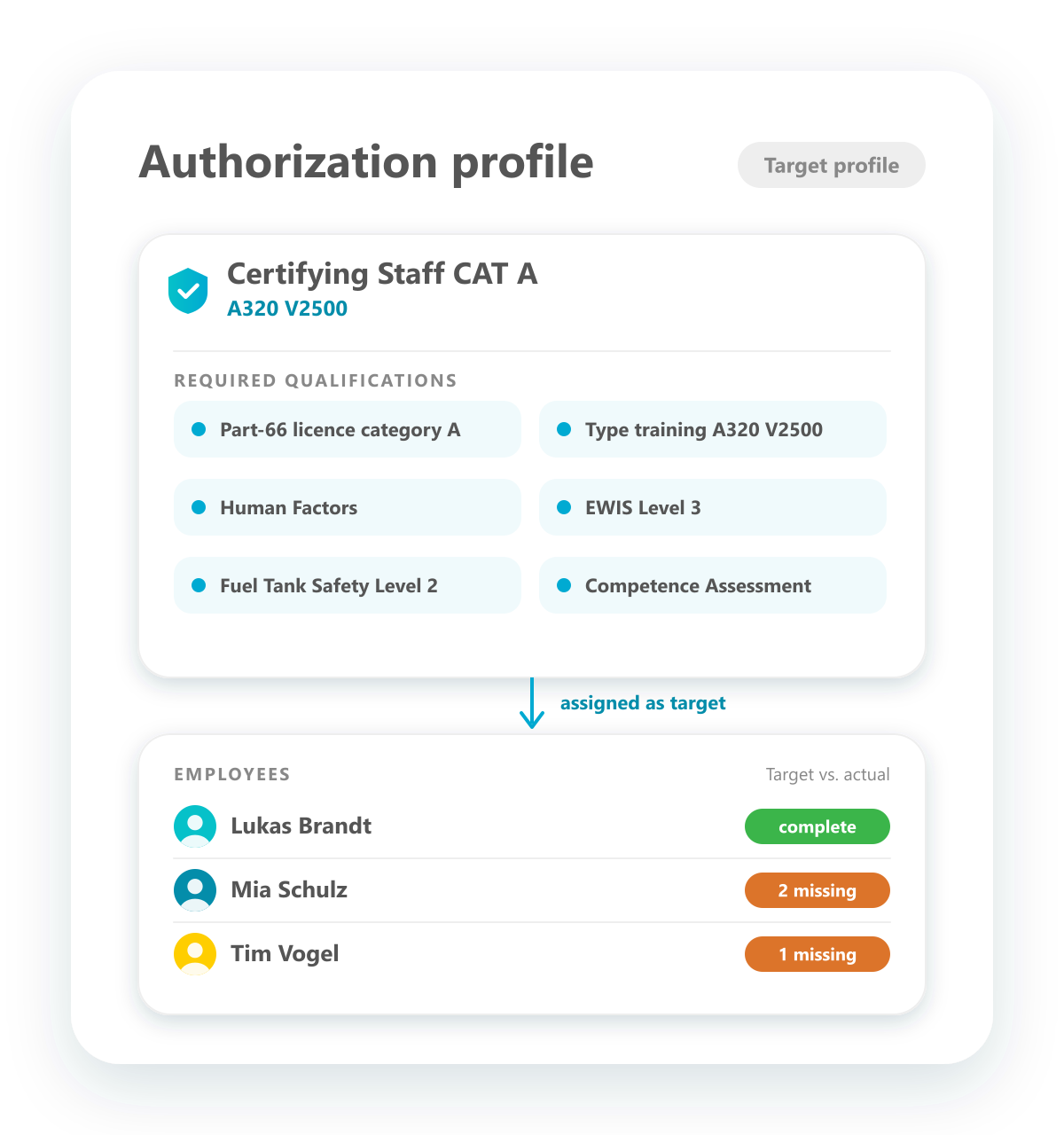
Set up target profiles for your authorizations, such as Certifying Staff CAT A A320 V2500, with all the qualifications they require. Profiles are built once and reused. Assign them to employees as their target, and the system matches target against actual, so you always know who should have what and what is still missing.
Expiration alarm
Alarm emails before authorizations expire.
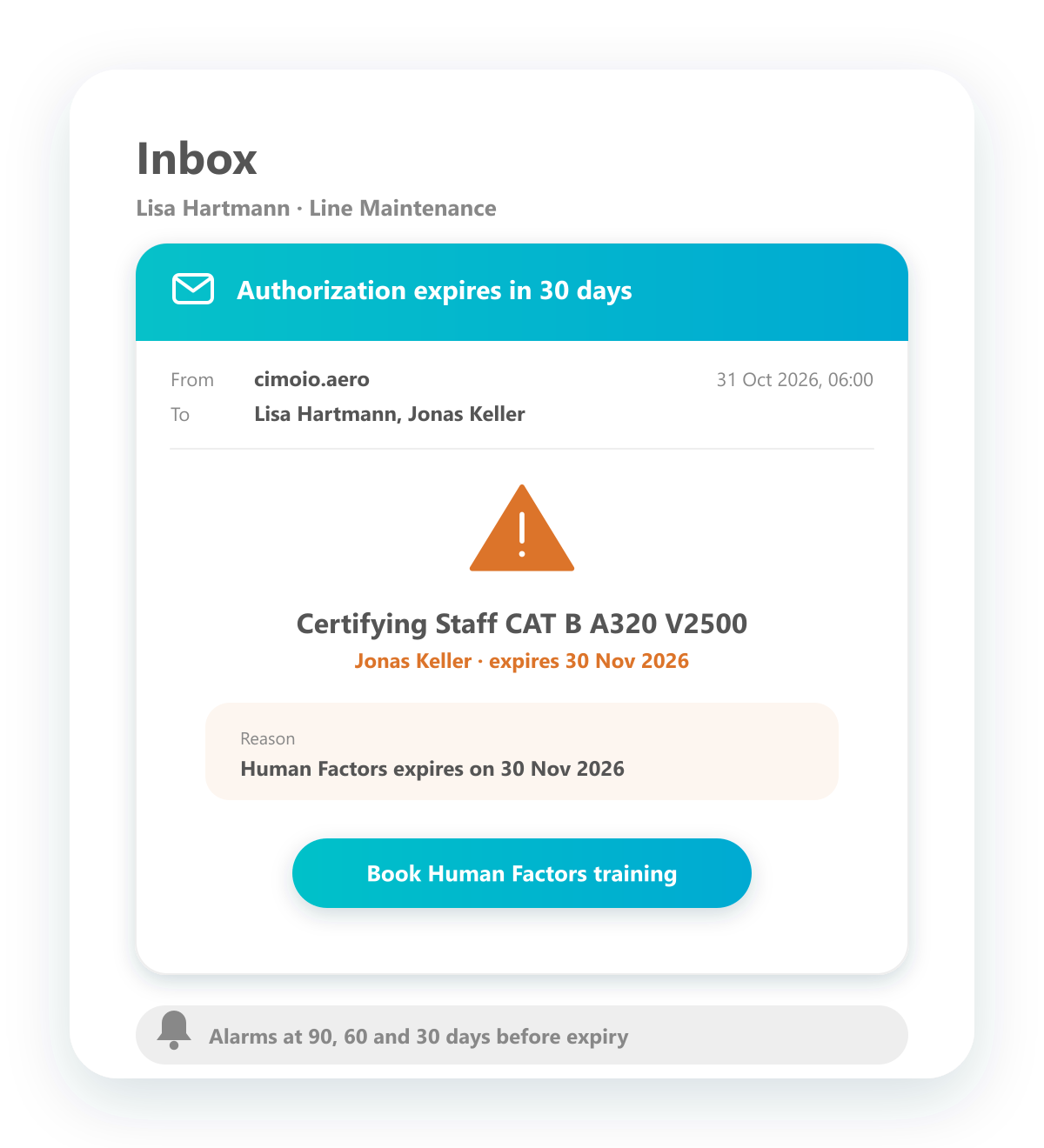
As soon as an authorization is about to expire, because one of its qualifications expires, alarm emails go out to the people responsible and the employee. They state which authorization is affected and why, so there is enough time to renew the qualification.
Issuing workflow
A workflow for issuing authorizations, configurable per authorization.
Issue authorizations through a defined workflow: request, checks, approval, issue and confirmation, each step in the role responsible for it. Build workflows to suit your organisation and select the right one for each authorization.
Permission management
Manage non-regulatory permissions with the same functions.
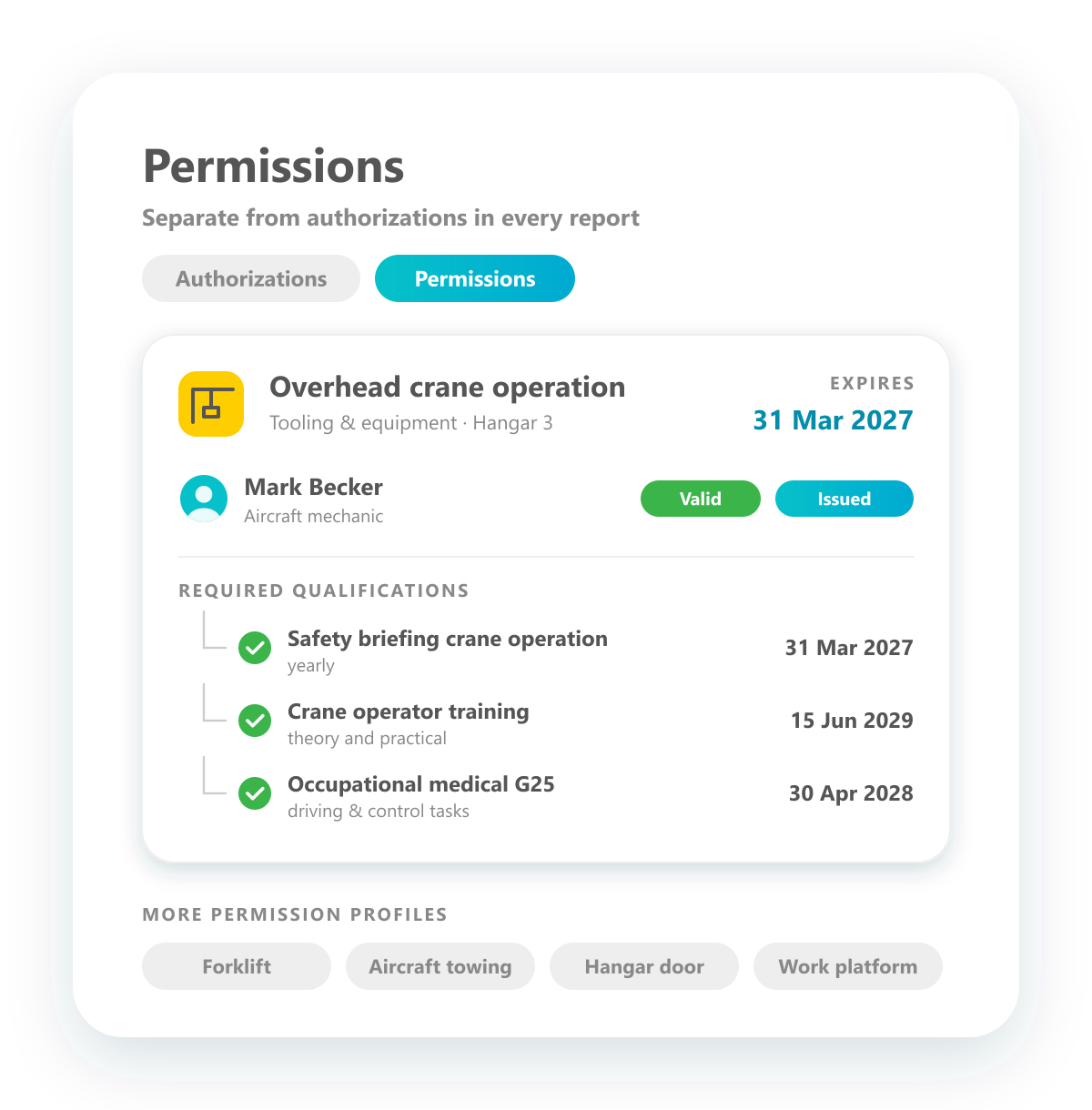
Besides authorizations required by aviation regulations, you can set up permissions that are not regulatory, for example for operating cranes, forklifts or towing aircraft. They use the same functions, with required qualifications, expiry dates and status, and are kept clearly separate from authorizations in every report.
Planning of assessment dates
Organise competence assessments like trainings.
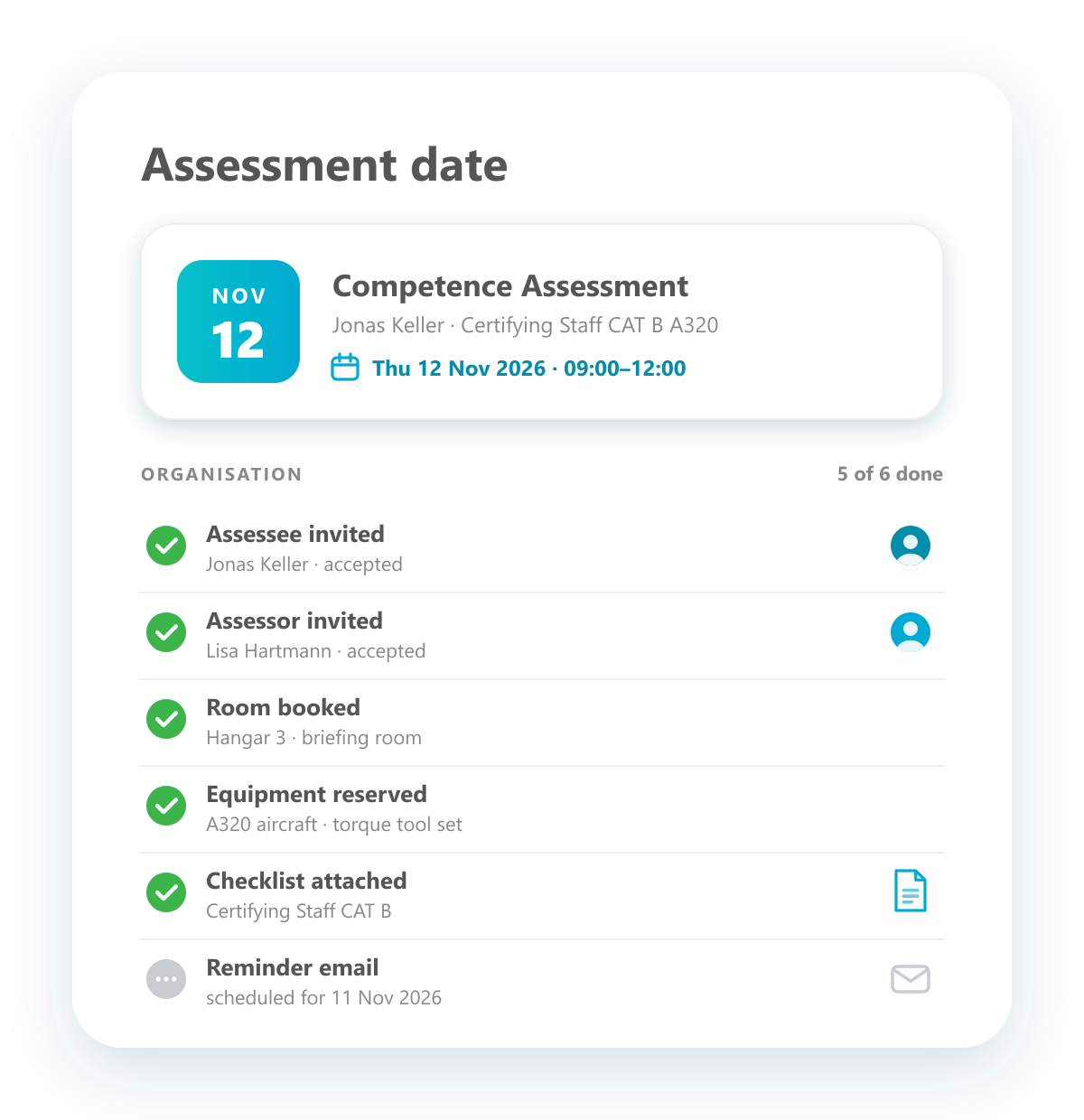
Plan competence assessments just like trainings. Invite assessee and assessors, book rooms and reserve equipment such as aircraft or tooling, and see at a glance what has already been organised and what is still open.
Proof authorizations to auditors
Simple reports that show auditors what they need to see.
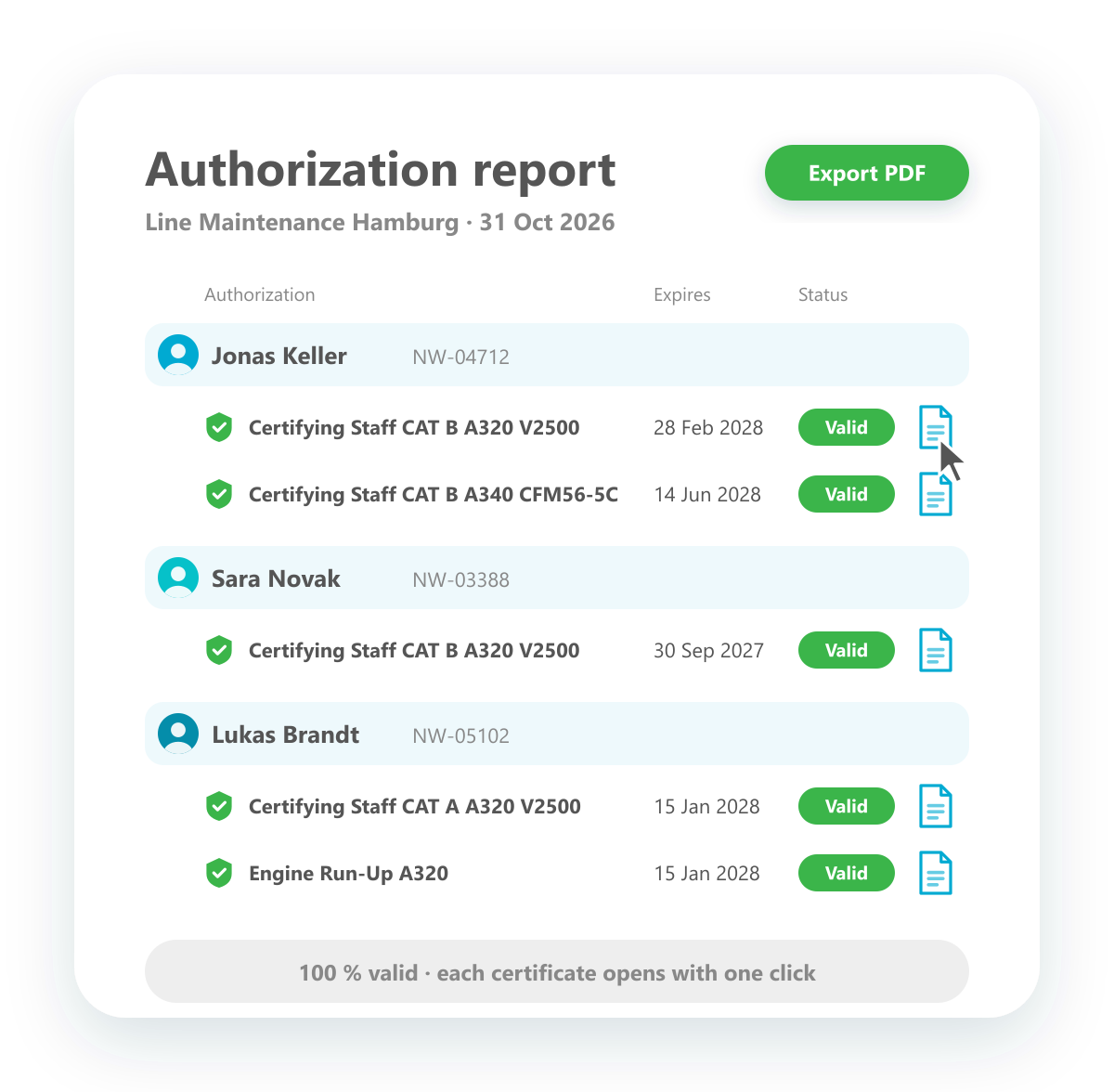
Show auditors in seconds who holds which authorization. The report lists your team by name with every issued authorization, its expiry date and current status, and the certificate behind it opens with one click. Export it as a PDF when needed.
Simulate deployment of new authorizations
See what is missing before you assign an authorization.
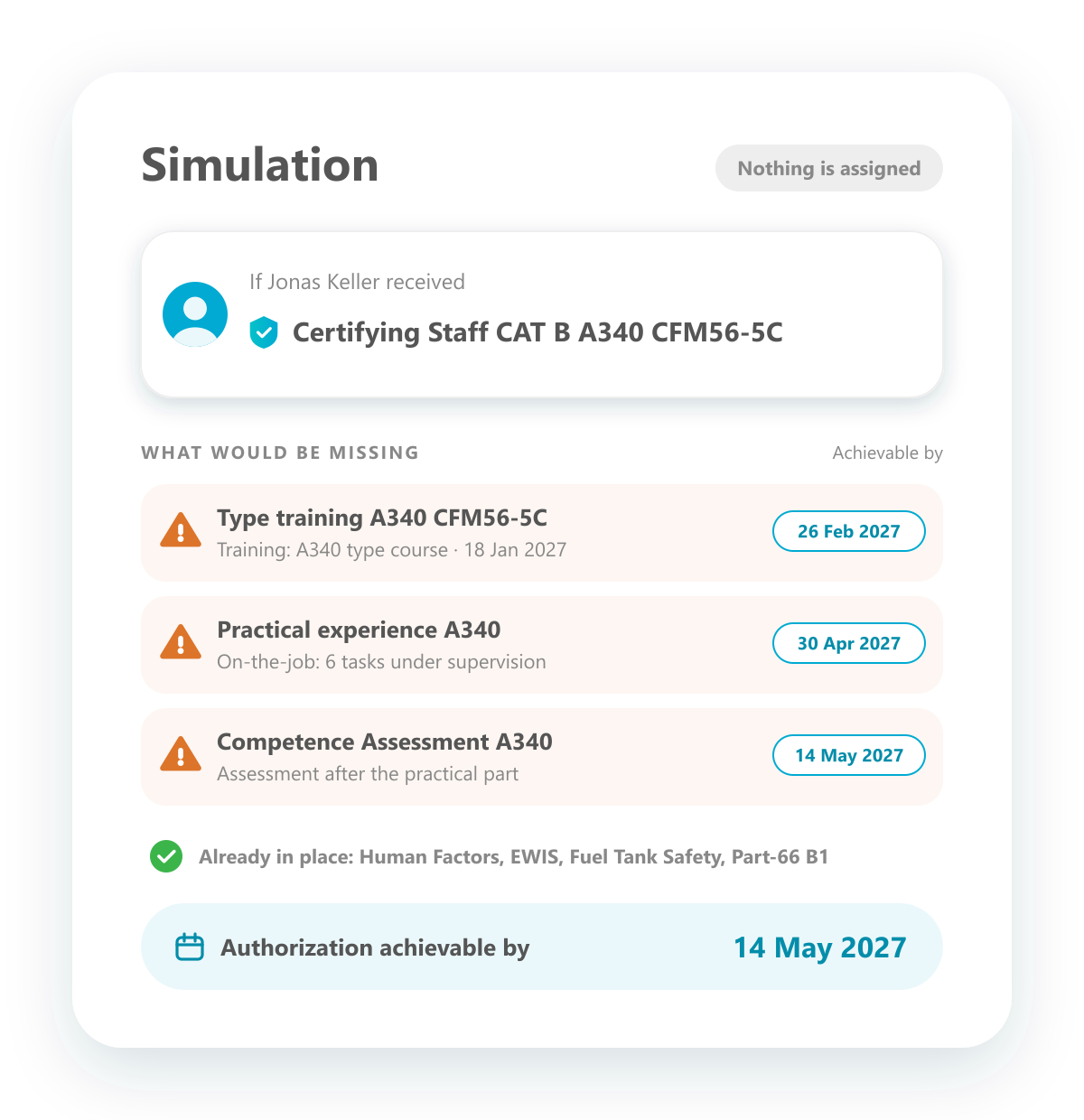
Simulate what would happen if an employee received a new authorization, without actually assigning it. You see which qualifications would be missing, which trainings would have to be completed and by when the authorization could realistically be reached.
Staff self monitoring
Employees see their own status in their personal portal.
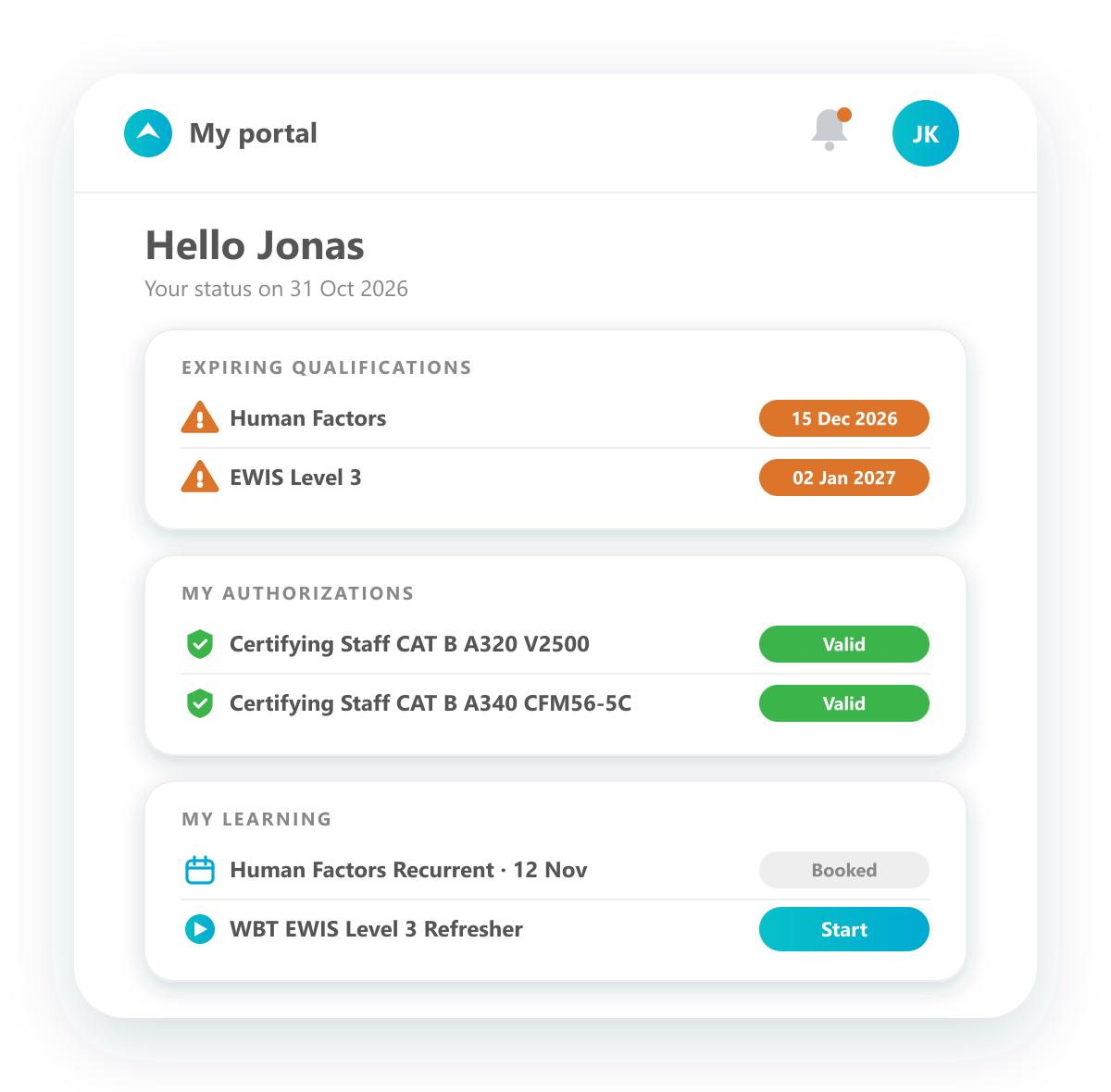
Every employee has their own access to a portal with their data: which qualifications are about to expire, which authorizations they hold and which trainings or WBTs are next. Employees keep an eye on their status themselves, and questions to the training office go down.
Track authorization status
Lists, reports and dashboards for every authorization.
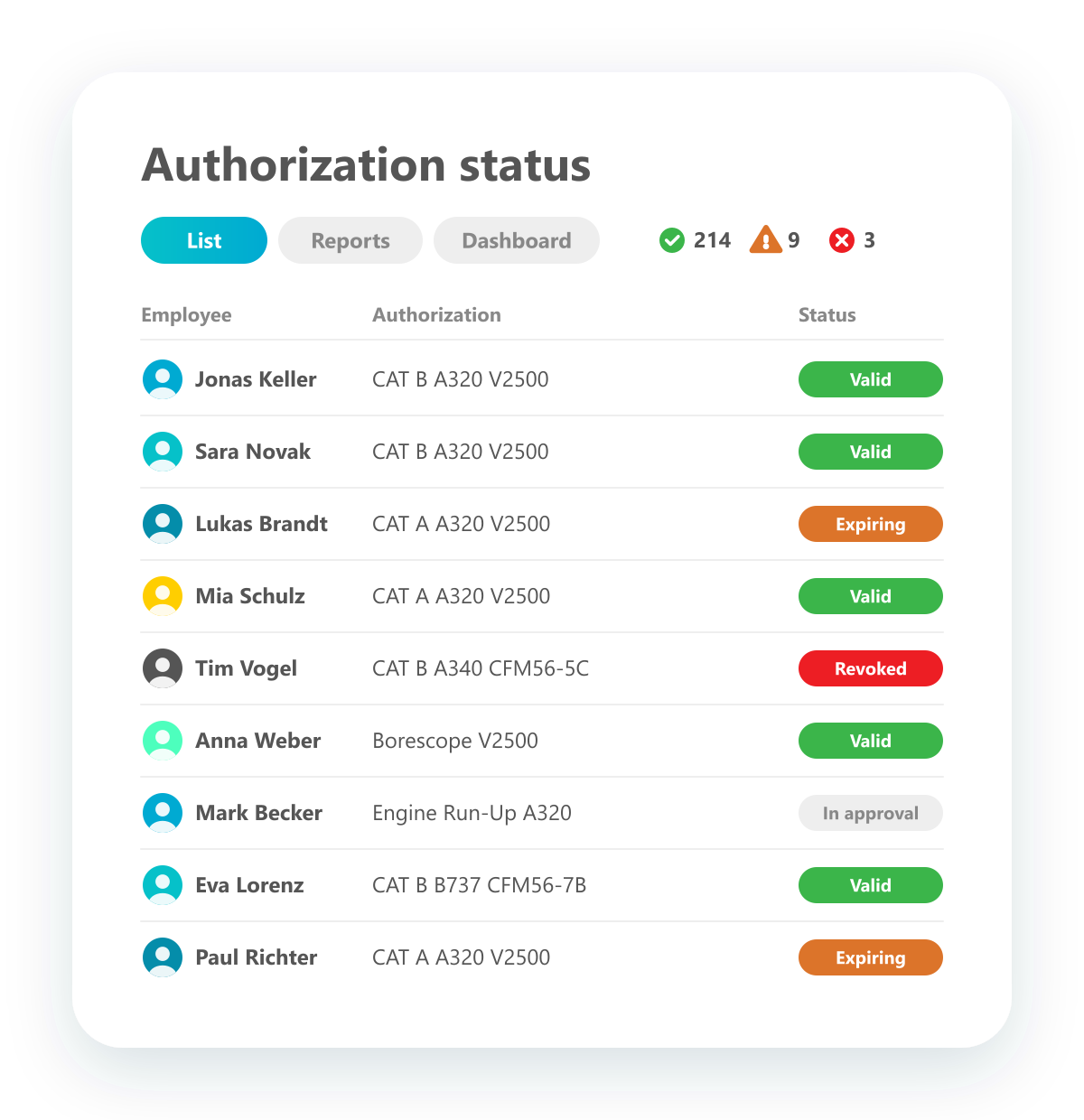
Keep track of the status of every authorization: lists of all employees with their authorizations and status, ready-made reports and dashboards. Whatever question you need answered, you can follow the authorization status the way that suits you best.
Training
Vollzugang zum Qualification Manager – gestaffelt nach Teamgröße.
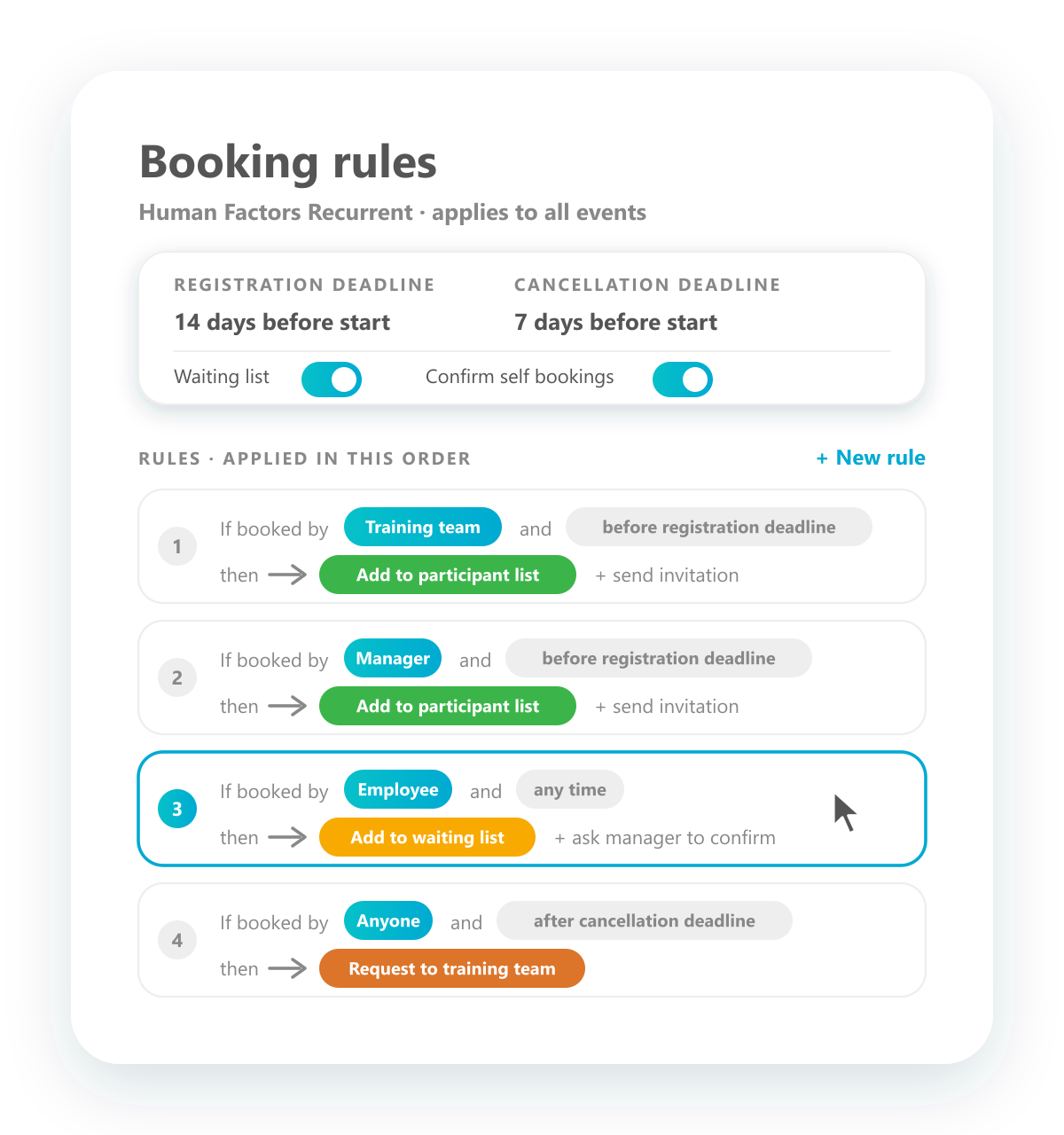
Adjustable handling of bookings
Decide with rules what happens to every booking.
Set up how bookings are handled, much like rules in your email client: if the training team or a manager books before the registration deadline, the employee goes straight onto the participant list; if an employee books themselves, they land on the waiting list and the manager confirms. Registration and cancellation deadlines, waiting lists and confirmations can all be configured, for self bookings, managers and the training team alike.
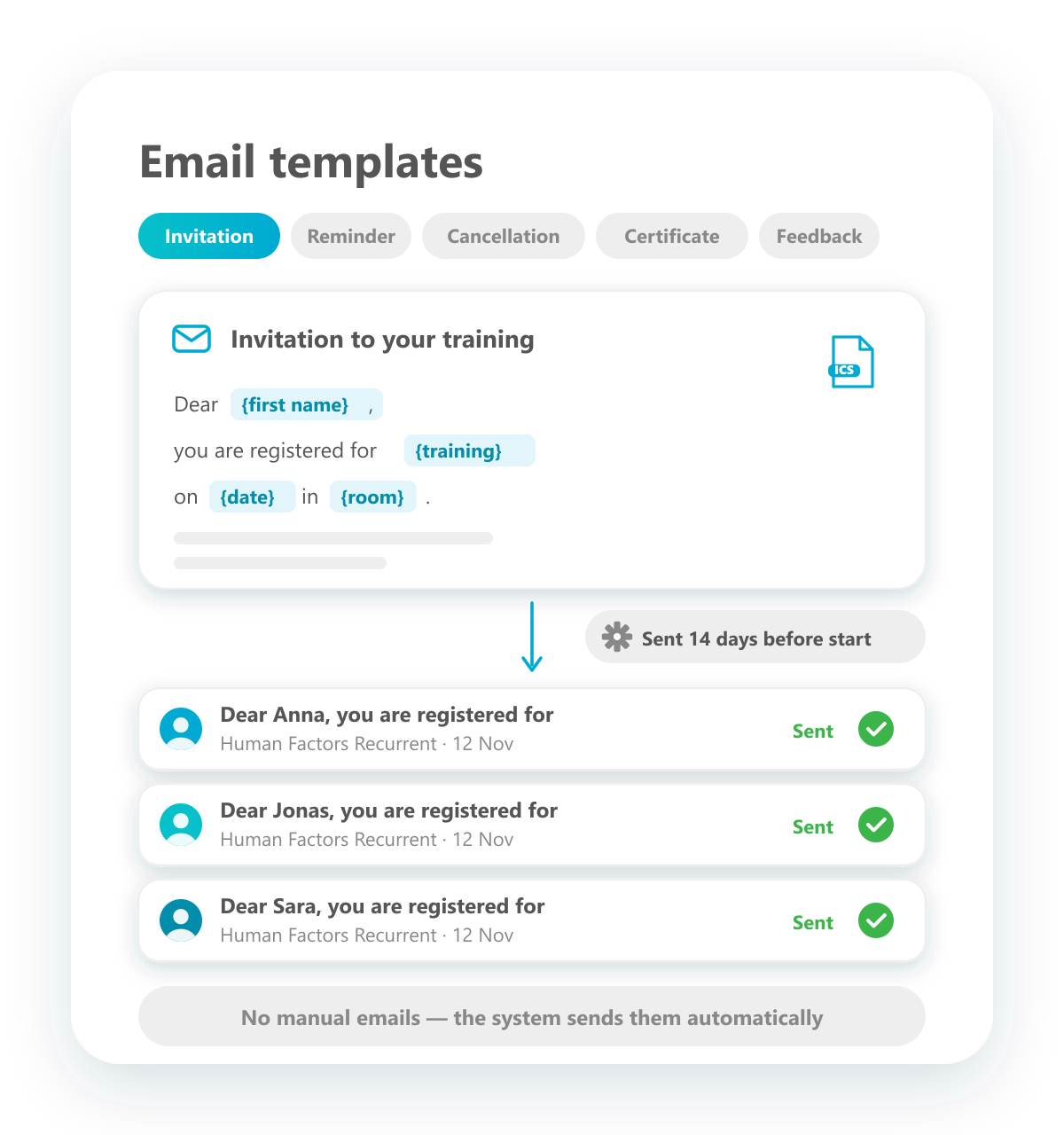
Automated emailing
Emails go out automatically, based on your templates.
Create email templates for invitations, reminders, cancellations, certificates and feedback, with placeholders for name, training, date and room. The system sends them automatically when something happens or at a set time, for example the invitation 14 days before the training starts. Nobody has to write these emails by hand any more.
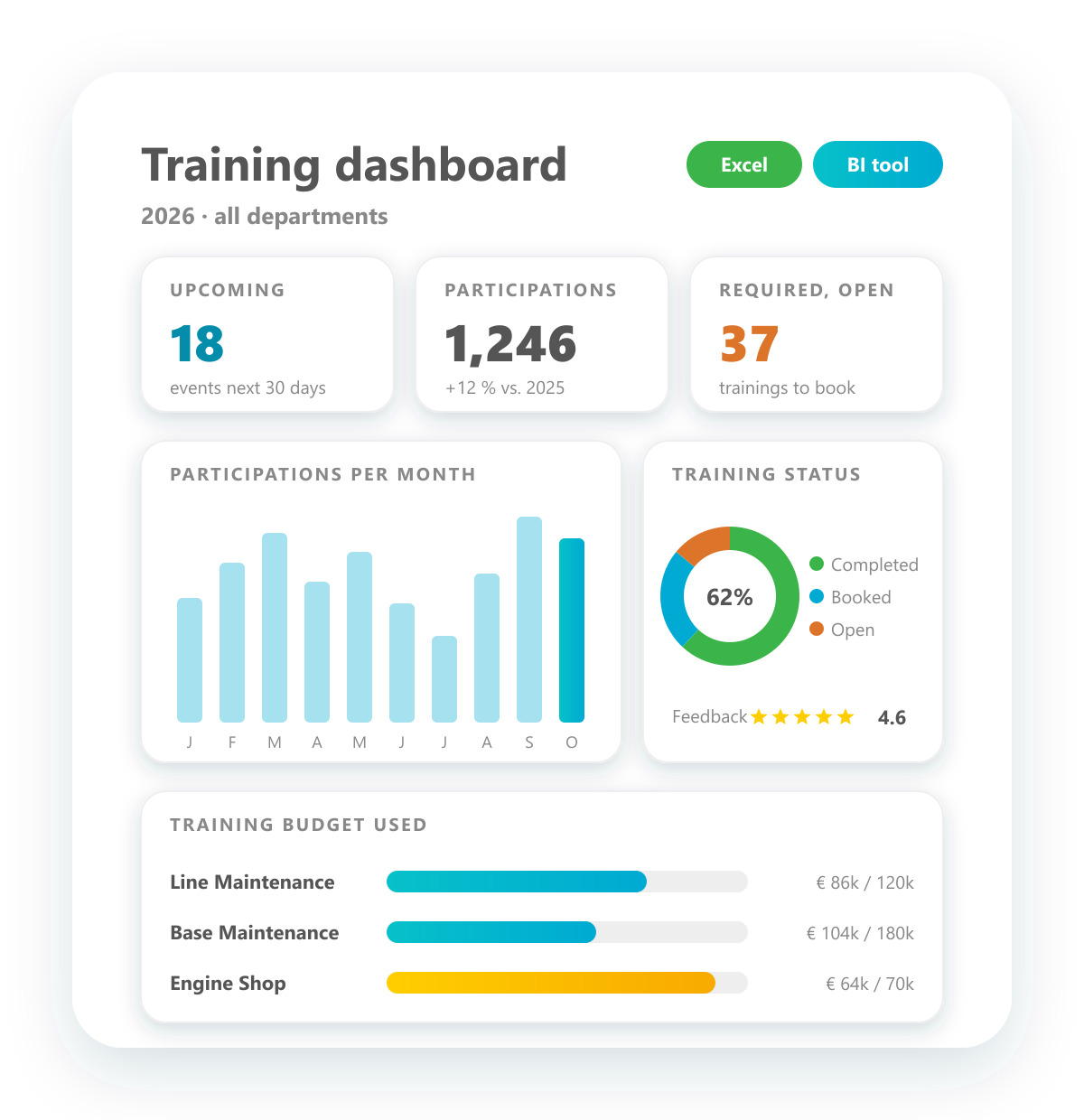
Comprehensive reporting about training
Reports and dashboards on everything that happens in training.
Report on upcoming and required trainings, participations, training budgets, analyses and feedback. Use ready-made reports and dashboards, adapt them to your needs, export them to Excel or connect your BI tool, so everyone gets the figures in the form they work with.
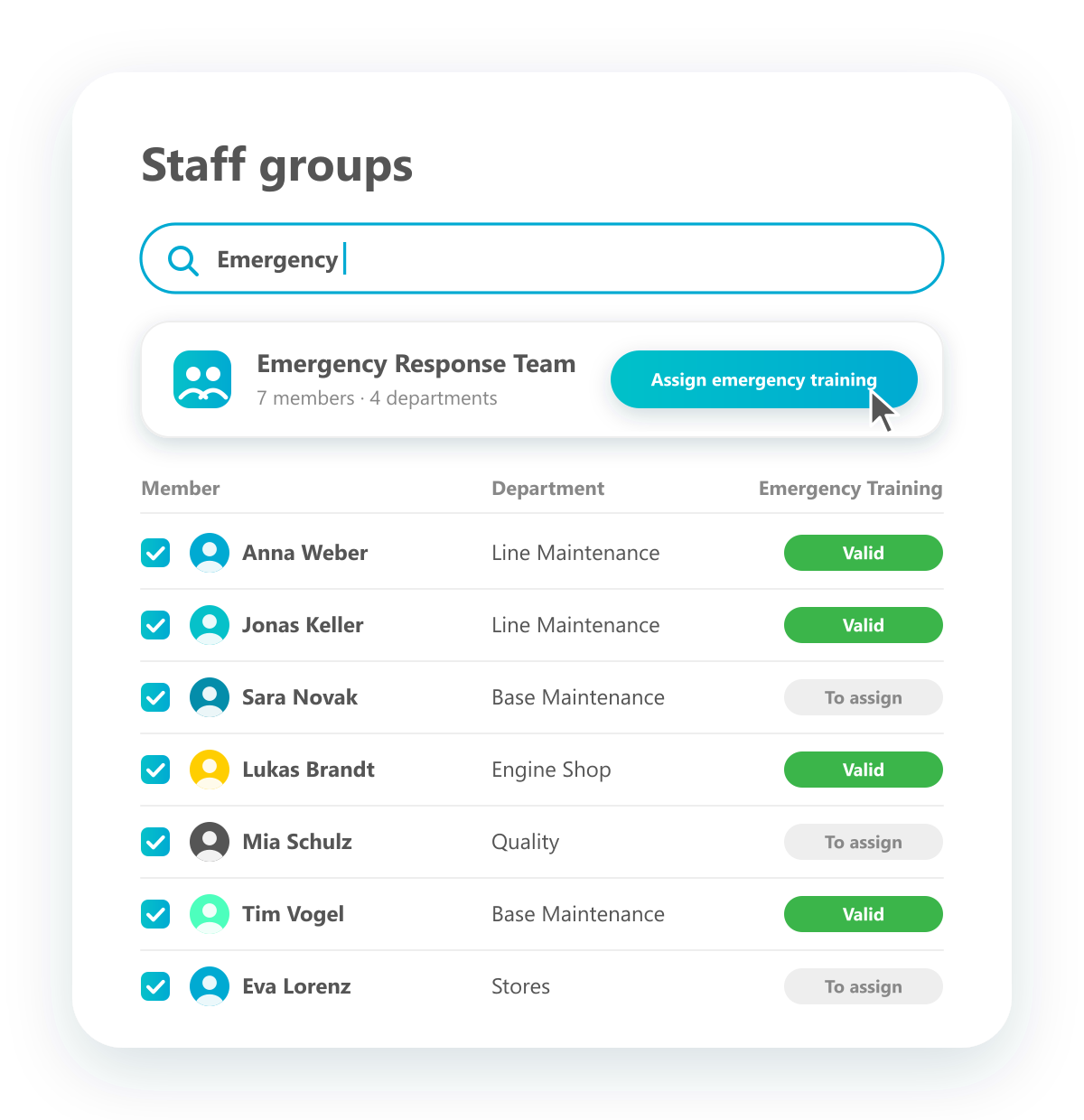
Create flexible staff groups
Group employees across departments and assign trainings in one go.
Besides departments, put together flexible groups of employees, such as an emergency response team or a safety team, regardless of where they sit in the organisation. Find the group, see all members at a glance and assign a training to everyone in it with one click.
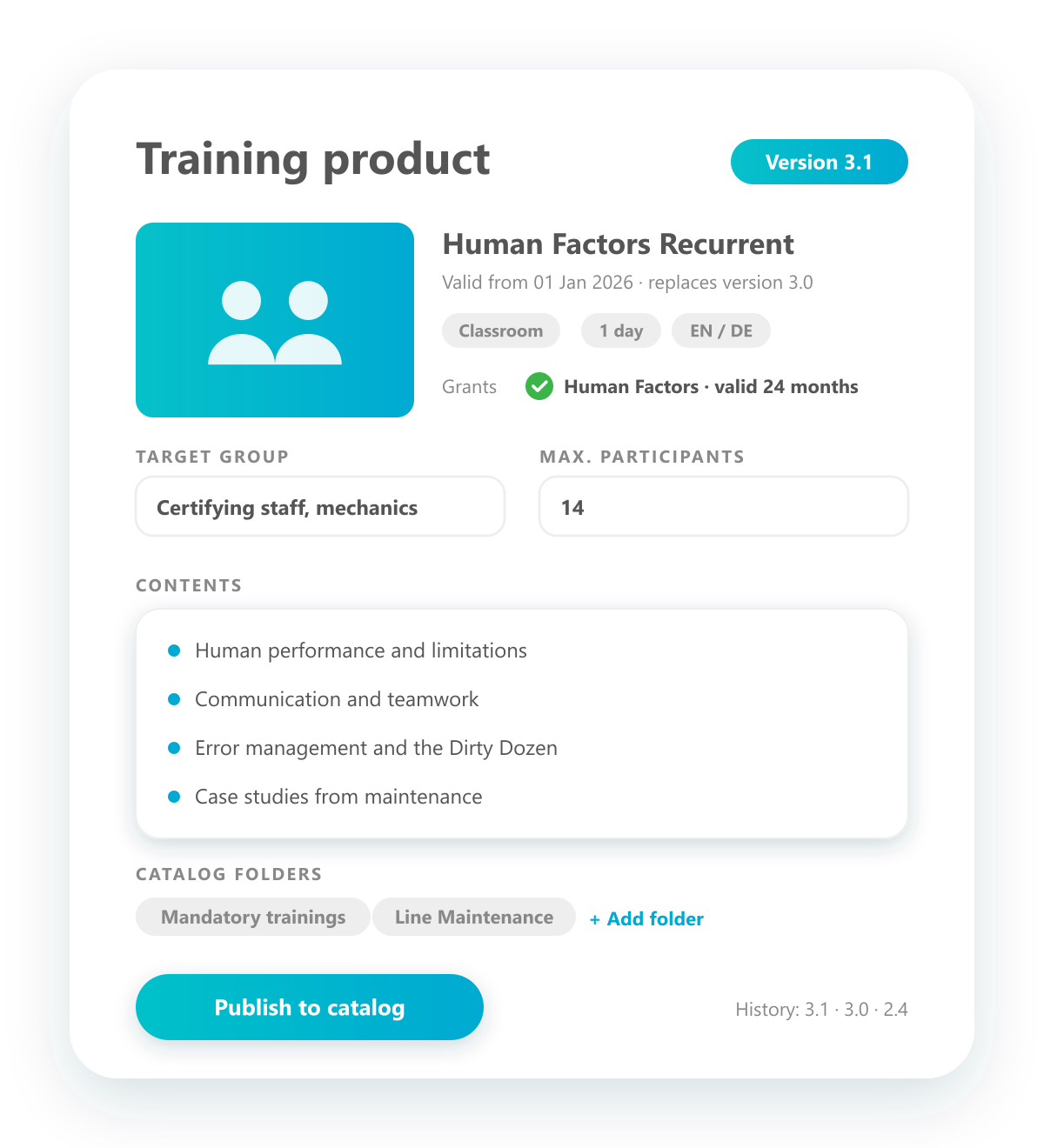
Define training product catalog
Describe every training in detail, with versions.
Describe each training as a product: picture, contents, target group, duration, training type and the qualification it grants. Products are versioned, so you always know which content was valid when, and are filed in your catalog, ready to be planned and booked.
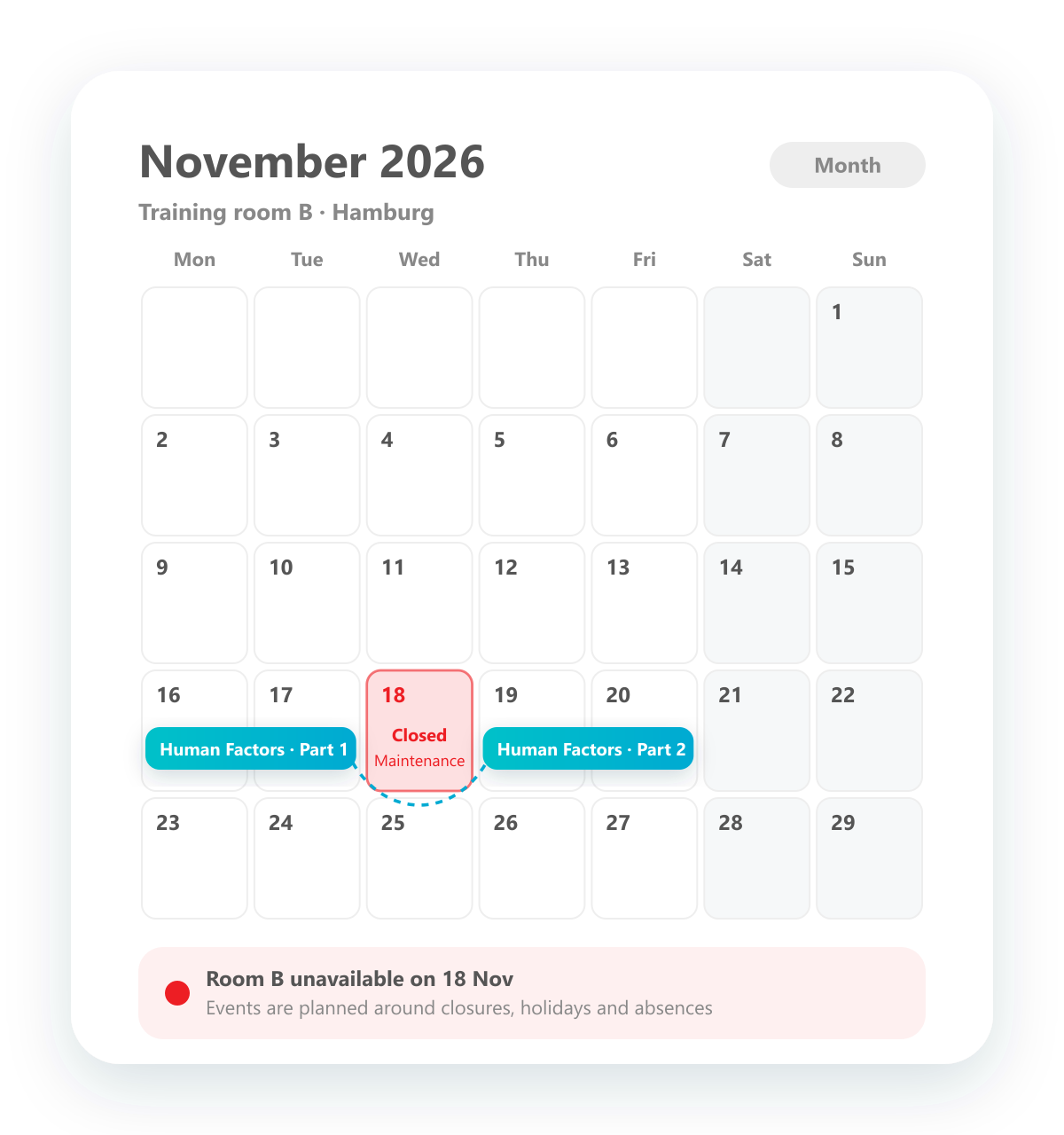
Define and plan holidays
Plan trainings around closures, holidays and absences.
Define times when locations, rooms or other resources are not available, such as public holidays, company closures or maintenance work. They are shown in the planning calendars, so training events are planned around them from the start.
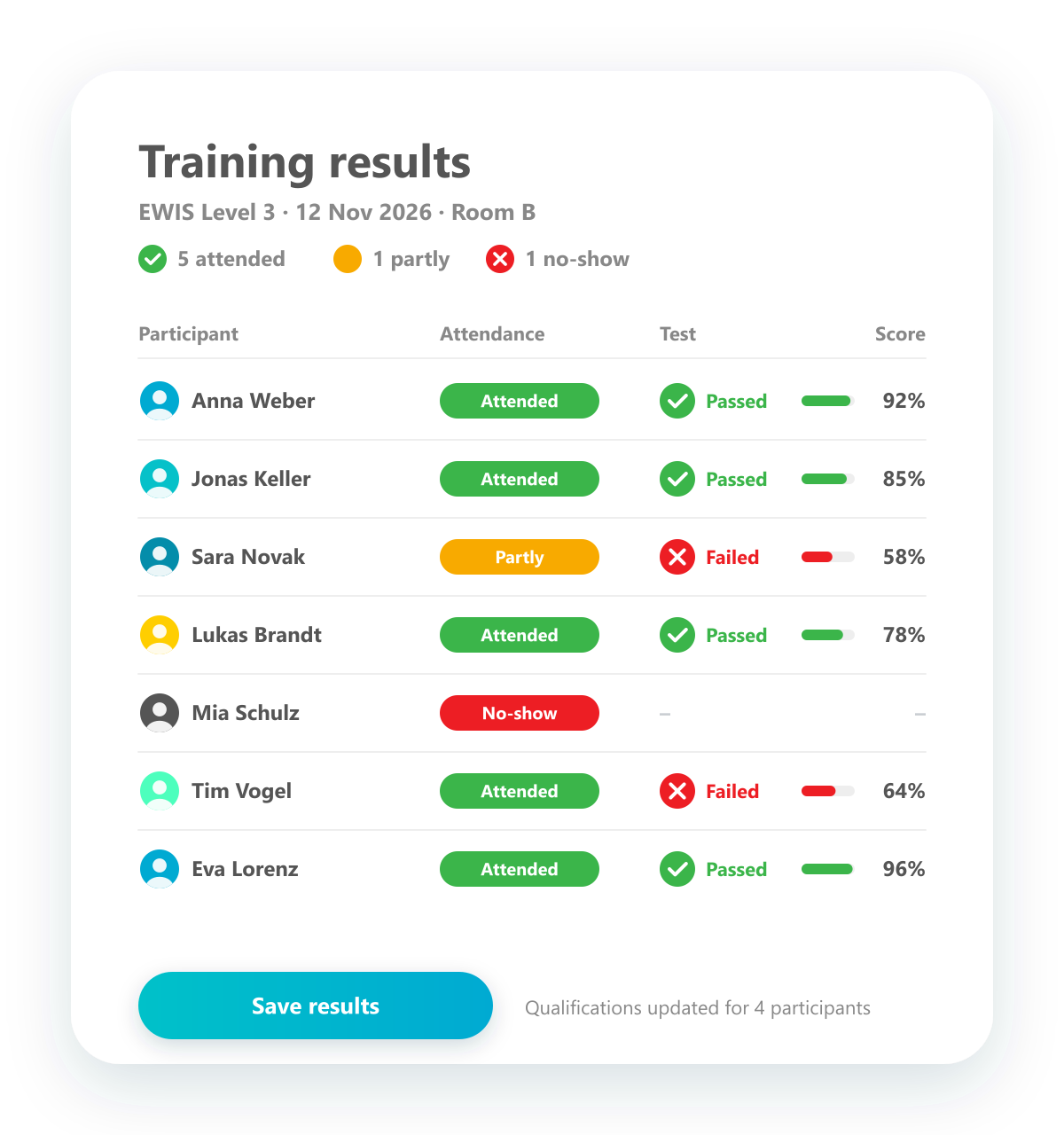
Document training results
Record attendance, test results and scores for every participant.
Trainings are not only planned but also documented. For each participant, record whether they attended fully, partly or not at all, whether they passed the test and with what score. The results are stored and update the qualifications automatically.
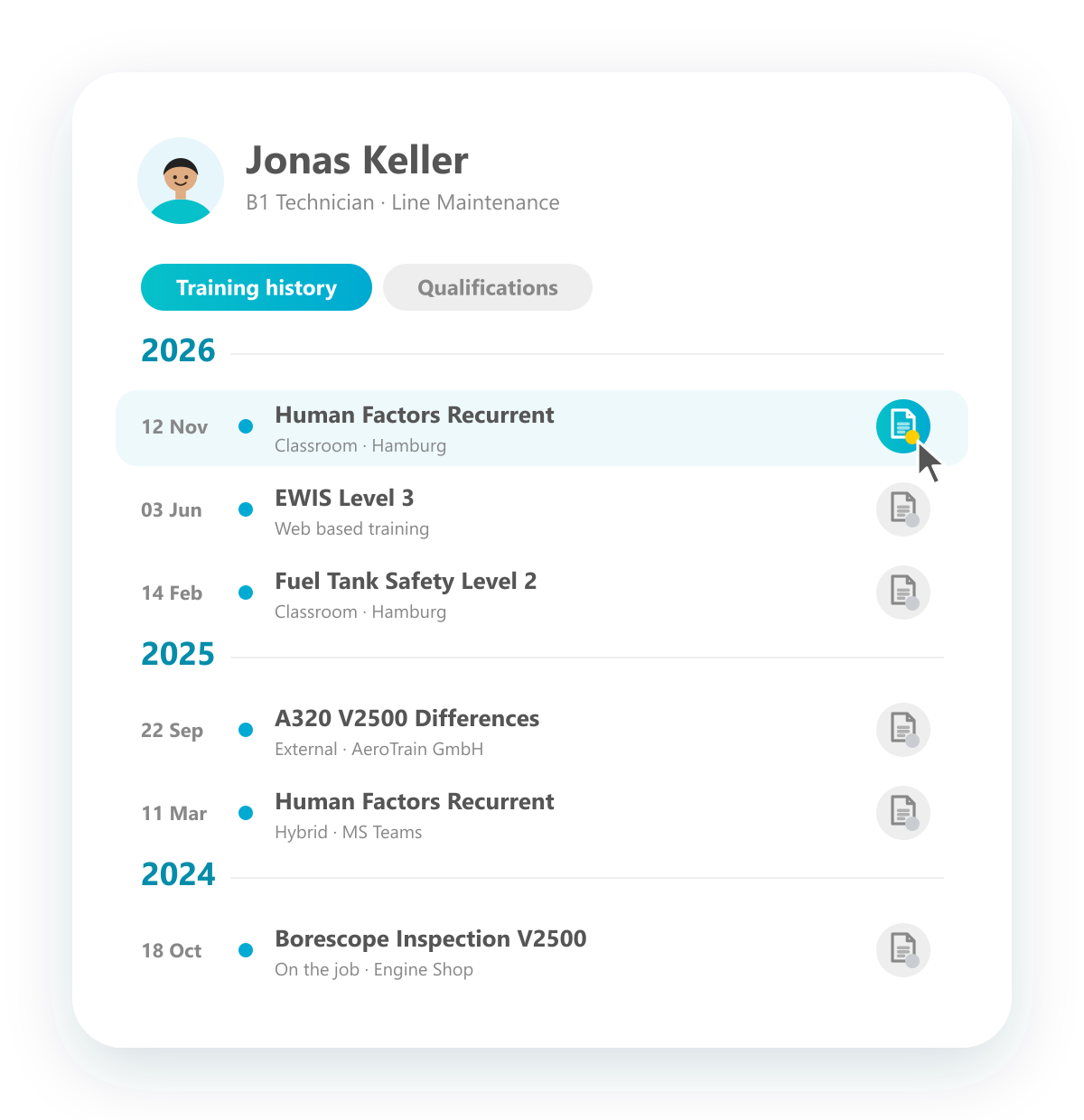
Event history
Every event that took place, per employee and across the company.
See which training events have taken place, for a single employee or across the whole organisation. Events are listed by year with date and title, and the certificate behind each one opens with a click.
Explore training catalog
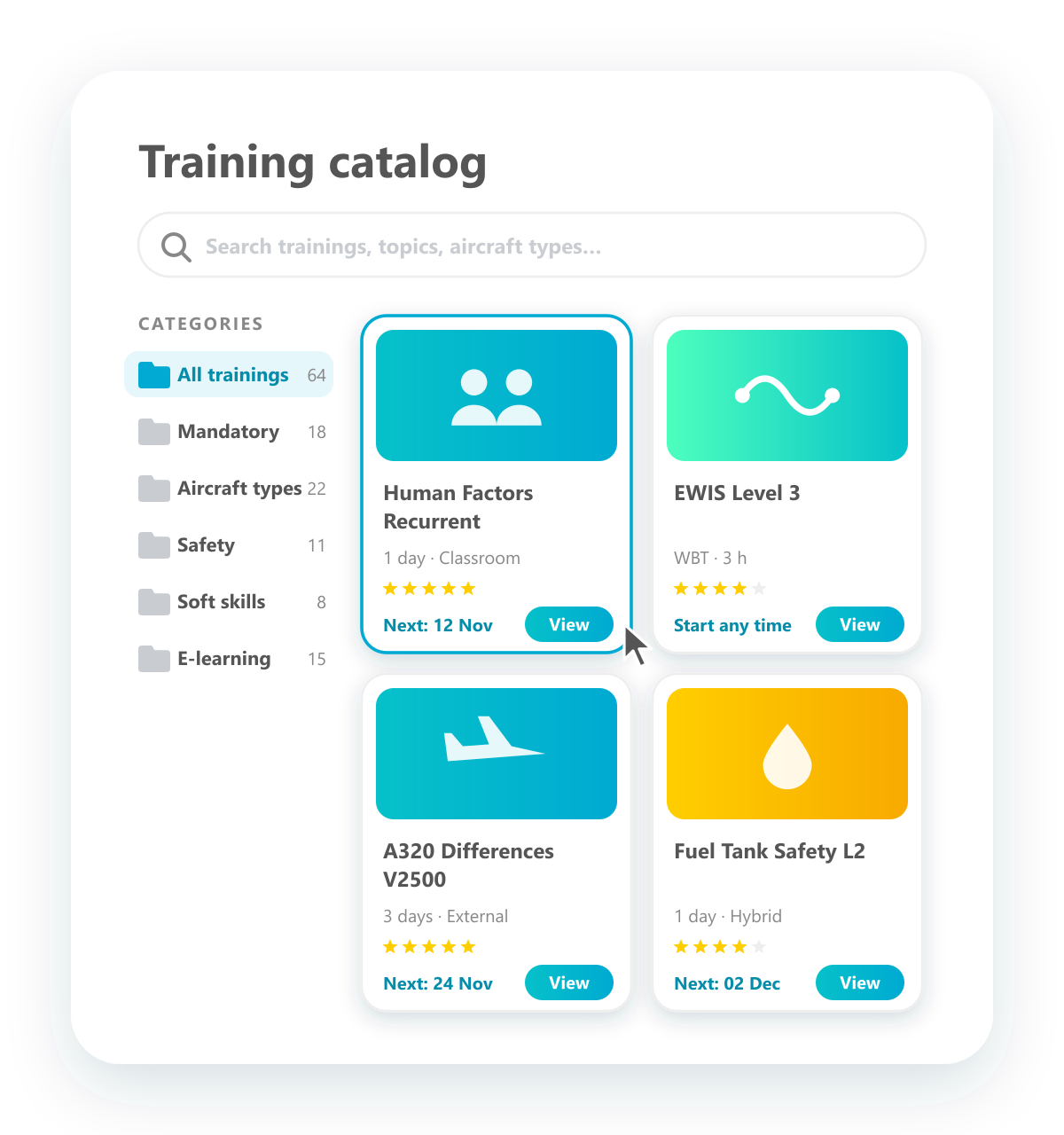
Browse the training catalog like an online shop.
Publish your training catalog online so employees and managers can browse it themselves. Categories, search and clear product pages with pictures, duration and next dates make finding the right training as easy as shopping online, and booking is just one more click.
Individual folder structure to sort trainings
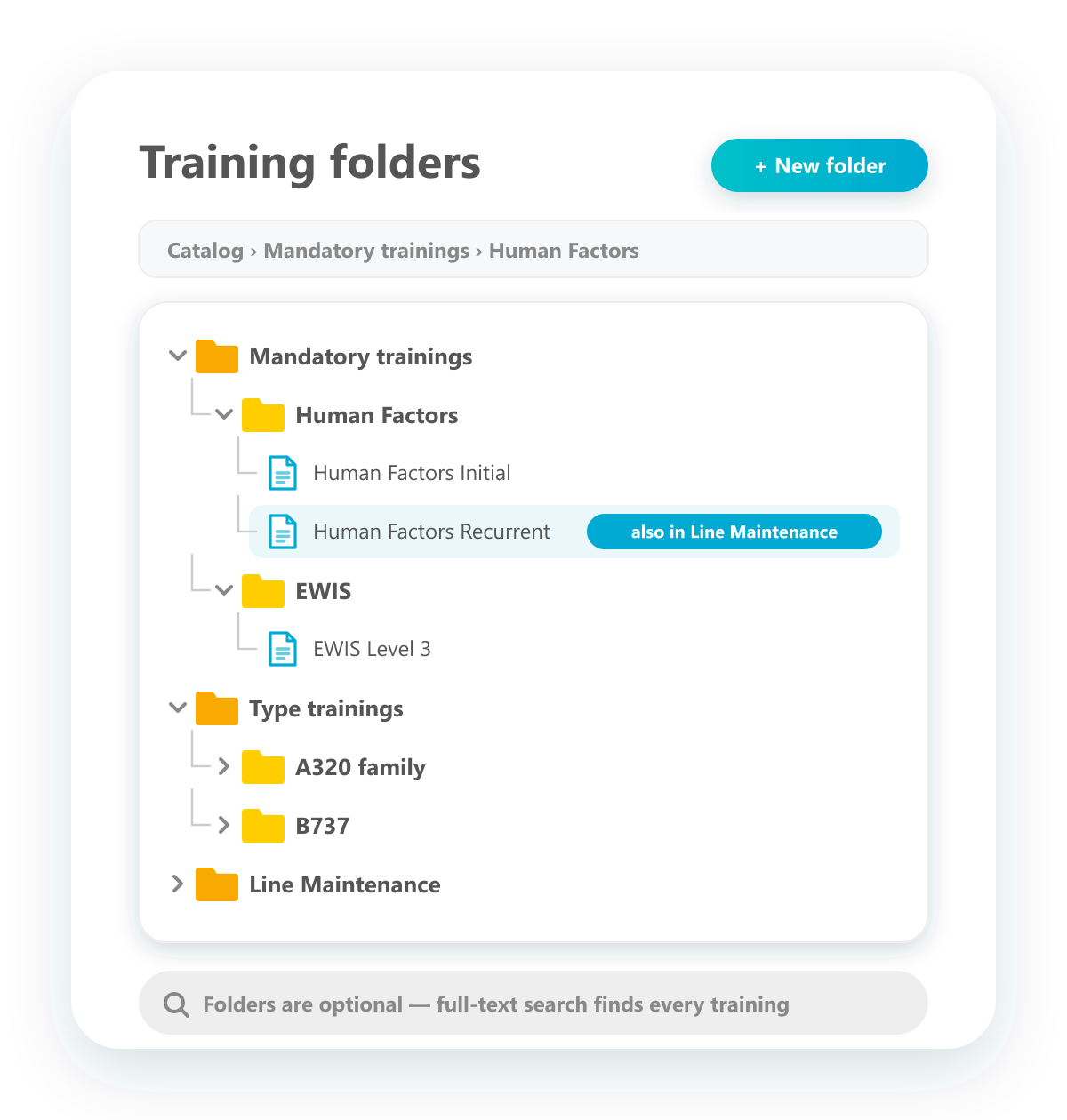
File trainings in your own folders, one training in several places.
Create your own folder structure for trainings, for example by mandatory trainings, aircraft types or departments. A training can sit in several folders at once and is found in each of them. Folders are optional: the full-text search finds every training anyway.
Manage internal trainer
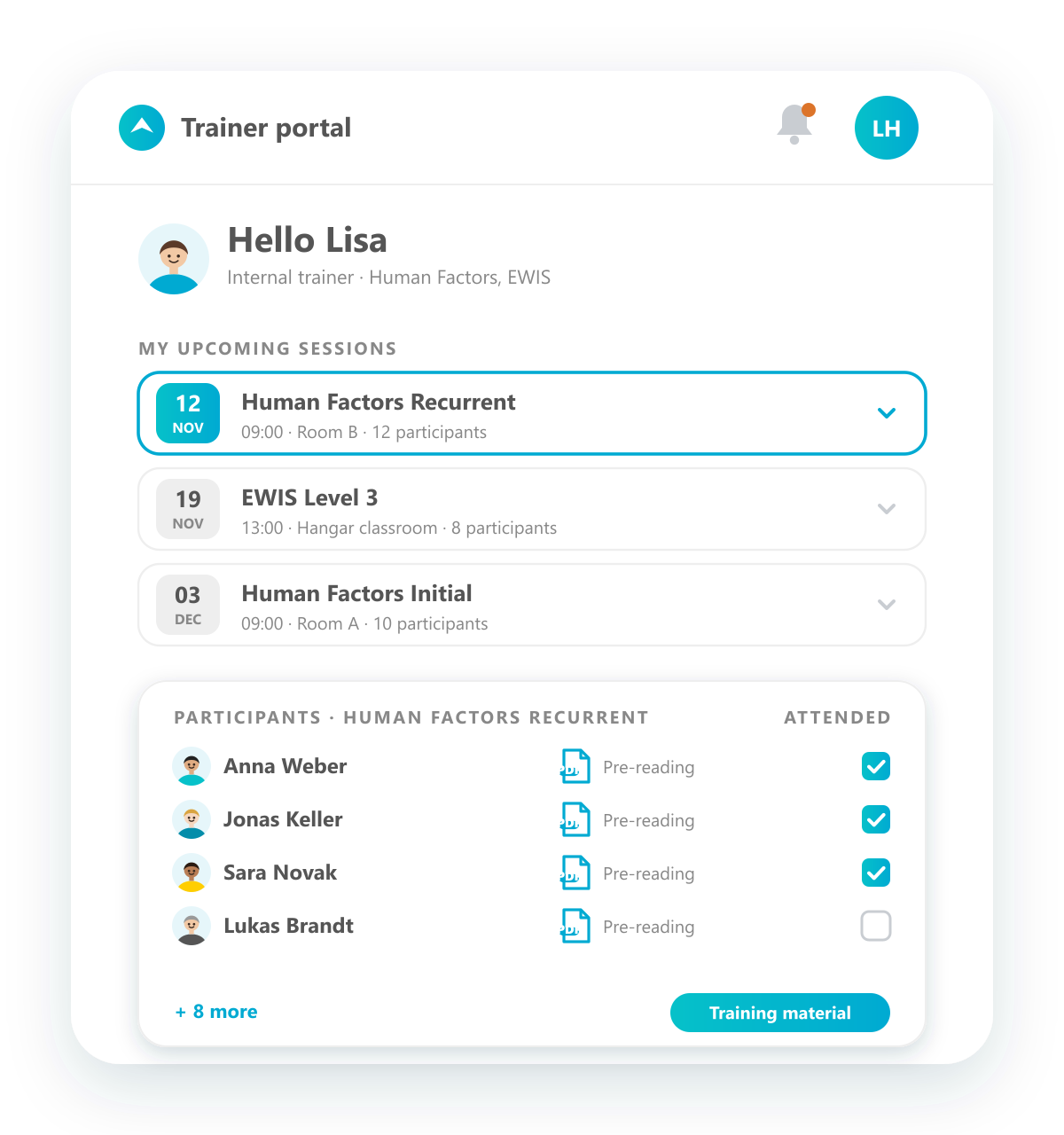
Turn employees into trainers and plan them like any resource.
Make employees internal trainers, record their trainer qualifications and assign them to trainings. Trainers are scheduled like other resources, so you see who is available. In their own trainer portal they find their upcoming sessions, participant lists and course material.
Manage training equipment
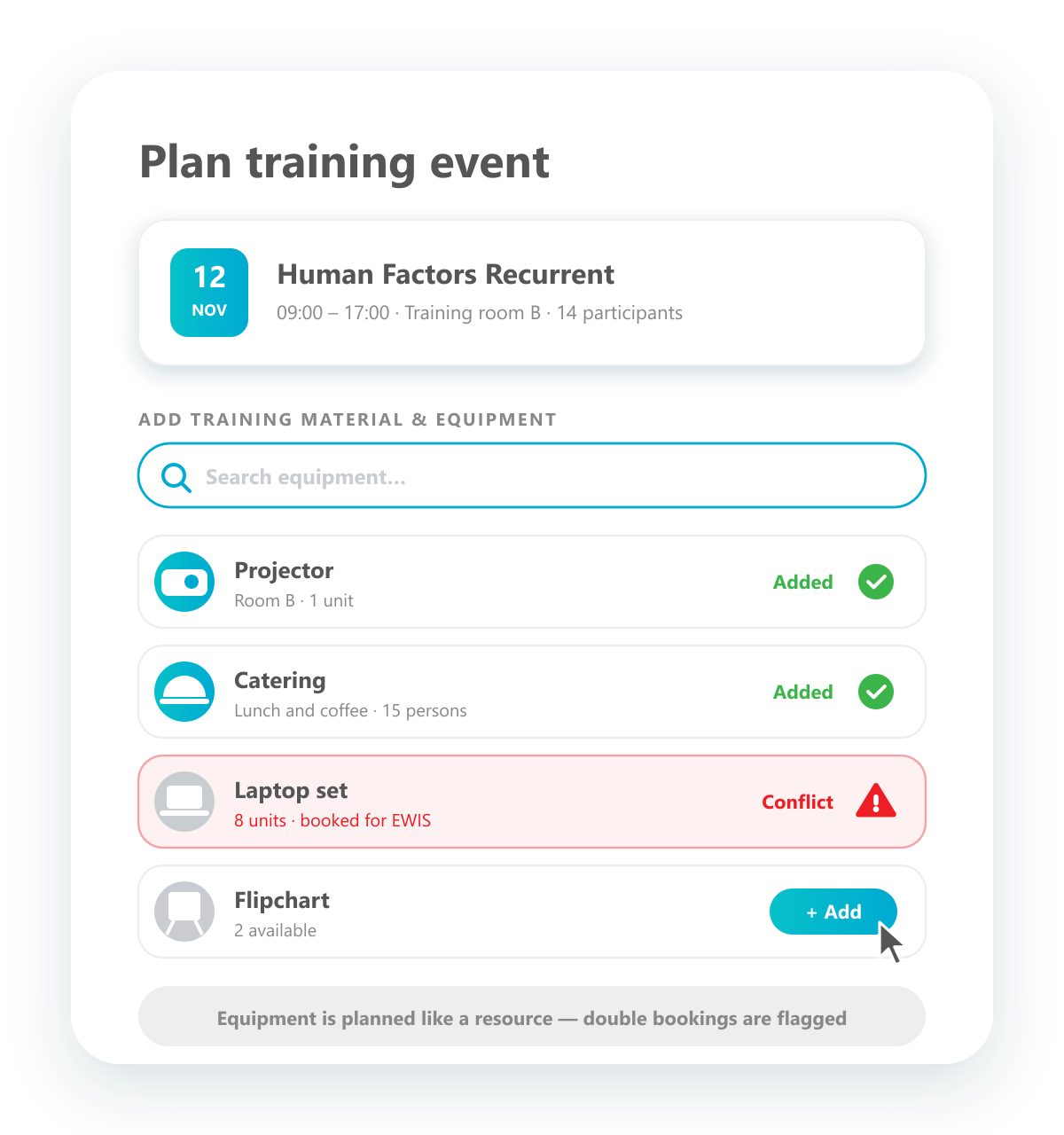
Add equipment to events and plan it like a resource.
Manage training equipment in the system, such as projectors, laptops, mock-ups or catering, and add it to your training events. Equipment is planned like any other resource, and if something is already booked elsewhere, you get a conflict warning.
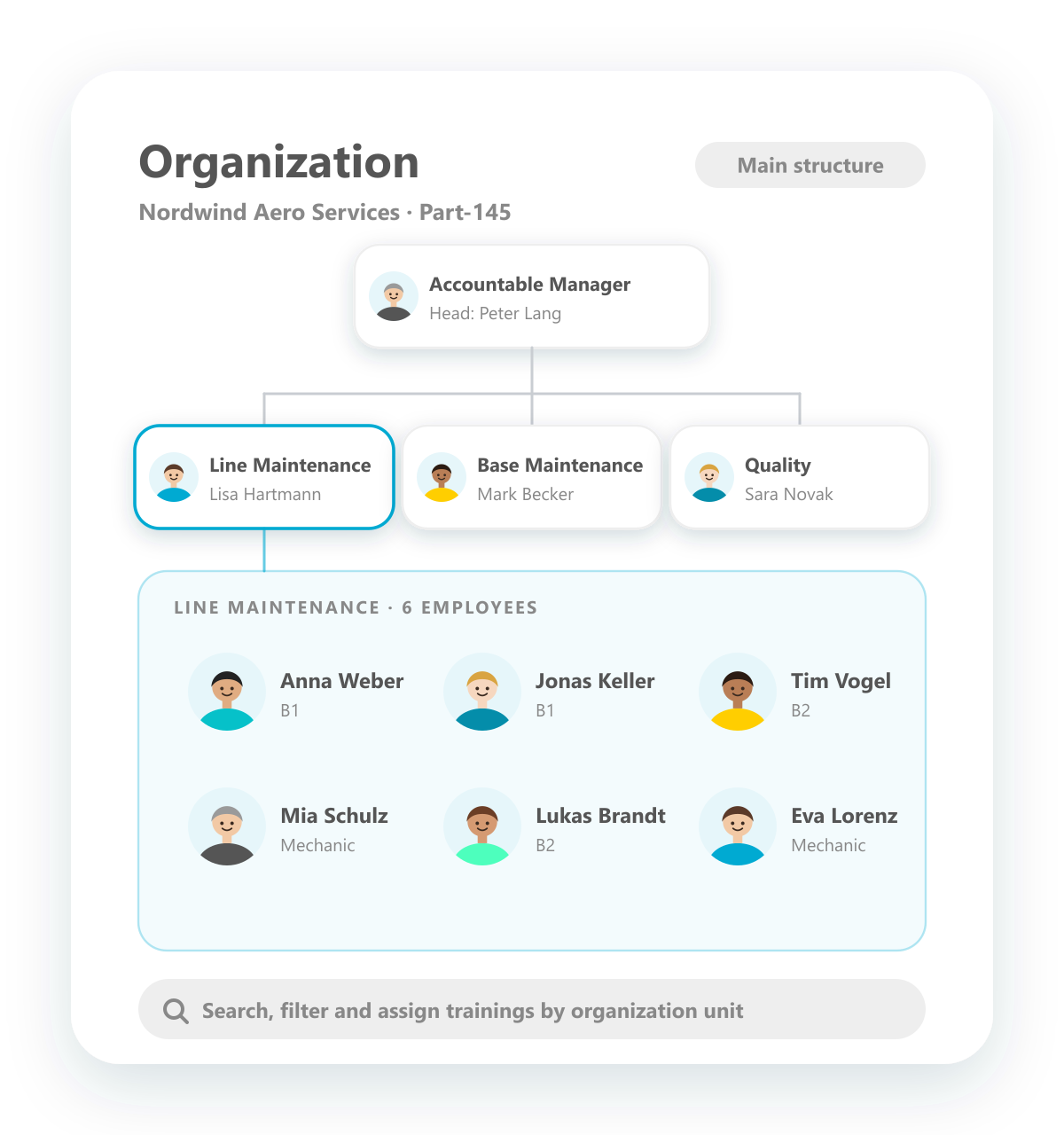
Management of staff in organization units
Map your organization and work along its units.
Map one or several organization trees and assign employees and managers to their units. Search, filters, reports and training assignments can all follow the organization units, so every manager sees their area and every employee is in the right place.
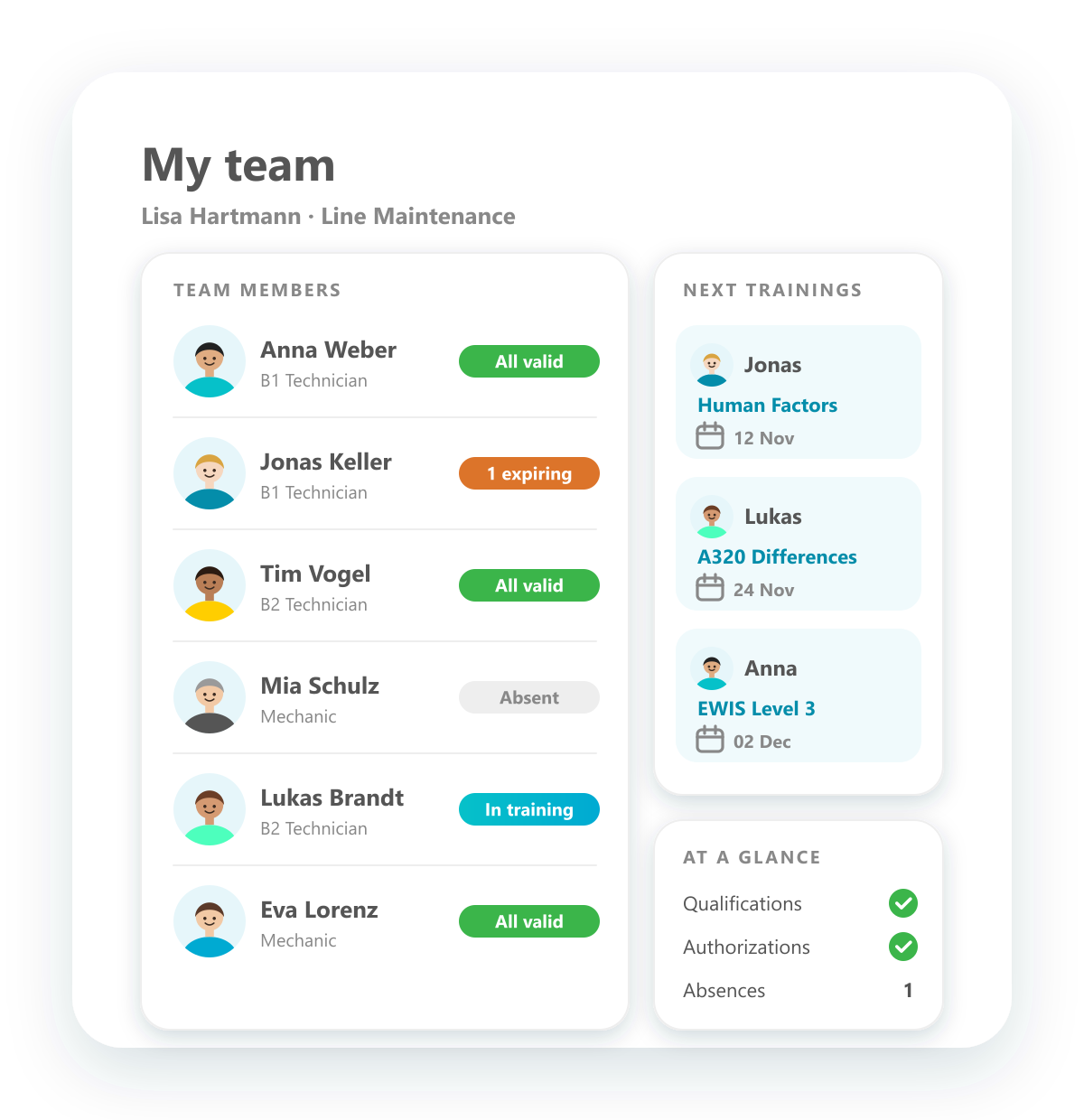
Monitor staff in team view
Managers see their whole team at a glance.
Managers get their team members assigned and see everything that matters for each of them: trainings, absences, qualifications and authorizations. A glance at the team view shows who is fully qualified, who needs attention and who is going to which training next.
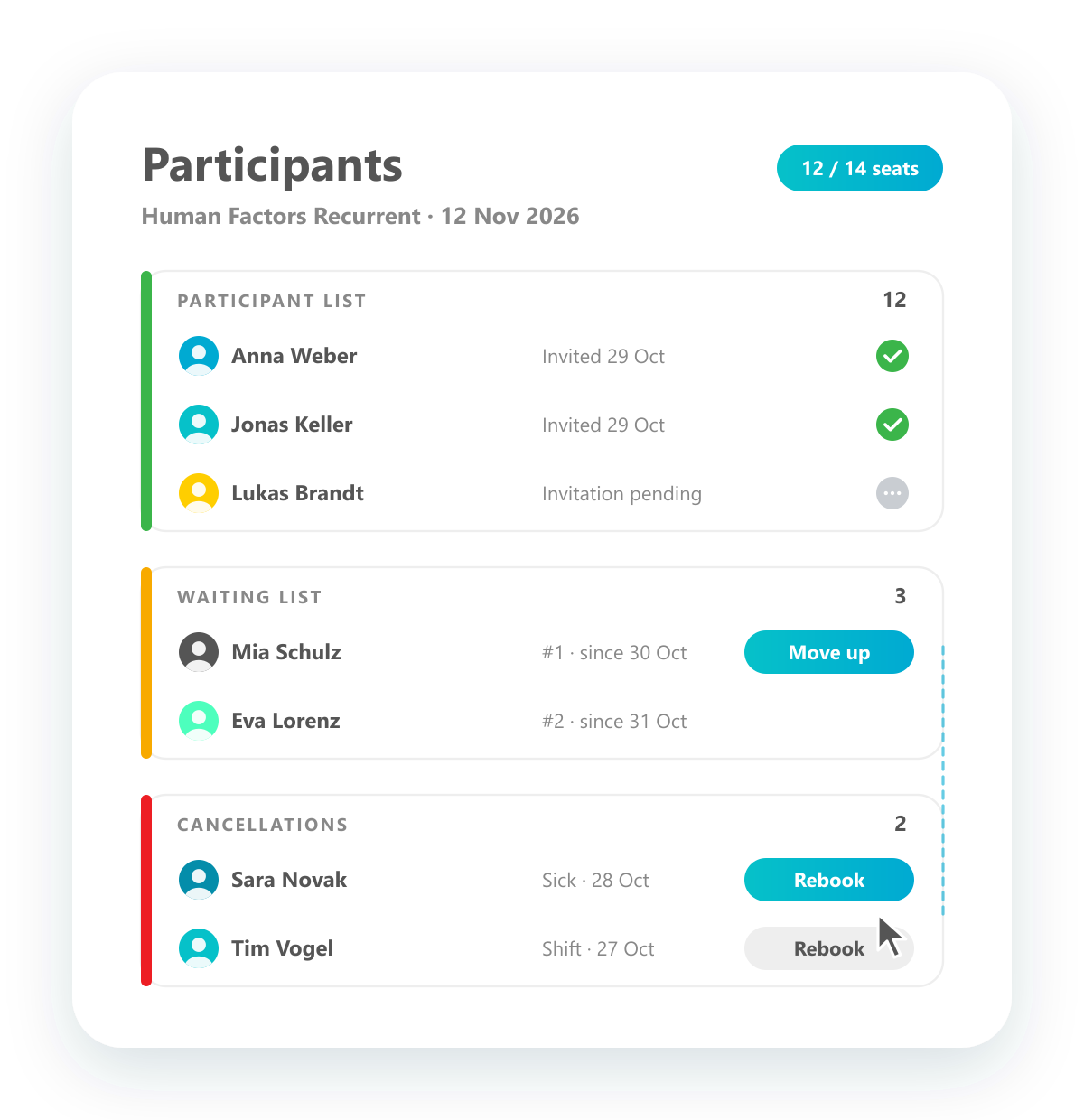
Organize invitations and cancellations
Participants, waiting list and cancellations in one place.
Manage everyone involved in an event: invite participants, move people up from the waiting list and record cancellations. A cancellation can be turned back into a booking with one click, for the same event or another date.
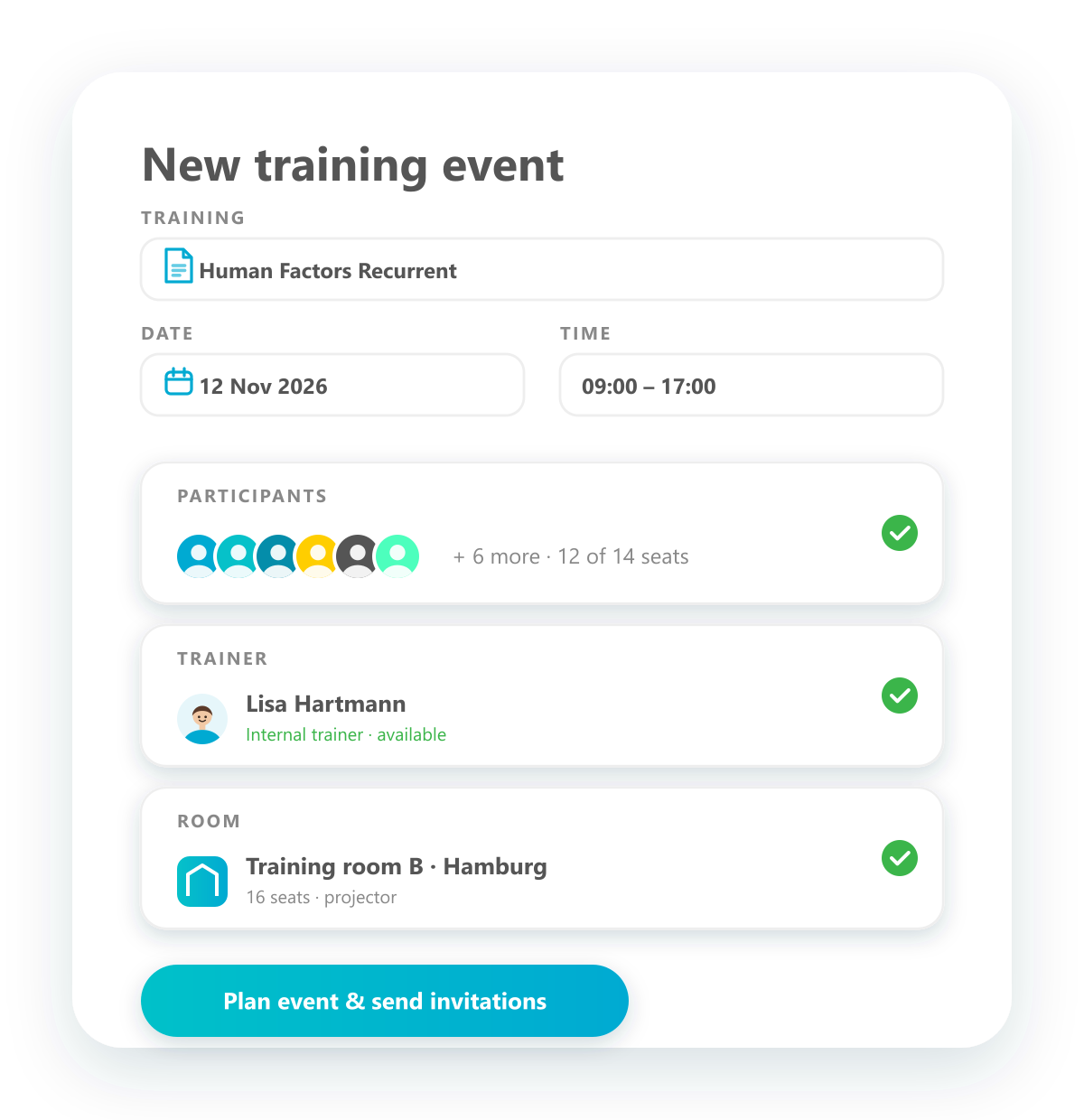
Plan training events
Plan an event with participants, trainer and room in one step.
Plan a training event from a training product: pick the date and time, invite participants and trainers, book rooms and organise the resources it needs. Once everything is in place, the invitations go out from the same screen.
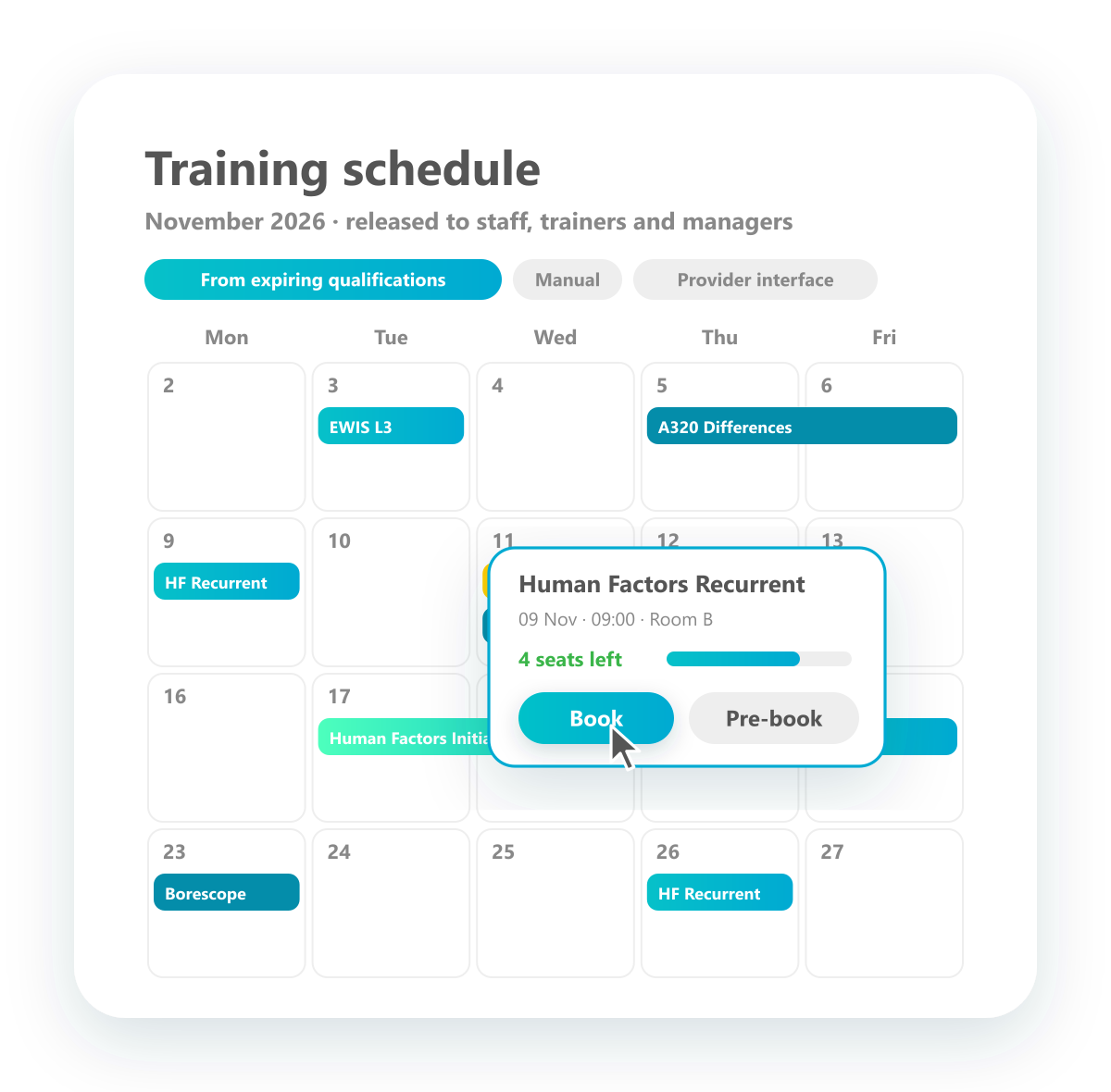
Plan and build training schedule
All planned events in one schedule, open for booking.
Build your training schedule from all planned events: generated from expiring qualifications, created by hand or synchronised with training providers through interfaces. Release it to employees, trainers and managers, who can book directly from the schedule.
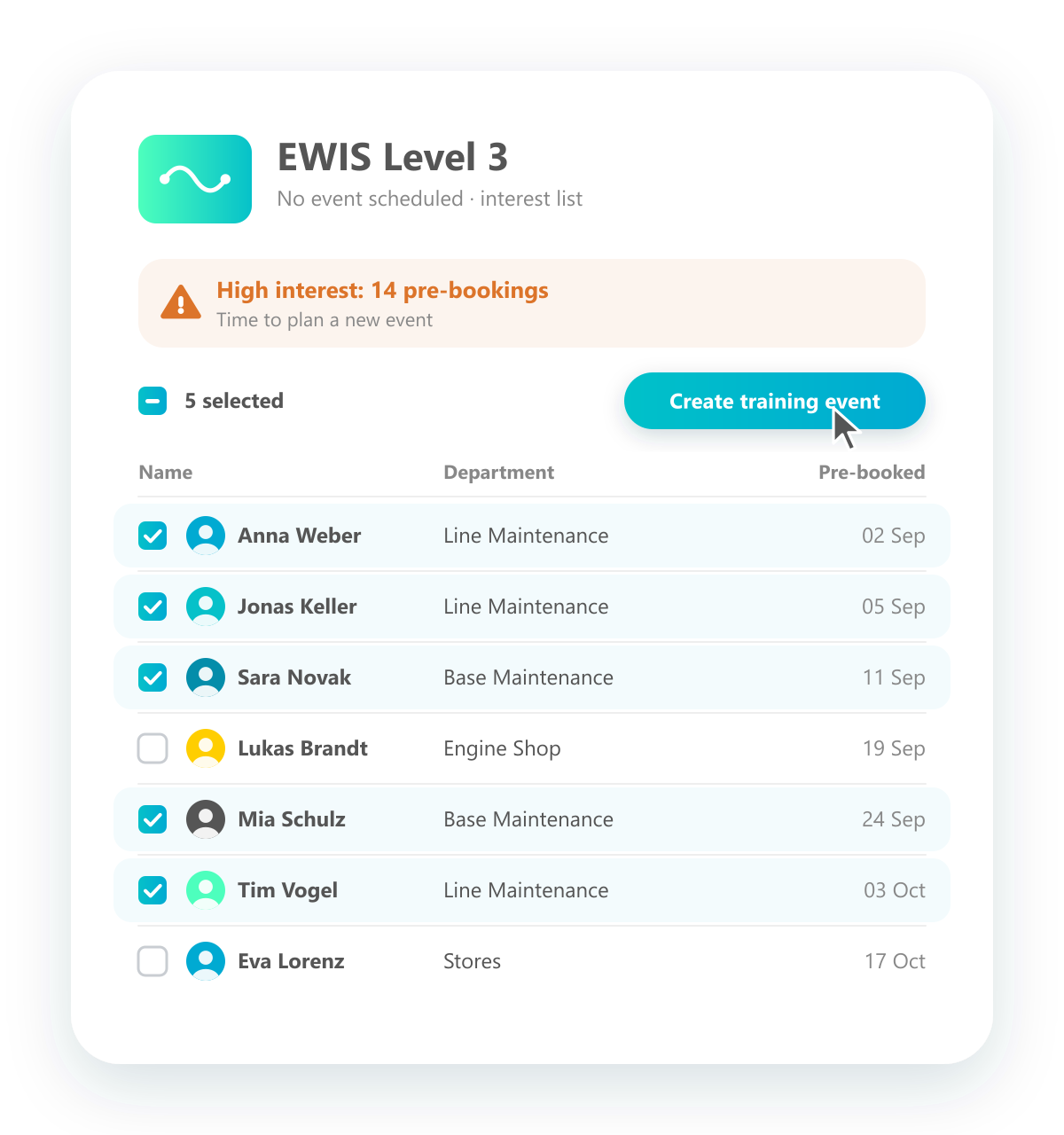
Prebooking of trainings
Collect interest before an event exists.
Employees can register their interest in a training even when no event is scheduled yet. Interest lists and reports show where demand is high and when it is time to plan a new event. Select the people on the list and create the event straight from it.
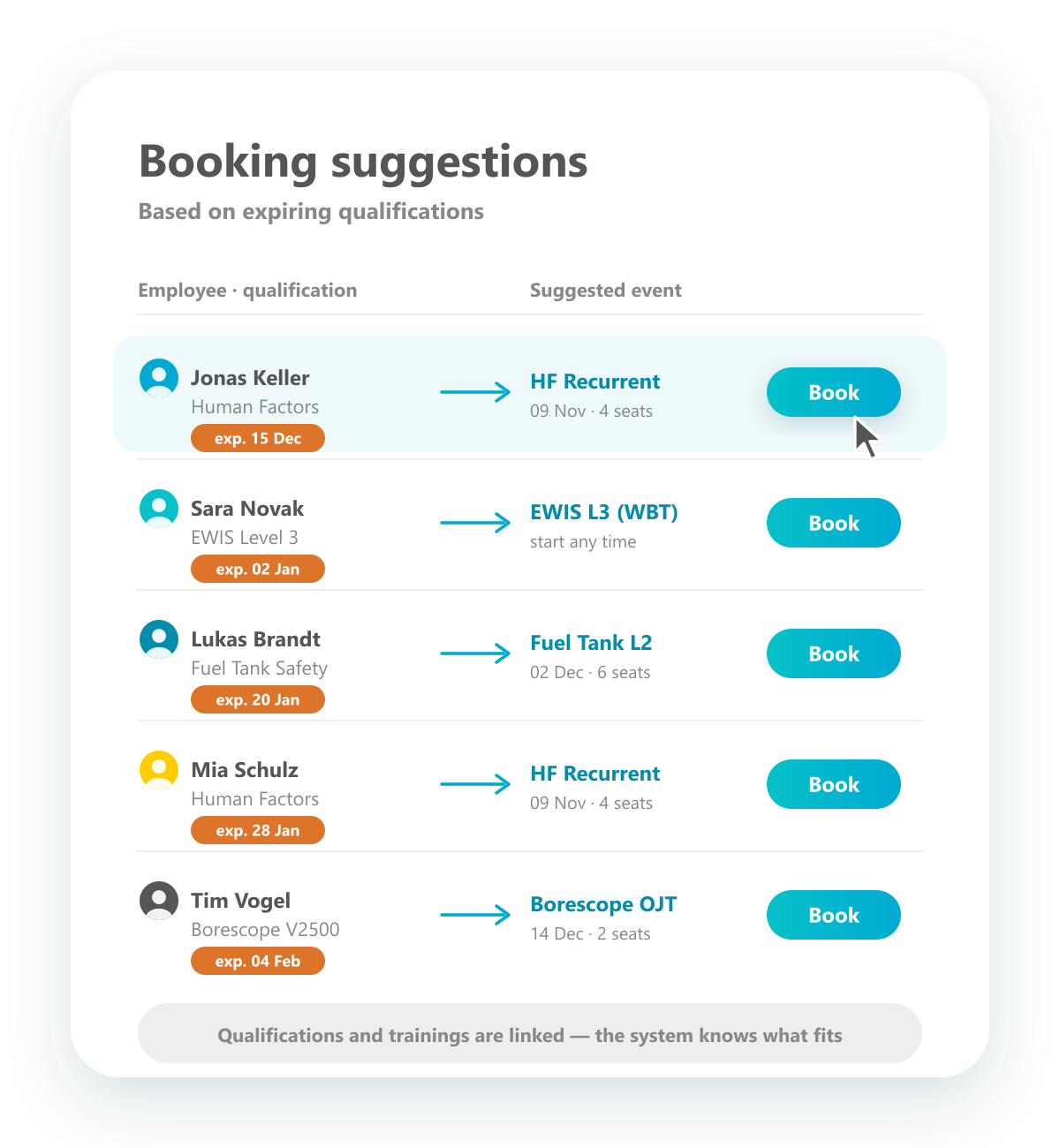
Receive intelligent booking
Suggestions for the right training when qualifications expire.
Because qualifications and trainings are linked, the system knows which training renews which qualification. For every expiring qualification you get a suggestion for a suitable event, with date and free seats, and can book it with one click.
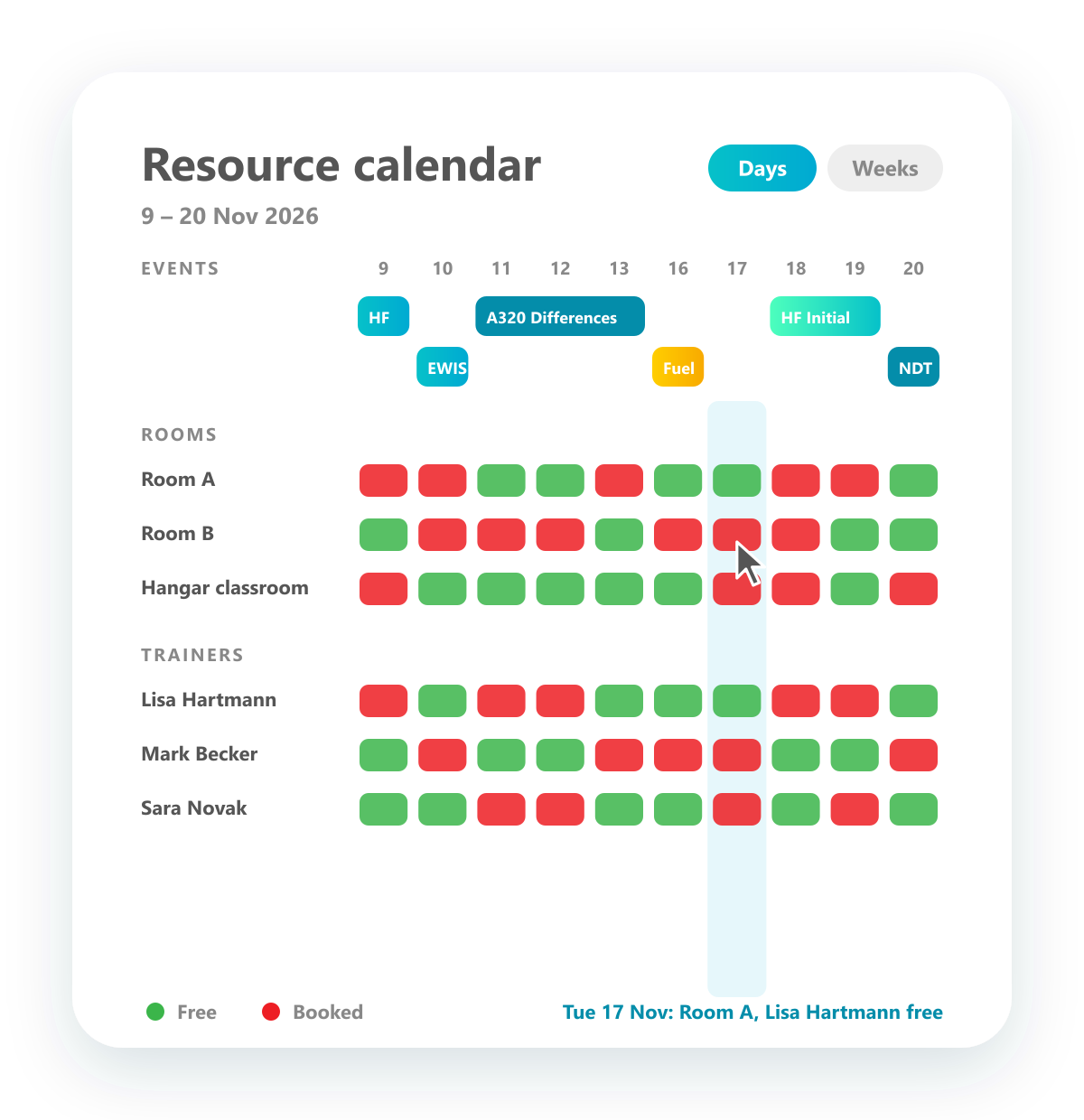
Resource calendar
See events, free rooms and available trainers in one calendar.
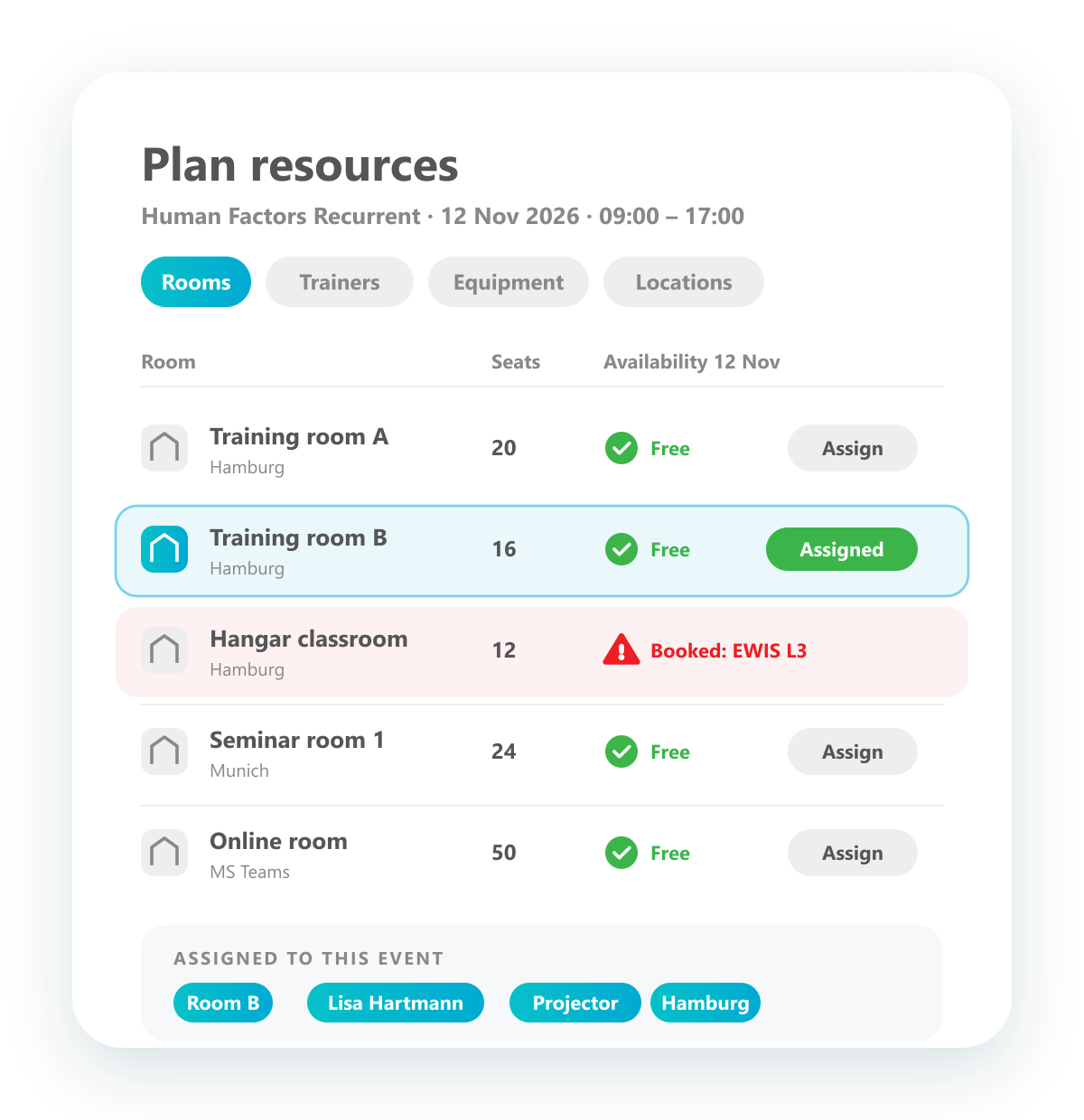
Plan in a calendar that shows your training events by day, week or month, and below them every room and trainer with their availability. Free and booked times are marked in green and red, so you find a slot where room and trainer are both free in a few clicks.
Resource management
Manage rooms, locations, equipment and trainers.
Manage all your resources in one place: rooms, locations, equipment and trainers, each with its own availability over time. Assign them to events from a list, and if a resource is already booked elsewhere, the conflict is flagged straight away.
See training history
The complete training history of every employee.
Each employee has a complete training history, grouped by year: every training with date, title and type, from classroom to web based training. The certificate for each one can be opened and downloaded right from the list. The same history is available per training product.
Self booking for managers and staff
Employees and managers book trainings in their own portal.
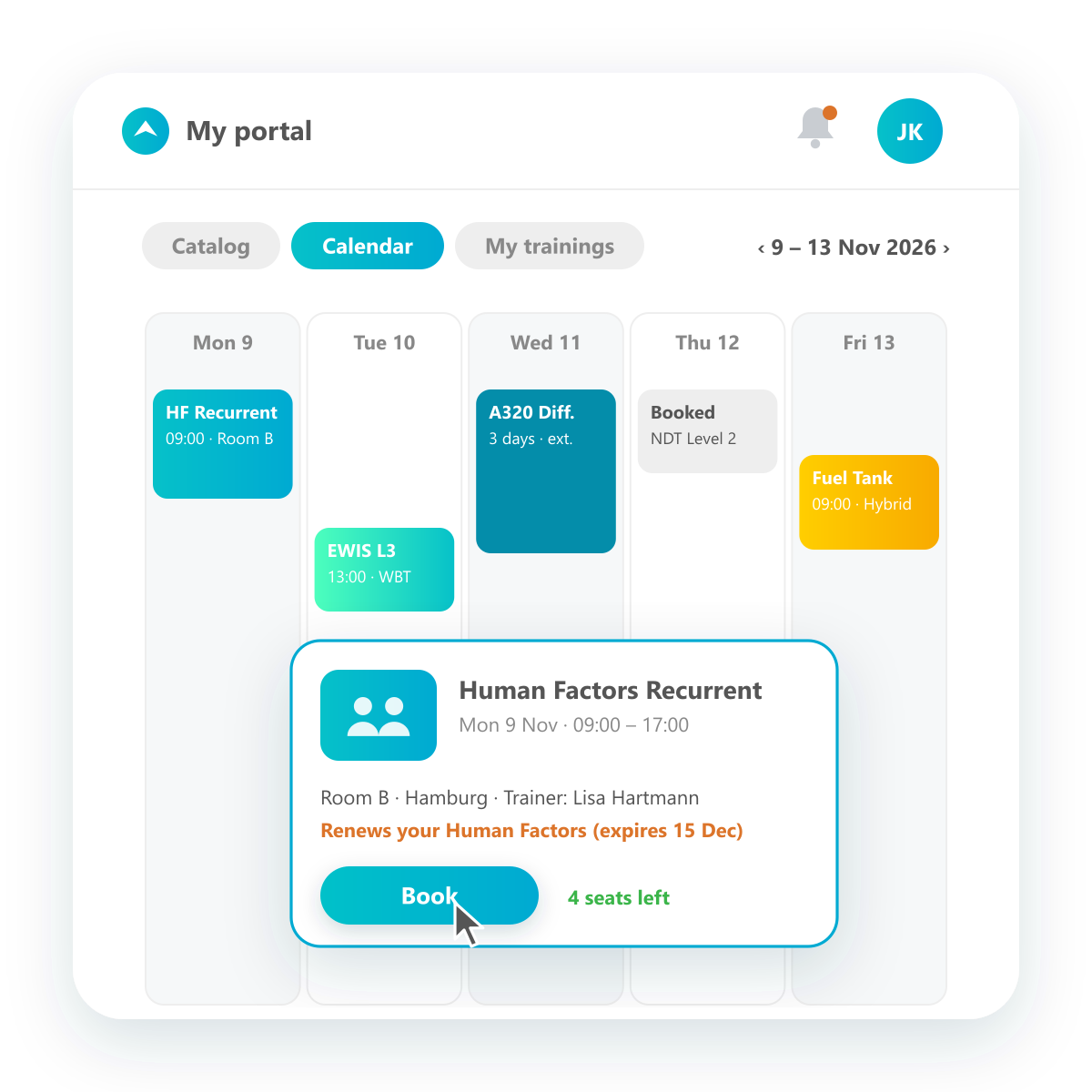
Managers and employees log in to their own portal, browse the training catalog and the calendar of upcoming events, and book directly. Your booking rules decide what happens next, for example whether a booking goes straight onto the participant list or needs the manager's confirmation first.
Staff administration
Comprehensive employee records, connected to your HR system.
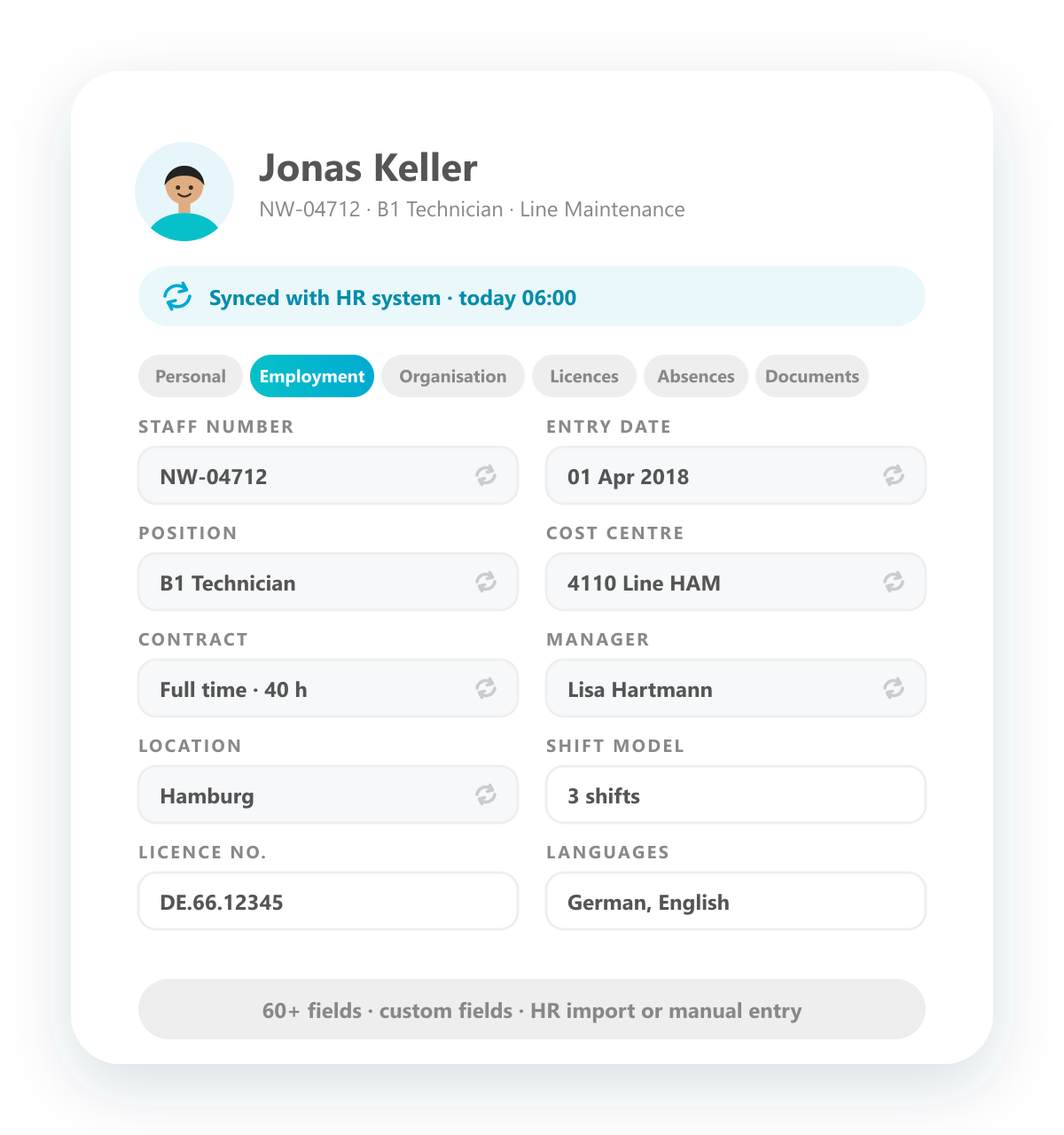
Keep complete employee records in the system, with all the data you need and your own custom fields. Connect your HR system to load the master data automatically, or enter and maintain it directly in the system, whichever suits your organisation.
Support of all training types
Classroom, hybrid, online and on the job, all in one system.
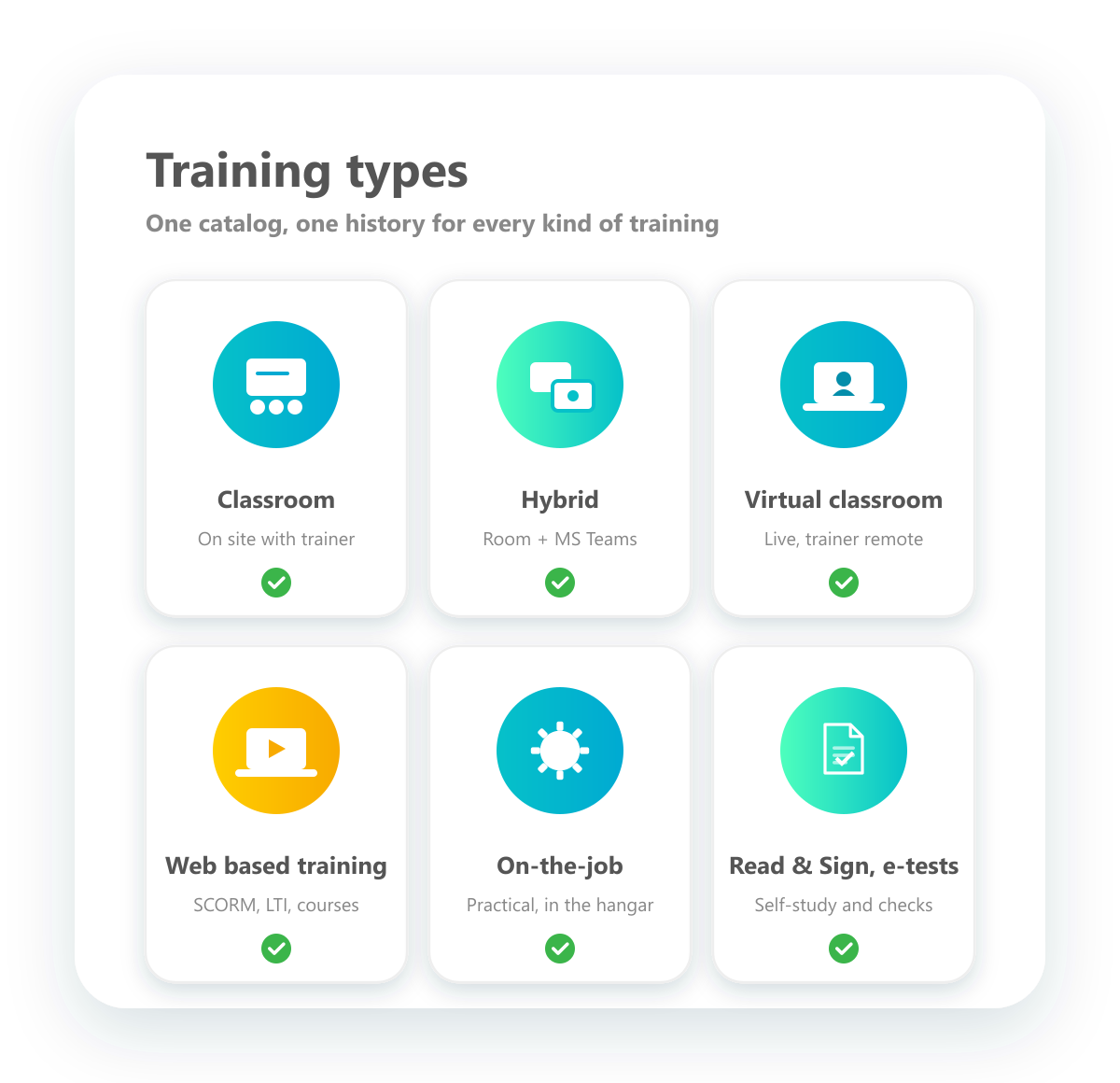
Plan and document every kind of training in one place: classroom trainings, hybrid trainings with Microsoft Teams or similar platforms, live online trainings, web based trainings, on-the-job trainings, Read & Signs and e-tests. One catalog and one history cover them all.
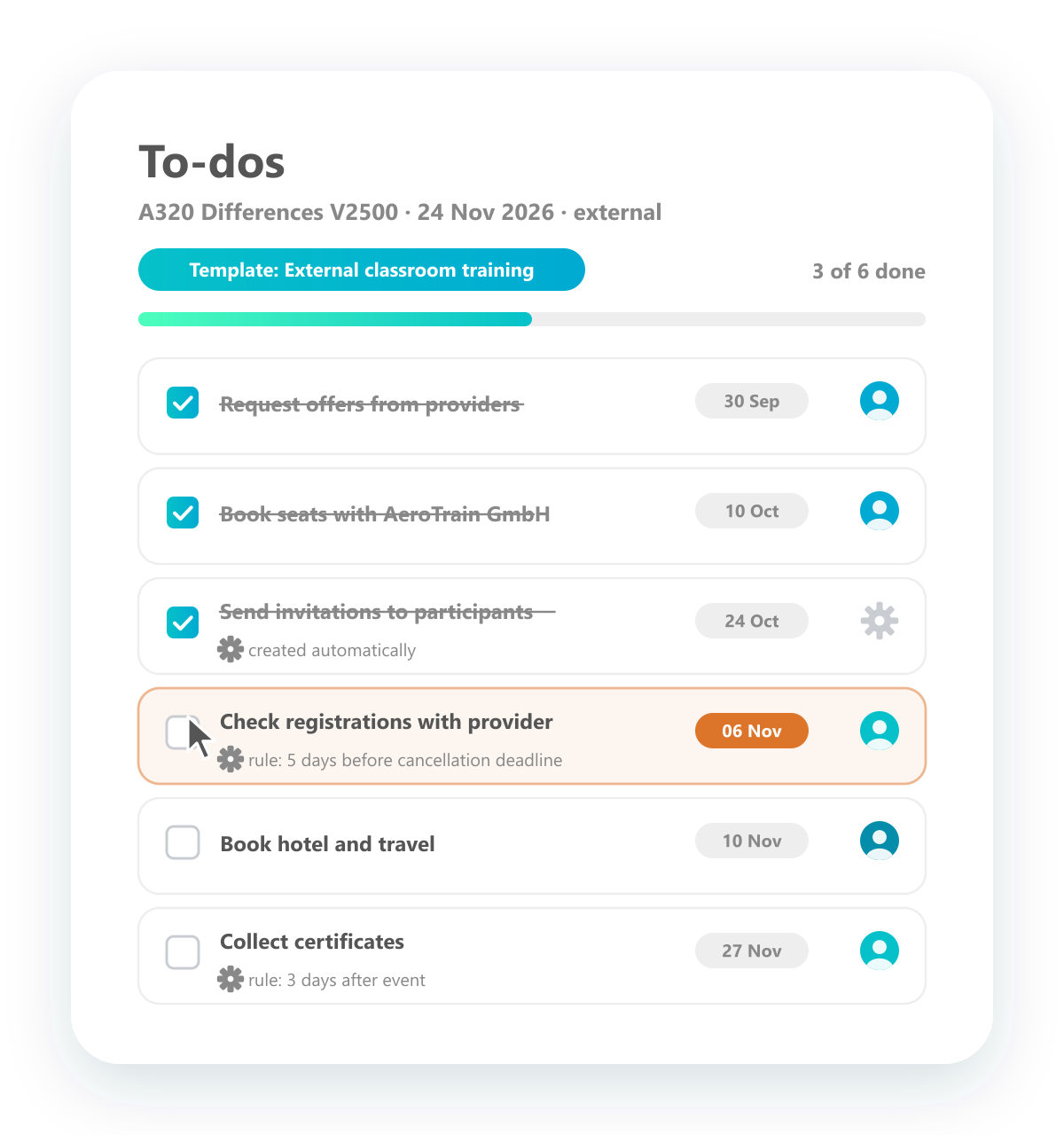
To-do list for coordination
Rule-based to-dos for training products and events.
Create to-do lists for training products and events, or let rules create them: for example, five days before the provider's cancellation deadline, check whether there are enough registrations or whether the event should be cancelled. To-do templates are assigned automatically, and tasks are ticked off until everything is done.
Trainer portal
Trainers see everything they need for their sessions.
Trainers log in to their own portal and find everything relevant for their trainings: upcoming sessions, participant lists, preparation and training material. After the session they tick off attendance directly in the portal.
Learning & Examination
Vollzugang zum Qualification Manager – gestaffelt nach Teamgröße.

Conduct e-tests
Put together e-tests from different question types, such as multiple choice, free text, assignment or true/false, and run them digitally. Employees take the test online, right in the system.

Creation of comprehensive learning plans
Define learning plans that set the order in which employees learn. A plan combines trainings, WBTs, individual tasks and videos, put together freely and adapted at any time, and guides each employee step by step through what they have to complete.

Integration in MS Teams
Run hybrid trainings with Microsoft Teams. When you schedule a meeting in the system, the Teams meeting is created automatically and the link goes out with the invitation email, so participants join the session with one click.

Online course builder
Build online courses from the learning material you already have: videos, texts, PDFs and short multiple-choice checks, arranged in any order. It is not SCORM and not a classic WBT, but for learners the result feels very similar: they are guided through the material step by step. Ideal when material has to be available quickly.

Perform Web Based Training
A complete learning management platform is built in and plays SCORM-based web based trainings. Employees open the training and work through it, and on completion it is recorded directly as a qualification in the system.

Process Read & Signs
Distribute documents for Read & Sign, a must in aviation. Each employee receives the PDF with a due date and confirms that they have read it. You see at a glance who has confirmed and who hasn't.

Request online feedback
Create feedback forms and send them to training participants. They fill them in online, and the answers come together in a dashboard for administrators.

Run SCORM Files
Upload SCORM packages and play them in the built-in SCORM player, the same player that runs your web based trainings. Every launch and completion is tracked.

Run external online trainings via LTI
Play online trainings hosted on another provider's platform through the LTI interface and exchange training data such as completion and scores. We set up the connection; the other system needs to support LTI as well.

Support of online distance trainings
Support trainings in which the trainer teaches live through an online tool instead of in the classroom. It is not a WBT: the trainer is there, just remote. Meeting providers such as Microsoft Teams are connected through interfaces, and further video conferencing tools can follow.
Record Keeping
Vollzugang zum Qualification Manager – gestaffelt nach Teamgröße.
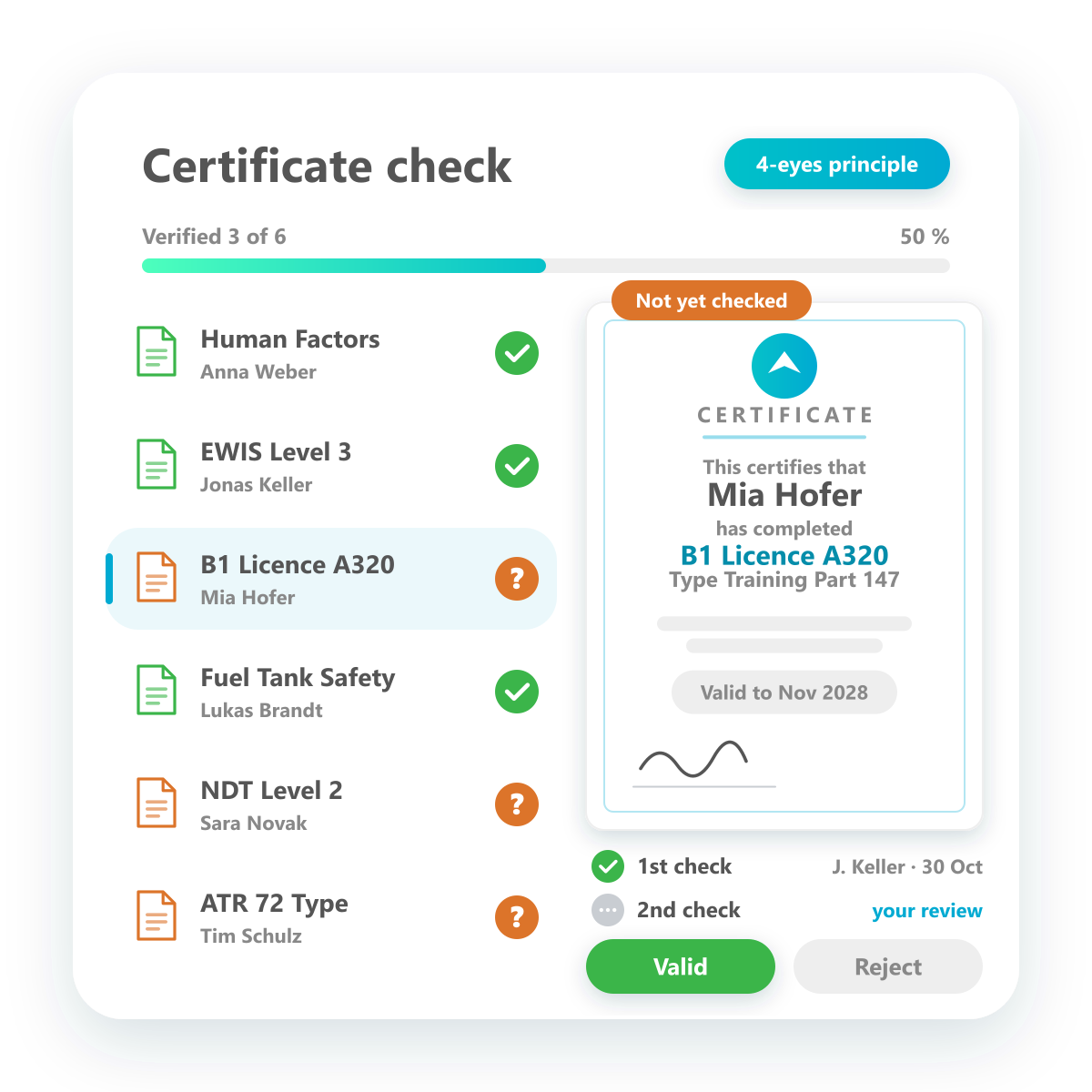
Approve certificate validity
Every certificate verified by four eyes before an authorization is granted.
Switch on the certificate check and every certificate in the system is reviewed before an authorization is released. Certificates that have not been checked yet are flagged — whether they arrive by upload or come up while an authorization is being granted. Two reviewers confirm validity side by side with the document, the results are recorded, and a 100 % check becomes routine.
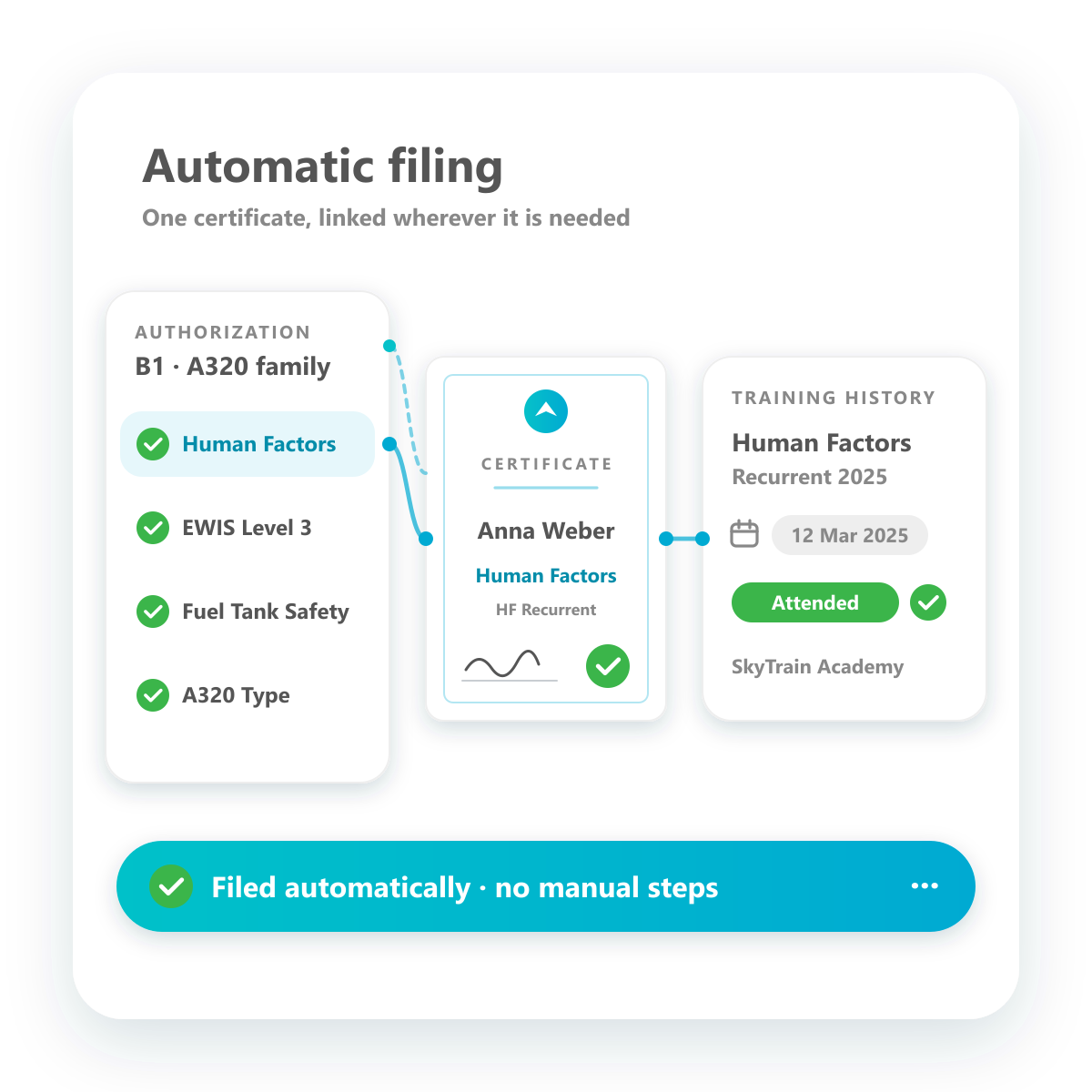
Automatic assignment and filing
Certificates land exactly where they belong — no manual filing.
Every certificate is stored in the system and linked to the right places automatically: to the qualification and the authorization profile built on it, and to the training attendance with date and status. Open it as evidence from the training history or from the qualification profile — always the same document, filed once.
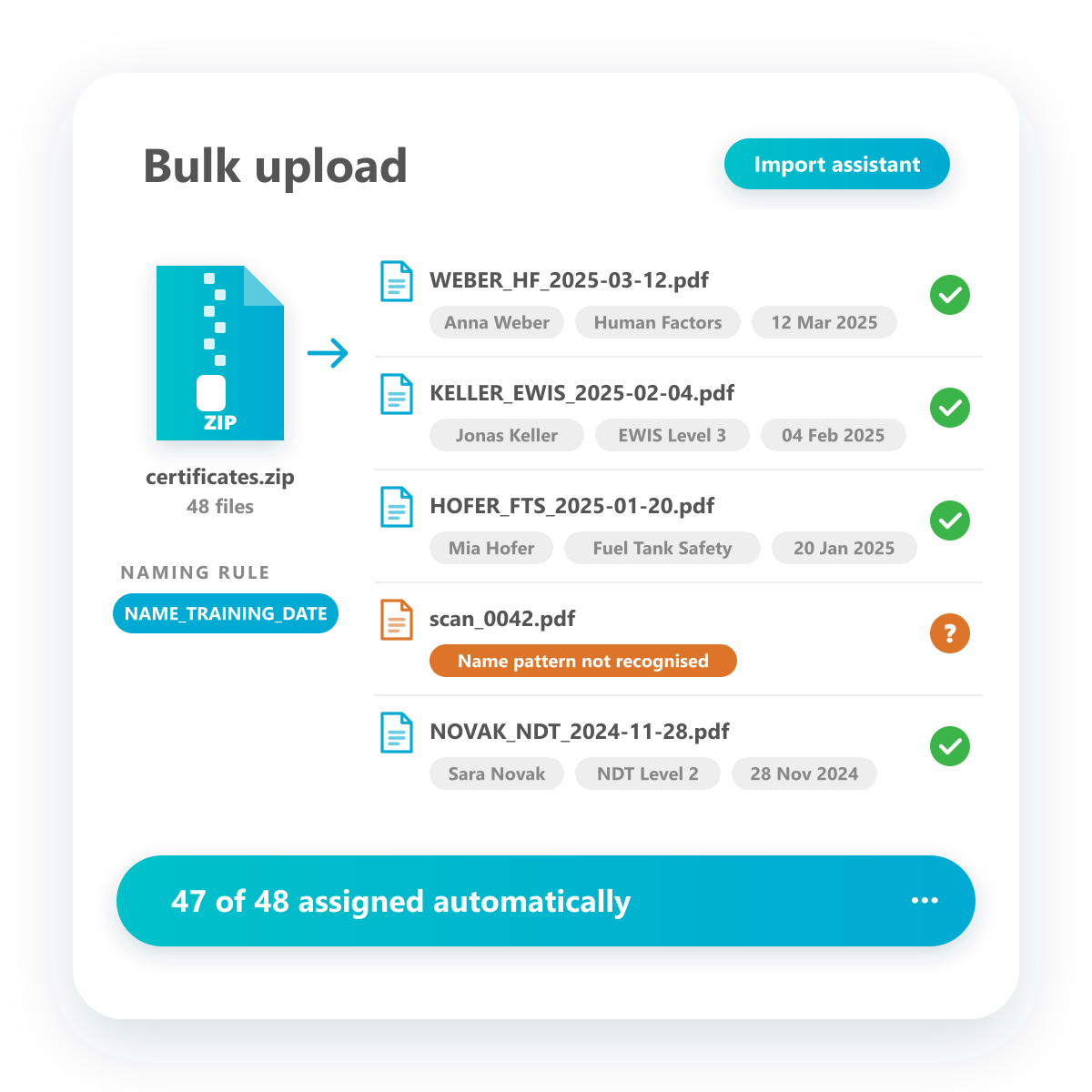
Bulk upload
Upload hundreds of certificates at once as a ZIP file.
Drop a ZIP file with all certificates into the import assistant. If the files follow the naming rule, employee, training and date are read from the file name, the metadata is created and every certificate is filed in the right place. Only files that cannot be matched are left for you to check.
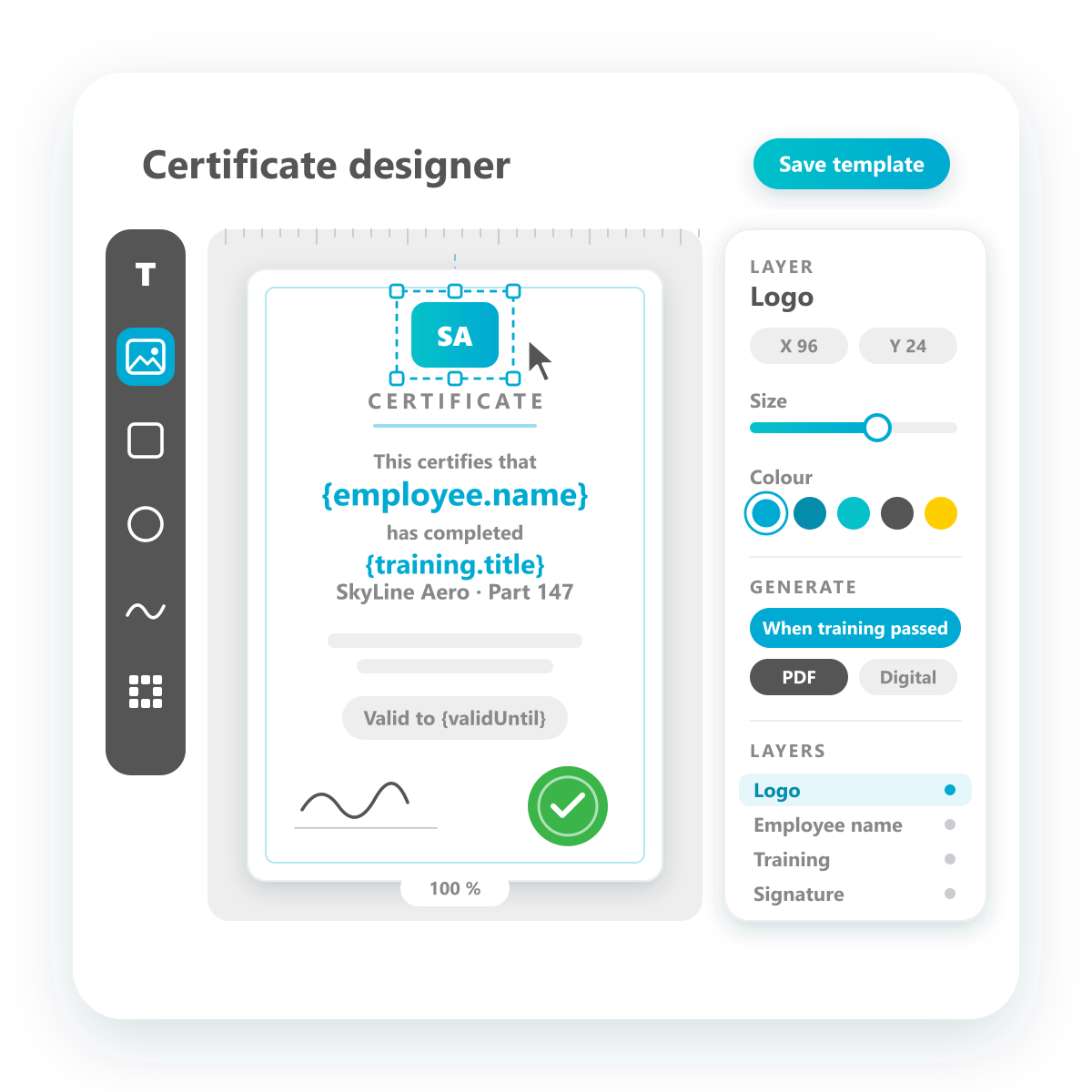
Certificate configuration
Design your own certificates and decide how they are generated.
Build certificate templates in a visual designer: place your logo, texts, signatures and placeholders for employee, training and validity exactly where you want them. Then set the rules — when a certificate is generated, in which format and for which trainings.
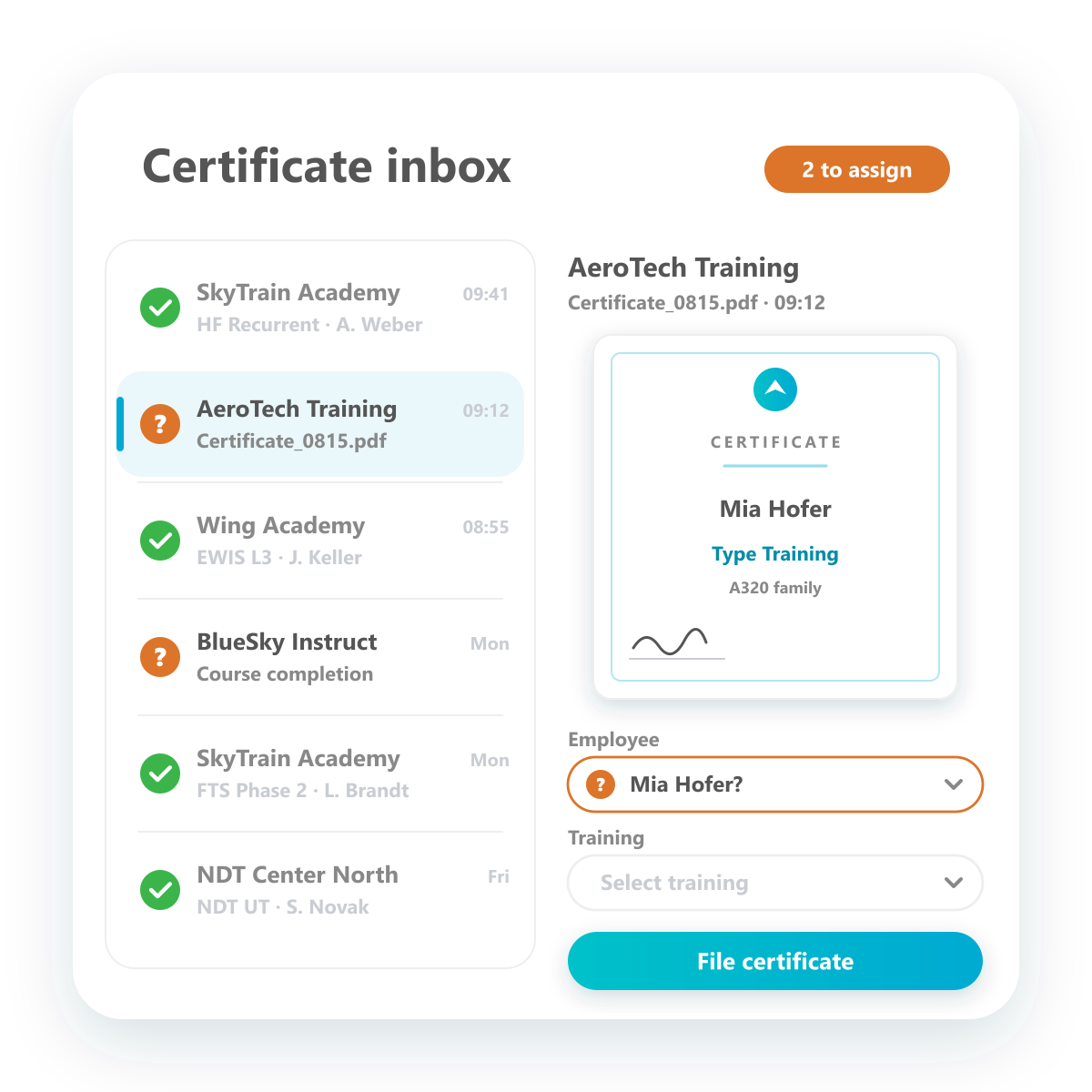
Certificate inbox
Incoming certificates are collected and filed automatically.
All incoming certificates are collected in one inbox and filed in the right place automatically. Just like in your email client, you see at a glance what has been filed and what still needs attention. Certificates that could not be assigned are marked and distributed by hand in a few clicks.
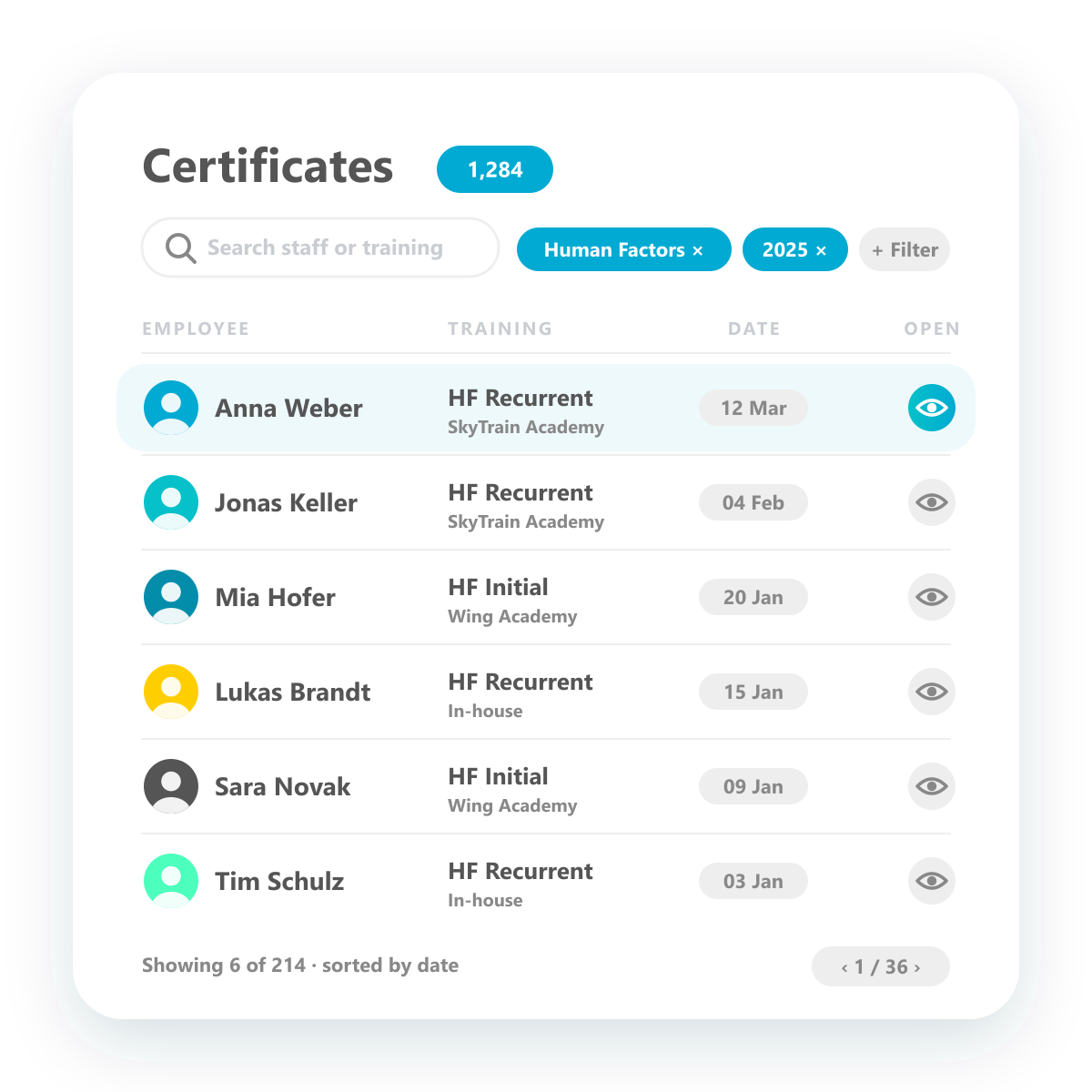
Certificate overview
All certificates in one place — filter, find, open.
See every certificate in the system with training, employee and date, and open it with one click. Flexible views and filters by training, employee, period or provider give you a complete overview in seconds — for audits, reviews or day-to-day questions.
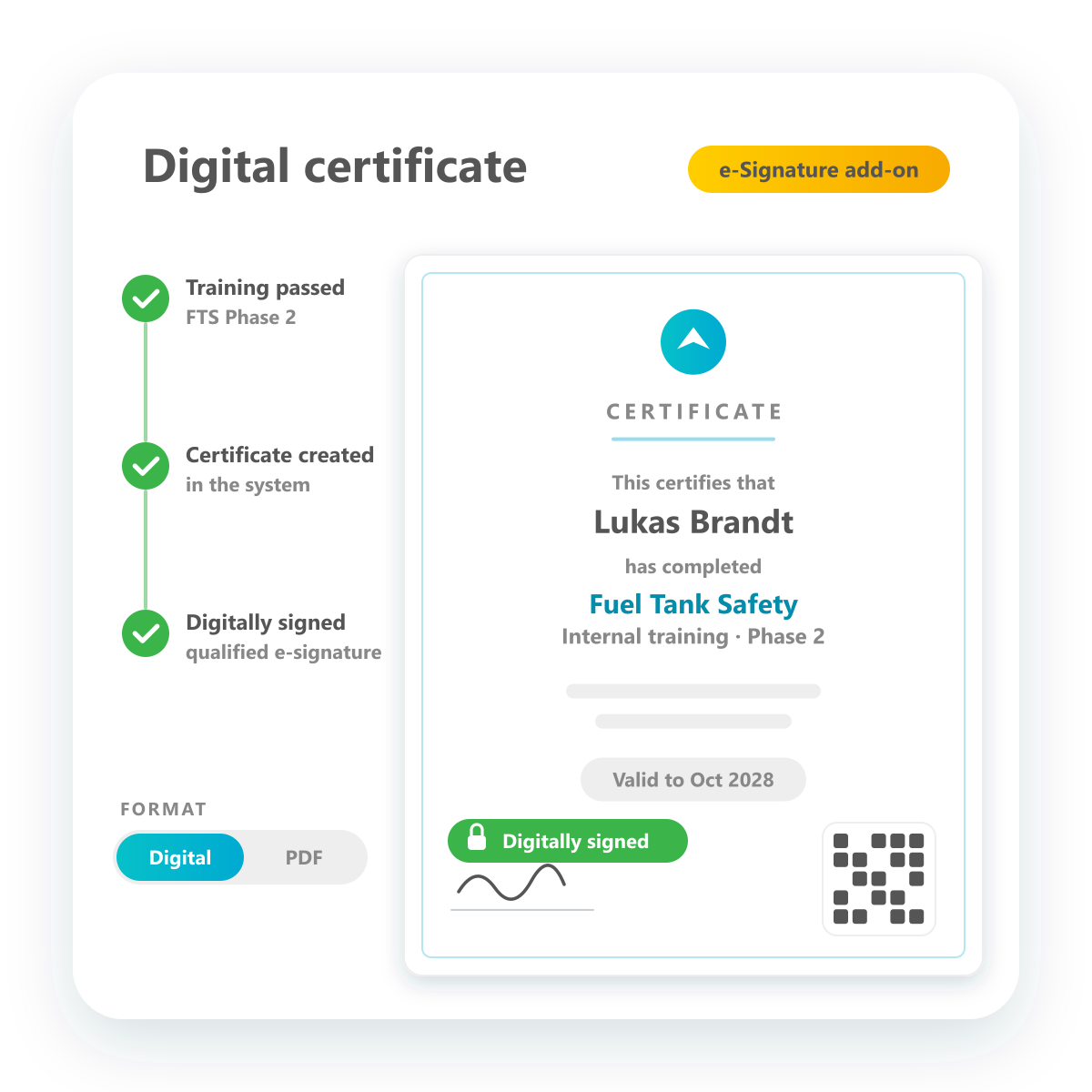
Digital certificates
Create certificates in the system — digital, as PDF or digitally signed.
For internal trainings, certificates are created directly in the system after successful completion. Keep them purely digital or generate a PDF and store it automatically — no printing, scanning or uploading. If required, certificates can be signed digitally with the e-signature add-on.
Direct upload by staff
Employees upload their certificates themselves in the employee portal.
Staff upload certificates directly in the employee portal — select the training, enter the dates, add the file, done. Every upload is marked as pending and becomes valid once it has been confirmed, so the record stays reliable while the administrative effort drops.
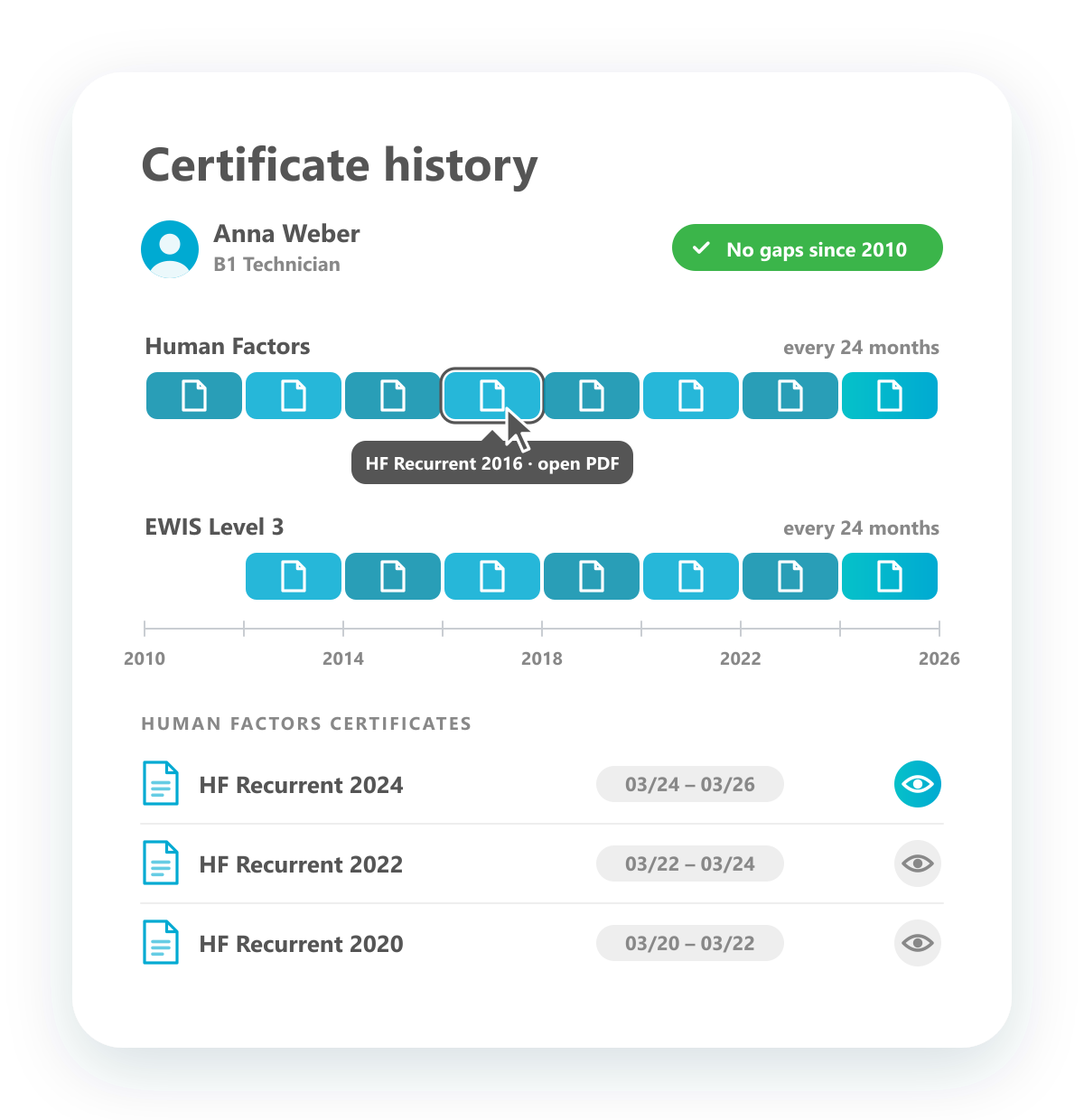
Gapless certificate history
Every certificate of a qualification — over the years, without gaps.
Each qualification keeps a complete history of its certificates. For recurring qualifications such as Human Factors or EWIS you see every validity period over the past years and can open the certificate behind each one. Employees always know why they hold a qualification, and auditors see the proof without gaps.
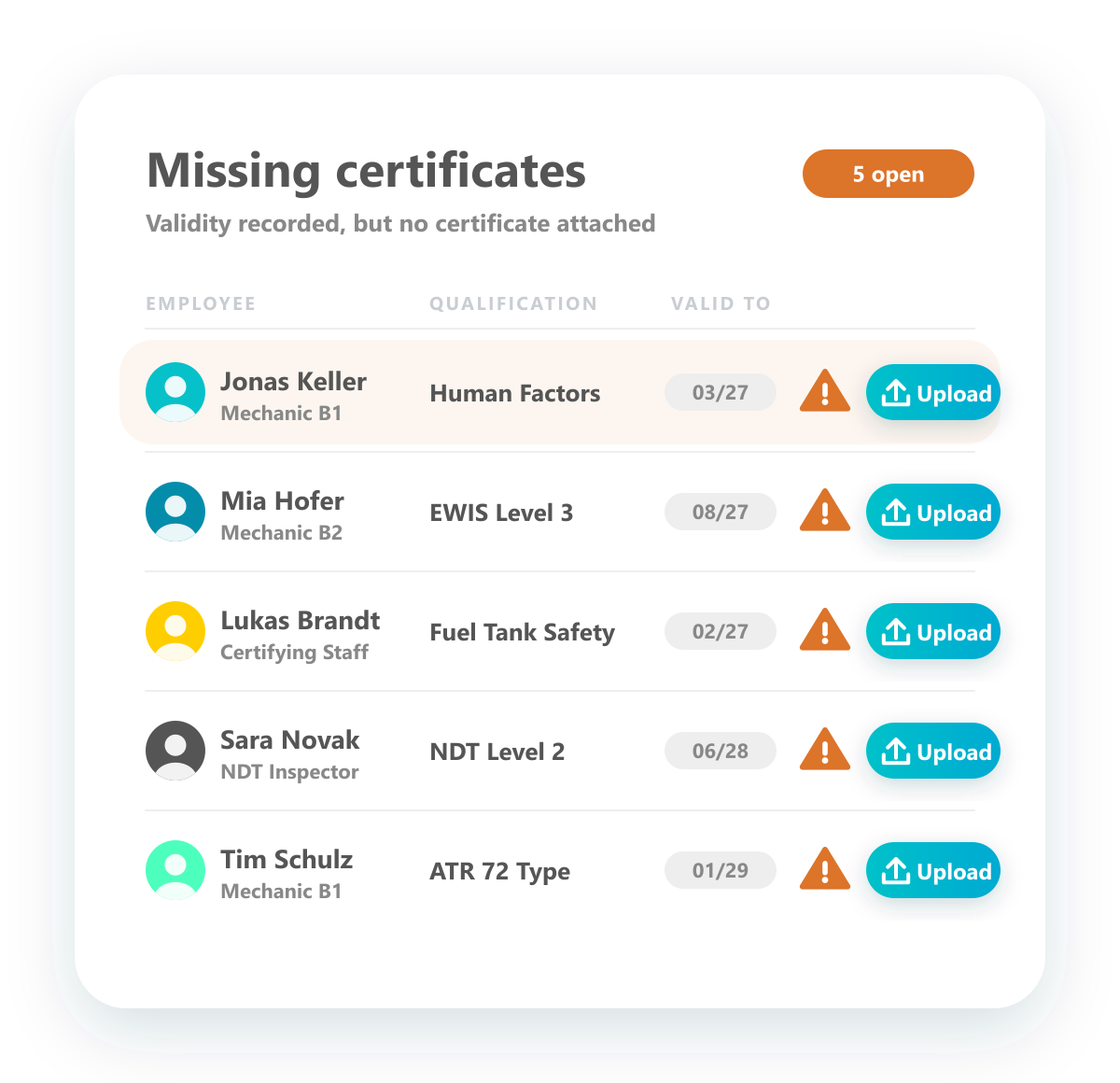
Missing certificate alarm
See at once which qualifications are missing their certificate.
The missing certificate report lists every qualification that has a validity date but no certificate attached — with employee, qualification and expiry date. Upload the missing evidence straight from the list and close the gap before the next audit.
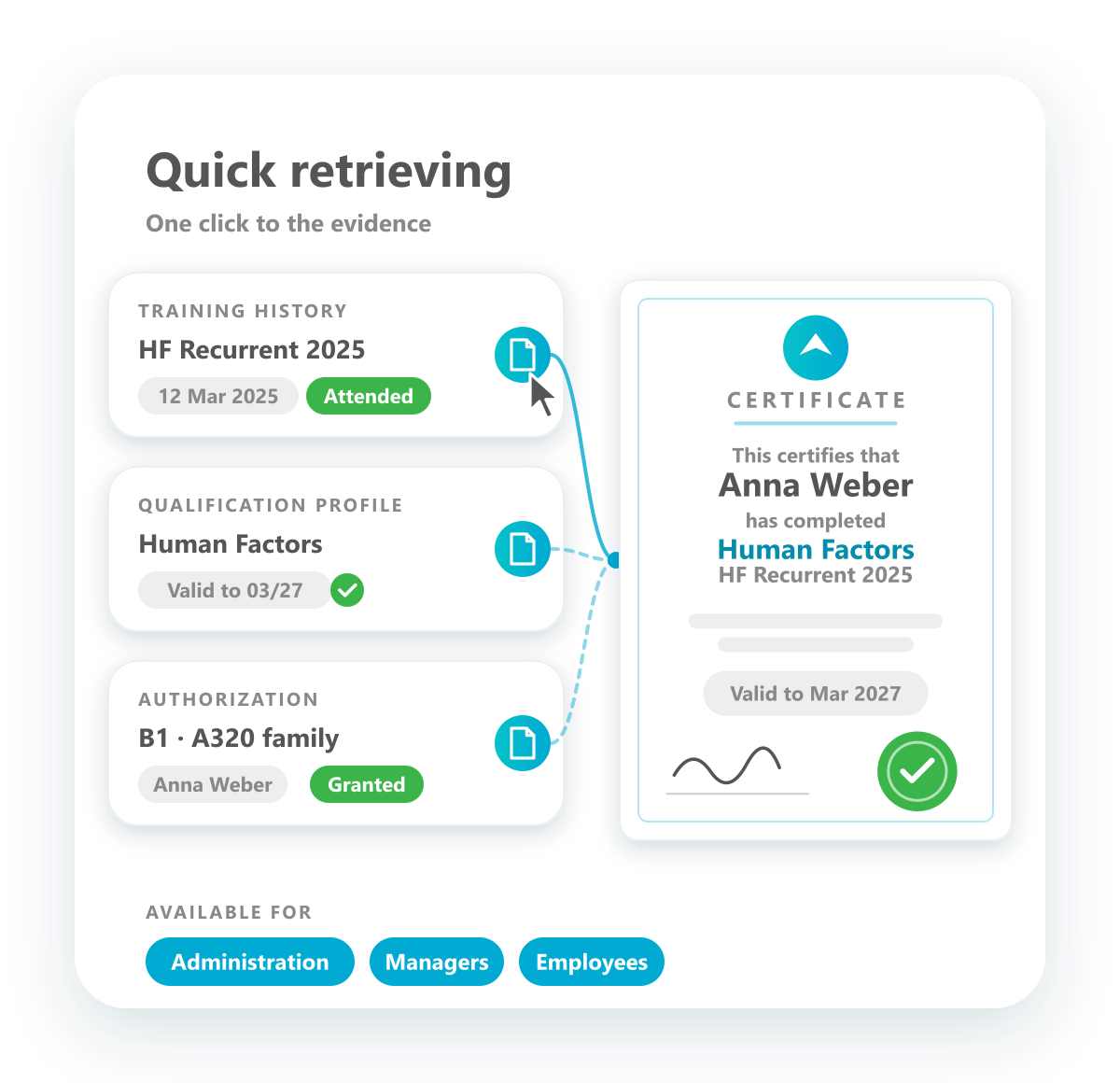
Quick retrieving
Every certificate is just one click away.
Open the certificate wherever you need the proof: from the training history to show that a training took place, or from the qualification and the authorization to show that the qualification is in place. Administrators, managers and employees each reach the right document with a single click.
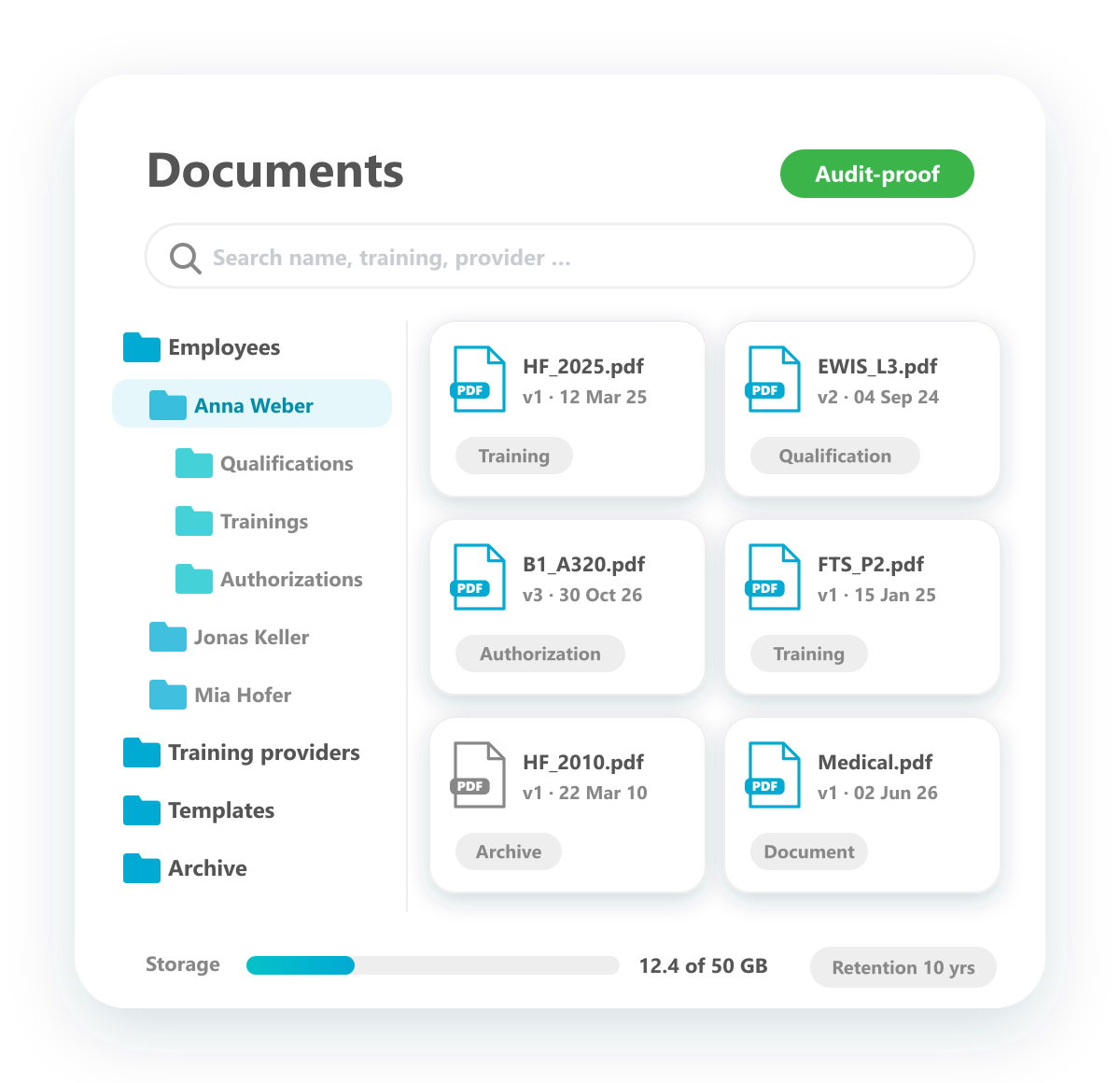
Storage of certificates
Store certificates securely — no separate document tool needed.
cimoio.aero is also your document management system for training records. Certificates are stored centrally, versioned and kept available for as long as you need them, organised by employee, training and provider. No extra storage or document tool is required.
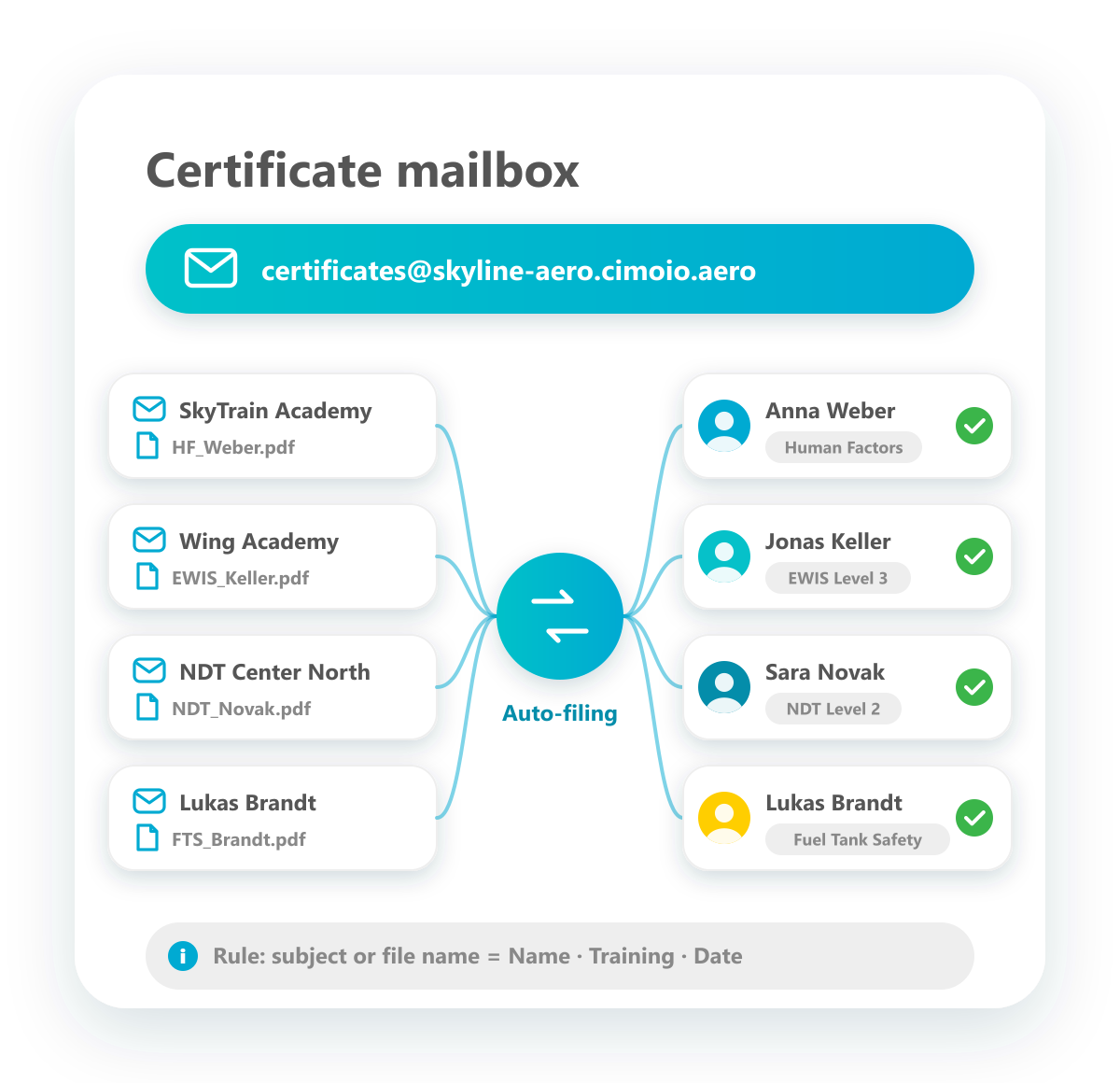
Certificates by email
Send certificates to your own mailbox — they are filed automatically.
Your account gets its own email address for certificates. Training providers and employees send certificates there; if the subject or file name follows the agreed rule, every certificate is filed automatically with the right employee, training and qualification. Everything else waits in the certificate inbox.
Training Purchasing
Vollzugang zum Qualification Manager – gestaffelt nach Teamgröße.

Manage training provider
Add your training providers and define the training products they offer. Each product carries its standard information, such as price overviews, and the provider's offers and invoices are filed right with it.

Management of staff agencies
Record staff agencies with their information and documents. External staff are assigned to their agency, so you always know who comes from where.
Overview external provider
Add your training providers and define the training products they offer. Each product carries its standard information, such as price overviews, and the provider's offers and invoices are filed right with it.

Plan training contingents (no name booking)
Plan training contingents that fill up over the course of the year. Seats don't have to carry names right away: reserve them for a department first and assign people later.

Planning of Training Budget
Calculate the training budget for the year. Derive demand from qualifications that are due to expire, add plans collected through surveys, and project the budget with your training prices.
Specific handling of internal and external training
Internal and external trainings are kept apart, and each is handled the way it needs to be.

Track invoices of training providers
File the invoices of your training providers against the trainings you purchased, and distribute the costs internally.
Track training costs and prices
Keep training prices and actual costs from offers and invoices in one place: the basis for comparing providers and projecting budgets.

Track training offers
Document the requests for offers you send to training providers and keep track of who has already answered, and with which offer.
Product & Curriculum
Vollzugang zum Qualification Manager – gestaffelt nach Teamgröße.
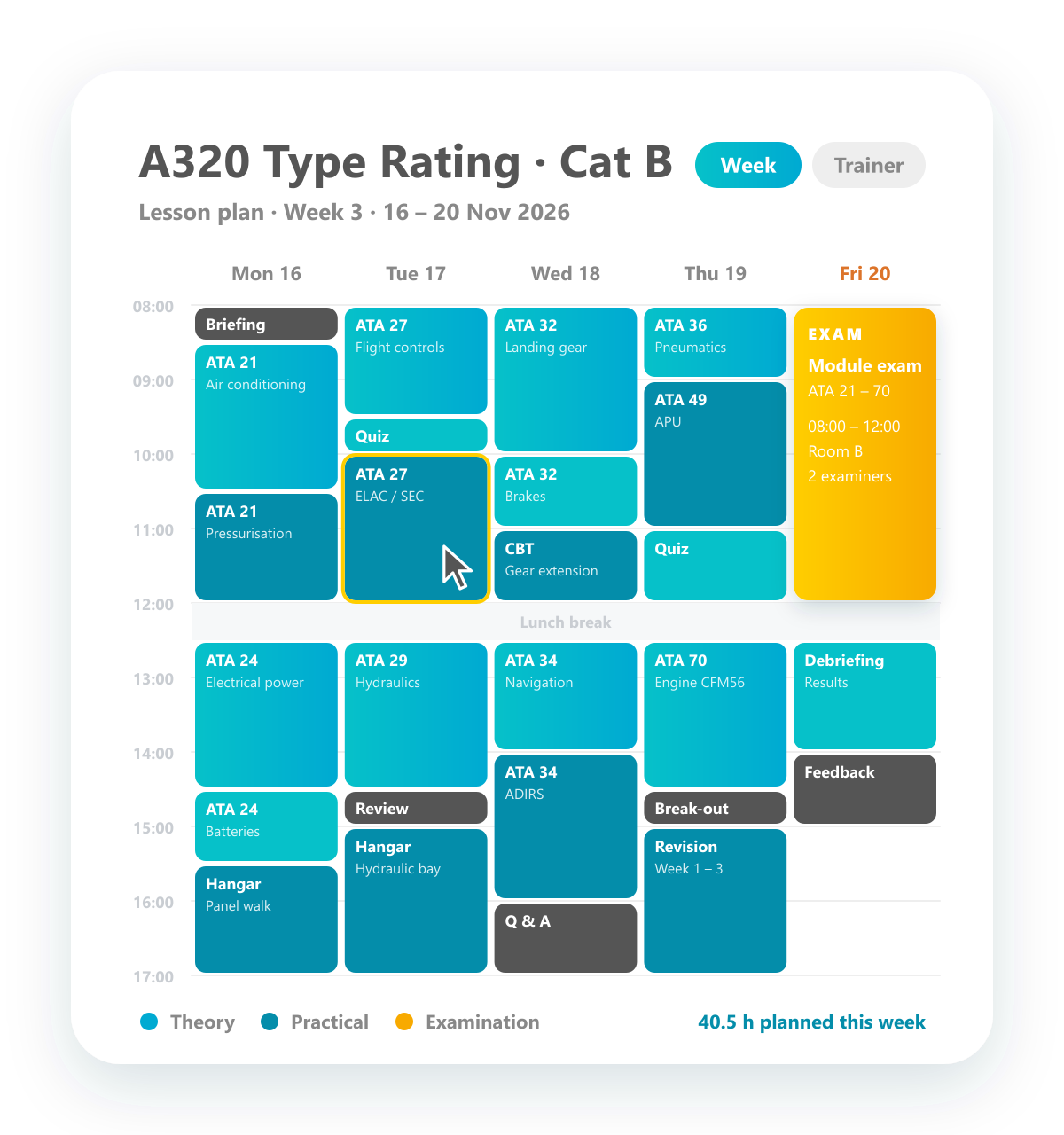
Plan lessons
Plan every lesson of a training program, block by block.
Within a training program, plan the lessons in detail: split each day into blocks of half an hour, two hours or whatever the content needs, and give every block its topic. Examinations are planned as blocks of their own. From the plan you get clear overviews, such as the week schedule of a class or the lessons of a single trainer.
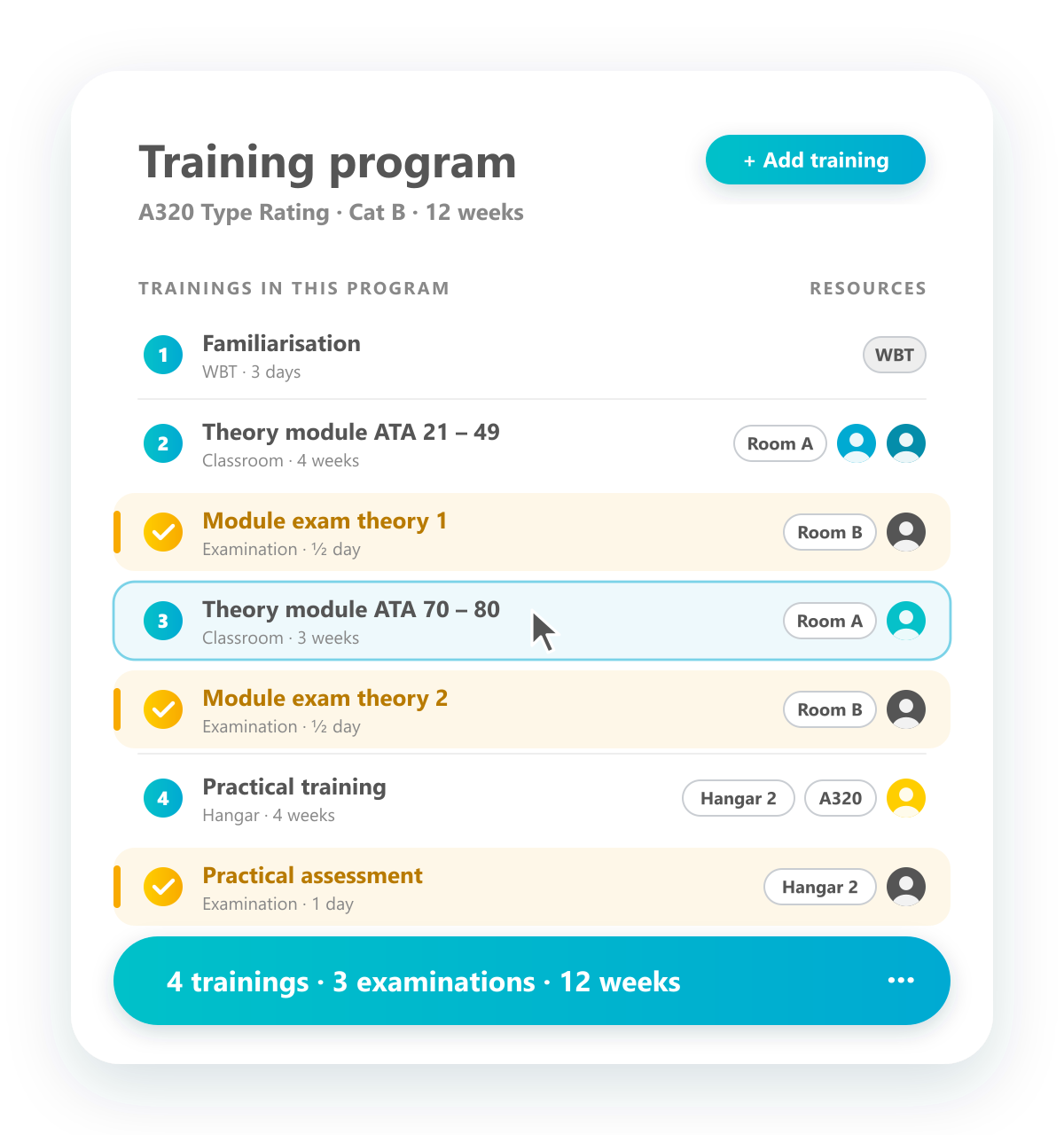
Plan training programs
Build comprehensive programs from individual trainings.
Create comprehensive training programs, such as an A320 type rating course, made up of several individual trainings. Each training in the program gets its own resources, such as trainers, rooms, hangar slots or an aircraft. Examinations are planned as separate steps of the program with their own examiners and rooms, so theory, practice and assessment stay in one structure.
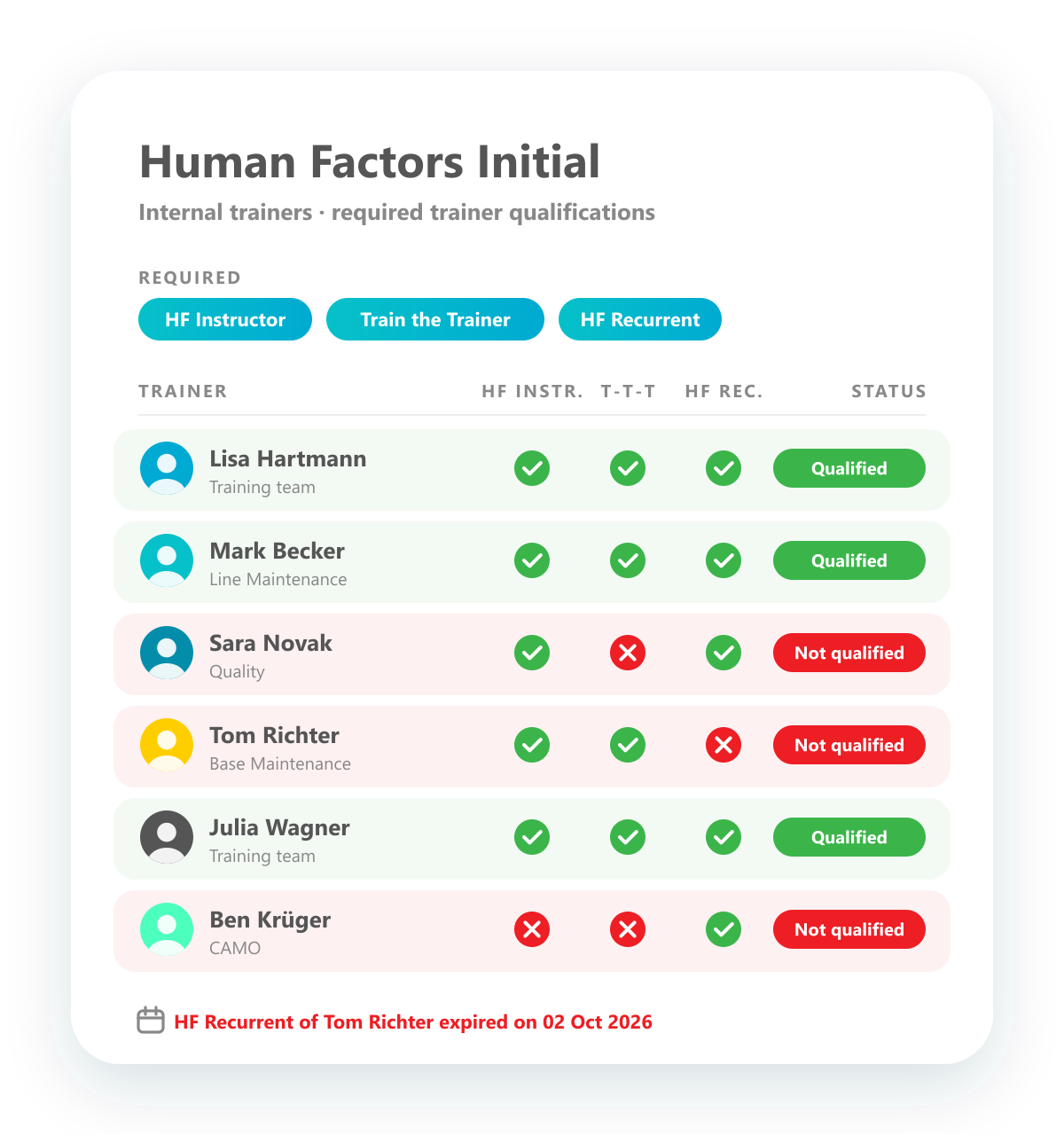
Trainer qualifications
See at a glance which trainer is qualified for which training.
Track the qualifications of your trainers just like those of any other employee. For each training you see which internal trainers hold the required trainer qualifications, marked green or red, so only qualified trainers are planned. If a trainer qualification expires, it shows up straight away.